Companies that want tighter control over business travel spend usually start by turning informal habits into written rules. Once those rules exist, a platform like Navan can apply them automatically at the moment an employee searches or books. The result is fewer out-of-policy bookings and far less receipt chasing after the trip.
Navan is an integrated travel and expense platform that brings employee bookings, policy settings, and spend visibility into one place. Knowing how to manage travel policy with Navan lets you set spending ceilings, cabin rules, and lodging limits without slowing down the booking process for your team. Learning how to manage travel policy with Navan is easiest when you treat setup as a structured project rather than a one-time switch.
Quick verdict
Navan earns a bestcouponblogs score of 7.8/10 for companies that want an integrated travel and expense platform with real-time policy controls. It suits organizations that need automatic guardrails during booking. It is less suitable for sole operators or businesses with occasional, informal travel that doesn't justify centralized governance.
| Evaluation Metric | Summary Details |
|---|---|
| bestcouponblogs score | 7.8/10 |
| Best for | Growing companies and distributed teams seeking centralized travel booking rules with built-in spending guardrails. |
| Not ideal for | Sole proprietors or teams without recurring corporate travel programs who prefer unmanaged consumer booking channels. |
| Key strengths | Automated travel policy enforcement at booking, centralized visibility over reservations, and unified itinerary monitoring. |
| What to check before buying | Review administrative seat configurations, booking service fee structures, and corporate payment requirements on the official vendor portal. |
1. How bestcouponblogs Reviewed Navan
This review looks at what Navan is designed to do, who it serves, and how it compares with similar tools, using the seven bestcouponblogs criteria: features, ease of use, pricing and value, integrations, audience fit, support, and competitive position. Plans, prices, and limits change often, so confirm current details on the official website before purchasing. This article was researched and drafted with AI assistance, then reviewed and edited by the bestcouponblogs Editorial Team.
2. Before You Start

Before you configure any travel management tool, leadership needs to put the travel rules on paper. Software applies structured parameters, so vague verbal understandings won't translate into predictable system behavior. Settling the standards first prevents friction during setup.
Define Traveler Tiers and Roles
Different employees often need different booking rules. An executive attending partner meetings may have other flight or lodging needs than a team member heading to a regional conference. Grouping travelers into clear tiers makes policy assignment far simpler:
- Executive Leadership: Roles that need flexibility, specific cabin options, or special scheduling accommodations.
- Standard Business Travel: Regular team members traveling for client work, internal meetings, or sales presentations.
- Contractors or External Guests: Visiting specialists who need managed bookings and strict budget limits.
Set Spending Baselines and Booking Windows
Travel software works best with objective constraints. Review past spending to establish realistic nightly hotel caps and advance booking expectations. Many corporate policies encourage booking flights several days or weeks ahead to limit fare increases, so document your target booking window before entering any rules.
Decide on Approval Hierarchies
Determine whether your company prefers strict pre-trip approvals or post-booking alerts. In fast-moving businesses, multi-level sign-offs on routine trips can delay bookings and push prices up. Matching your approval structure to your operational pace keeps managerial review focused on true exceptions.
3. Getting Started Workflow
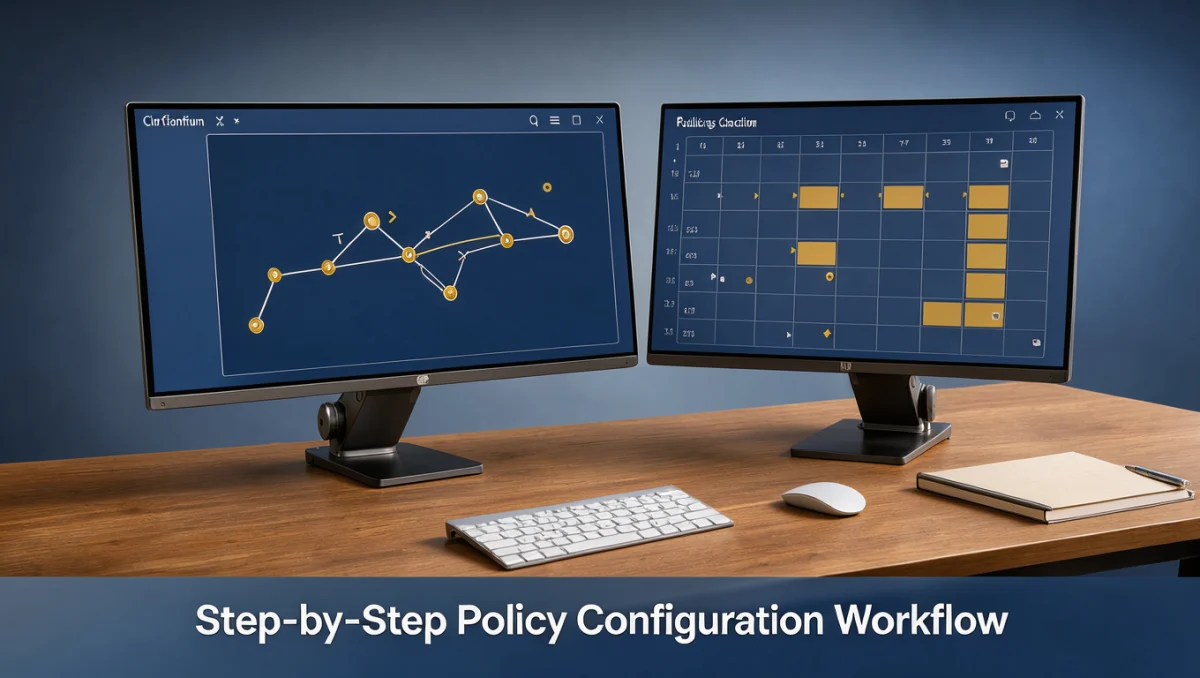
Managing travel policy means translating organizational rules into automated controls that guide travelers naturally through the reservation process. The steps below outline how administrators structure and maintain policies inside a travel management platform.
Step 1: Set Up Policy Levels and Employee Groups
Start by organizing users into policy groups within the admin settings. Rather than assigning custom rules to individuals, link people to functional groups based on role, location, or department. This modular approach means new hires automatically inherit the right travel permissions without manual setup.
Step 2: Configure Flight Guidelines
Flights are a major share of business travel budgets. When configuring flight policies, define the conditions that determine which options appear as in-policy:
- Cabin Class Parameters: Specify which flight durations permit business or premium economy and which require economy seating.
- Advance Booking Thresholds: Set target windows for booking timing and flag flights that fall outside expected advance purchase periods.
- Price Deviation Caps: Define acceptable price ranges relative to the typical market rate for similar routes to prevent overspending on premium departure times.
- Refundability and Fare Types: Clarify whether non-refundable fares are standard or whether flexible fares are allowed for certain departments.
Step 3: Define Hotel and Lodging Standards
Hotel rates vary widely across markets, so a single flat limit rarely works across diverse destinations. Build in city-based or seasonal nightly limits that reflect local costs. Also set expectations for property star ratings and safety standards that match company requirements.
Step 4: Establish Ground Transportation and Rail Rules
Extend policies to car rentals, rail, and regional transit where relevant. Decide whether rental vehicles should be limited to compact or midsize classes and whether rail is preferred for regional city-to-city routes. Standardizing ground transit rules closes loopholes that often lead to budget drift.
Step 5: Configure Notification and Approval Workflows
Link policy boundaries to the right department managers or finance administrators. When an employee selects an itinerary outside the set parameters, the system should trigger an approval request or an out-of-policy notice. Ask the platform to prompt travelers for a short justification, giving managers the context they need for a fast, informed decision.
4. Best Practices for Travel Policy Administration
Software is only the first step. An effective travel program depends on steady oversight and clear communication, and the practices below help drive high adoption across traveling teams.
Prioritize Clarity Over Excessive Restriction
A policy that is too rigid pushes employees toward consumer booking sites, which destroys visibility. Build rules that give travelers reasonable choices while filtering out inappropriate spending. When people find the platform genuinely useful, compliance rises naturally.
Regularly Audit Market Rate Thresholds
Hotel and airfare markets shift with seasonal demand and economic conditions. Review city rate caps quarterly so travelers aren't repeatedly forced into approval workflows simply because local prices rose. Keeping parameters current keeps the policy aligned with real market conditions.
Integrate Travel Governance with Broader Office Workflows
Travel administration runs more smoothly when connected to wider operational tools. Aligning travel procedures with your Collaboration & Productivity stack helps distributed teams coordinate offsites, client visits, and executive schedules without bottlenecks.
Review Unused Tickets and Credit Balances
Business plans change, and canceled itineraries can leave airline credits behind. Monitor credit balances through admin reporting so travelers apply existing credits before buying new tickets. This captures value that might otherwise expire unused.
5. Common Mistakes to Avoid
Organizations moving from manual travel management to an automated platform often run into the same pitfalls. Avoiding them saves admin time and reduces traveler frustration.
Failing to Test Policies from the Traveler Viewpoint
Administrators sometimes build detailed policy matrices without checking what an employee actually sees when searching. Overly tight rules can hide all morning flights or filter out hotels near event venues. Test search results across key business routes to confirm viable options remain visible.
Overusing Mandatory Pre-Approval Chains
Requiring manager approval for every routine trip adds delay, and fares can rise while sign-off is pending. Reserve mandatory approvals for genuine exceptions or trips above departmental thresholds so ordinary travel moves quickly.
Neglecting Communication During Rollout
Software enforces rules, but it doesn't replace employee education. When launching or revising a policy, explain the reasoning behind specific limits and advance booking expectations. Staff who understand that the rules protect company resources tend to engage with the platform more cooperatively.
6. Who Should Use Navan for Travel Policy Management
Whether a dedicated corporate travel platform fits depends on travel frequency, team distribution, and administrative load. Different operating profiles benefit to different degrees.
Growing Small and Midsize Businesses
Companies scaling up often find informal booking breaks down as headcount grows. A travel platform gives emerging businesses formal travel governance without needing an in-house travel agency. Centralized records simplify expense tracking and give finance leaders clear visibility into team spending.
Distributed and Remote Organizations
Remote and hybrid companies regularly organize department meetups, client engagements, and company retreats. A unified system lets distributed staff book their own itineraries while keeping flight and hotel choices within company limits.
Finance and Operations Managers
Administrators who spend hours manually reviewing flight receipts benefit from programmatic controls. Automated alerts flag non-compliant bookings before money is spent, reducing post-trip disputes and standardizing reporting across entities.
Teams That Should Consider Simpler Options
Solo entrepreneurs, very small local businesses, or organizations whose staff rarely travel beyond their region typically don't need a formal travel governance platform. When travel is infrequent, managing bookings through standard consumer sites or simple corporate card guidelines is usually sufficient and avoids subscription costs.
7. Frequently Asked Questions
How should administrators set hotel rate caps across different cities?
Start with past corporate booking receipts and market-rate benchmarks for the cities your team visits most. Dynamic city-tier limits work better than one nationwide cap, letting you allow for expensive metro destinations while controlling spend in secondary markets.
What is the recommended approach for out-of-policy exceptions?
Configure automated notifications that require a short business justification at checkout. Route that justification to the relevant department manager, who can approve or reject the exception without slowing down compliant bookings elsewhere in the company.
How does advance booking timing affect policy effectiveness?
Setting advance booking expectations nudges employees to reserve before airfares climb close to departure. Gentle advance-booking reminders within the software help teams plan earlier without creating rigid barriers when urgent client needs arise.
What should buyers confirm on the official pricing page before subscribing?
Confirm administrative seat costs, transaction or booking service fees, contract length, and payment processing requirements. Checking these on the official pricing portal helps ensure you choose a plan that matches your actual monthly travel volume.
Should companies consult advisors on travel expense policies?
Yes. Work with qualified accounting and legal professionals when designing per diem limits and reimbursement structures. Advisors can confirm that your rules align with local tax regulations, accountable plan requirements, and statutory expense reporting standards.
8. Final Verdict
Navan offers a structured environment for corporate travel governance, replacing manual receipt reviews with policy enforcement during booking. By applying clear thresholds to flights, hotels, and ground transportation, organizations keep spending disciplined while preserving employee booking flexibility.
| Criterion | Score /10 | Reason |
|---|---|---|
| Features | 8.5/10 | Strong policy enforcement at booking, with centralized reservation visibility. |
| Ease of Use | 8.0/10 | Clear booking flows for employees; admin setup takes planning. |
| Pricing and Value | 7.0/10 | Value depends on travel volume; confirm fees on the official pricing page. |
| Integrations | 7.5/10 | Fits well into finance and expense workflows. |
| Audience Fit | 8.5/10 | Best suited to growing and distributed companies with recurring travel. |
| Support | 7.0/10 | Adequate support; response expectations should be checked against your plan. |
| Competitive Position | 8.0/10 | Competitive among integrated corporate travel platforms. |
Overall Score: 7.8/10
For growing enterprises and distributed companies, centralized travel controls save admin time and limit budget overruns. Set realistic policy limits, test the booking flow from the employee's perspective, and verify contract details on the official Navan website before rolling out.
Have questions about choosing business operations software? Contact the editorial team at Best Coupon Blogs or reach out through our contact page at https://bestcouponblogs.com/contact/, or connect with bestcouponblogs on LinkedIn at https://www.linkedin.com/company/bestcouponblogs/.