Best Coupon Blogs may earn a commission when you buy through links on this page, at no extra cost to you. This does not affect our ratings.
Moving customer conversations onto a shared business line starts with a clear plan for identity, consent, and team ownership. Business texting lets your organization reach clients through an existing landline or a dedicated business number, so no staff member has to share a personal mobile number. At Best Coupon Blogs, we review business software workflows to help teams work faster without losing professional boundaries.
Customers now expect quick replies, but your company still needs an accurate record of every exchange. Understanding how to text customers from a business number with Textline gives your team a way to answer quickly while keeping conversations organized and aligned with commercial messaging rules.
Quick answer: To set this up, verify your business profile, connect your registered number, collect written opt-in consent, build reusable reply templates, and route incoming conversations to qualified staff so every client gets a timely response.
| Aspect | Details |
|---|---|
| Who this guide is for | Operations managers, team leads, and customer service staff setting up structured business messaging. |
| What you need before starting | An active business registration, authority over your business phone number, and verified customer opt-in records. |
| What you will have at the end | A repeatable messaging routine that lets several team members text clients professionally from one business number. |
1. How Best Coupon Blogs Prepared This Guide
This guide pairs the capabilities of the software covered here with the Best Coupon Blogs buying framework, so you can choose the option that fits your operation. Plans, pricing, and limits change frequently, so we flag what to confirm on the official website before purchasing. This article was researched and drafted with AI assistance, then reviewed and edited by the Best Coupon Blogs Editorial Team.
2. Before You Start
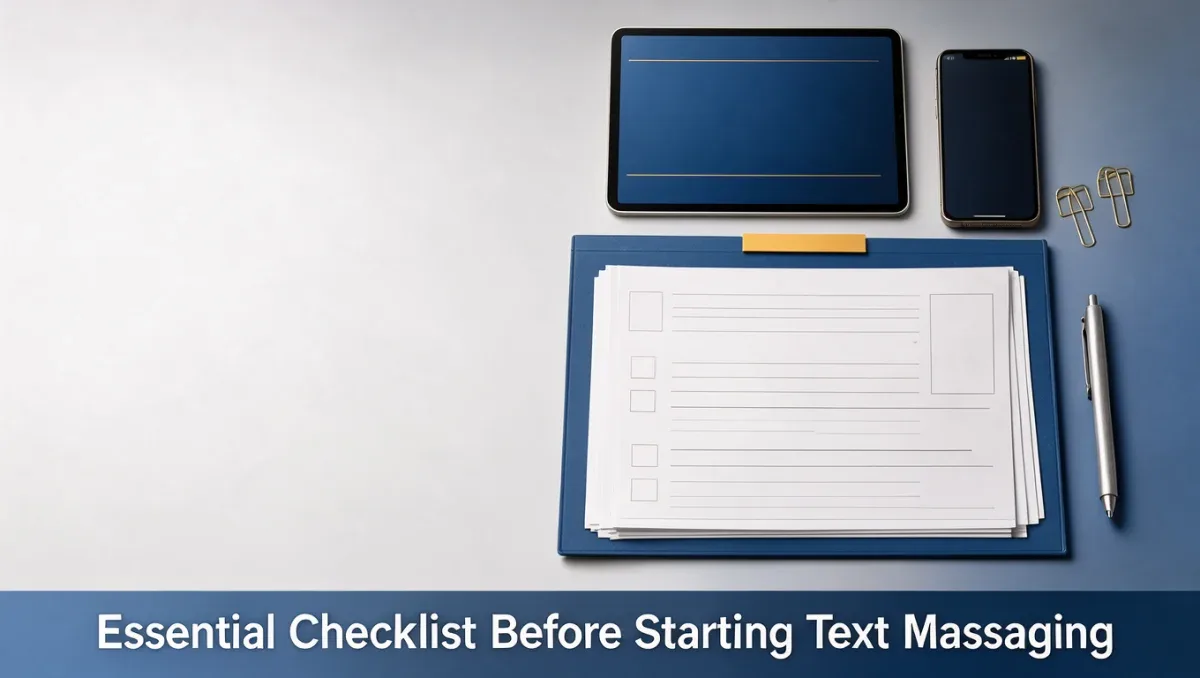
Setting up two-way text conversations takes administrative groundwork before your first outgoing message. Gathering the right documents protects your sender reputation with major carriers and keeps your team within the regulatory standards that apply to customer service communication.
- Official business registration documents, including your legal business name, tax identification details, and physical corporate address for carrier verification.
- Direct administrative access to your existing business phone line, plus carrier authorization if you plan to text-enable an active landline.
- Documented consent records showing that recipients opted in to receive SMS alerts or support conversations from your company.
- A defined team roster naming who will review inbound messages, route inquiries, and reply to customers.
3. Step-by-Step Workflow

A structured workflow makes sure every customer contact gets a consistent, documented reply. Confirm the exact configuration steps on the official Textline website during initial account setup.
- Verify business identity and carrier registration. Submit your business entity details through the commercial identity forms, which carriers use to register outbound messaging and reduce spam flags.
- Connect your chosen business phone line. Work with your telecom provider to text-enable your existing landline or assign a newly provisioned business number to organizational messaging.
- Set up written opt-in and consent capture. Make sure web forms, paper intake sheets, and service agreements state that clients agree to receive business texts and explain how to opt out.
- Draft standard reply templates and internal tags. Build approved baseline templates for appointment confirmations, status updates, and general questions so staff use consistent wording.
- Assign incoming conversations to team queues. Route each new inquiry to the right person by department or request type to keep ownership clear and response times short.
- Keep conversation records and honor opt-outs immediately. Track resolved exchanges and make sure any stop request updates your main customer database right away.
4. Your First 30 Days
Building disciplined messaging habits in the first month prevents customer frustration and keeps response times predictable. Use this four-week outline to establish sustainable business text routines.
| Week | Routine to build | Why it matters |
|---|---|---|
| Week 1 | Complete carrier verification and run internal test conversations among staff. | Confirms message delivery and familiarizes staff with the workflow before they contact real clients. |
| Week 2 | Introduce texting to a small group of existing clients who have given clear opt-in consent. | Lets staff refine reply workflows and test templates on low-volume interactions. |
| Week 3 | Audit reply times, conversation tags, and routing consistency across active team members. | Surfaces bottlenecks early and standardizes tone across customer conversations. |
| Week 4 | Review opt-out logs and update primary contact databases to keep lists clean. | Supports compliance with telecommunications standards and keeps customer preferences aligned across systems. |
5. Common Mistakes and How to Avoid Them
Organizations moving from personal phones to business messaging software often run into avoidable problems that damage sender trust. Knowing these pitfalls helps your team keep service quality high.
- Sending outbound messages without documented consent. Never text contacts without verifiable opt-in records, since unauthorized outreach triggers carrier filtering and penalties.
- Leaving your company name out of outgoing messages. Include your business name in greetings so recipients immediately know who is contacting them.
- Using informal abbreviations or slang. Keep sentences professional, punctuate correctly, and use polite phrasing on corporate channels.
- Ignoring routing outside business hours. Set clear automated away notices that state your operating hours and when customers can expect a personal reply.
- Letting several employees reply at once without clear ownership. Assign conversations so team members don't send contradictory answers to the same client.
6. When to Ask for Help
Standard messaging workflows are straightforward, but certain situations call for technical support or regulatory advice. Recognizing these triggers early prevents service disruptions.
- Persistent delivery delays or unexpected message rejections across major mobile carriers.
- Complex phone hosting requirements, such as text-enabling multi-line switchboards or specialized voice-over-IP setups.
- Legal or regulatory questions about consent rules for specific industries such as healthcare, financial services, or debt collection.
- Organizational changes that require transferring administrative ownership of the registered business phone line.
7. Frequently Asked Questions
What materials are required to verify a business line for texting?
Organizations usually prepare proof of business registration, a tax identification document, and billing records from the carrier that hosts the number. These credentials confirm legitimacy and help carriers route commercial texts without flagging them as unregistered traffic. Check the exact document requirements on the official Textline website before starting verification.
How should teams manage customer consent when texting from a business number?
Consent means you have documented proof that recipients explicitly agreed to receive texts from your company. It is commonly collected through online registration forms, signed service agreements, or inbound keywords the customer sends first. Keeping detailed, time-stamped records protects your company from complaints and preserves sender reputation.
What is the proper protocol when a customer asks to stop receiving texts?
Industry standards require immediate action on opt-out requests containing words such as stop, unsubscribe, or cancel. Your messaging software should halt further outbound messages to that contact and flag the record in your central customer system. Honoring opt-outs promptly is a basic legal requirement for commercial senders.
Why should an organization use a business number instead of individual mobile phones?
A centralized business number keeps client communication records under company control and protects employee privacy. Several team members can monitor incoming inquiries, hand off conversations, and keep a professional tone without personal devices. Customer relationships also stay intact when staff change roles or leave the organization.
8. Next Steps
Launching business messaging takes deliberate execution to ensure both compliance and team adoption. Work through these steps to establish your workflow:
- Review your customer intake forms to confirm they explicitly cover SMS communication and opt-out instructions.
- Confirm account registration requirements and number compatibility directly on the official Textline website.
- Draft your initial set of standardized reply templates for common customer questions before going live.
- Train your customer service staff on conversation routing, professional tone, and escalation procedures.
Have a question about choosing software? Reach the Best Coupon Blogs team through our contact page, or follow us for new reviews and comparisons.