bestcouponblogs may earn a commission when you buy through links on this page, at no extra cost to you. This does not affect our ratings.
Organizations looking for structured feedback through web surveys, digital forms and questionnaires often turn to the surveymonkey platform for its mature survey tooling. Teams weighing feedback software can rely on insights from Best Coupon Blogs to judge whether questionnaire software fits their data collection goals, internal review routines and reporting requirements.
Choosing feedback software means comparing question variety, logic handling, distribution channels and export options against how your organization actually works. Knowing how a survey engine manages respondent flow and compiles answers helps managers set realistic budgets and avoid bottlenecks while a study is running.
Quick verdict: rated 7.9/10 by bestcouponblogs, this tool suits organizations that need well-structured survey design, question branching and aggregated reports. It is a weaker fit for engineering groups that want continuous product telemetry or specialized operational instrumentation without hands-on questionnaire management.
| Metric | Details |
|---|---|
| bestcouponblogs score | 7.9/10 |
| Best for | Organizations running structured stakeholder surveys, academic research and employee sentiment studies |
| Not ideal for | Teams that need real-time software telemetry, continuous back-end event logging or direct embedded database triggers |
| Key strengths | Survey structure creation, customizable question formatting, respondent branching logic and summary data exports |
| What to check before buying | Review team seat pricing, response volume allowances and advanced export formatting on the official SurveyMonkey website |
1. How bestcouponblogs Evaluated the Platform
This review considers what the tool is designed to do, who it serves and how it stacks up against comparable products. We apply seven bestcouponblogs criteria: features, ease of use, pricing and value, integrations, audience fit, support and competitive position. Plans, prices and limits change frequently, so we flag which details to confirm on the vendor's website before purchasing. This article was researched and drafted with AI assistance, then reviewed and edited by the bestcouponblogs Editorial Team.
2. What SurveyMonkey Is and Who Benefits
SurveyMonkey is a dedicated questionnaire and survey system developed by SurveyMonkey. It helps administrators write questionnaires, gather structured responses and summarize quantitative results. Organizations adopt survey software when unstructured conversational feedback or basic form tools lack the routing logic, question complexity and reporting clarity they need.
At its core, the product offers an administrative workspace where researchers build multi-page questionnaires from several question types, including rating scales, multiple-choice options, matrix tables and open text fields. It then provides distribution options such as shareable web links, embeddable page prompts and outbound messaging to reach target respondents.
Survey platforms serve many operational functions. Human resources teams run workplace sentiment checks, academic researchers conduct structured studies, and marketing departments measure consumer attitudes. Customer Service units frequently use questionnaires to gauge satisfaction and capture user perceptions after support interactions.
Organizations that gain the most from questionnaire platforms usually have recurring research schedules and dedicated staff who design inquiries, analyze results and report findings to leadership. By contrast, operations relying solely on passive website telemetry or transactional event tracking often find manual questionnaire authoring less aligned with their technical setup.
3. Core Features of the Survey Platform
The platform's main capabilities fall into four areas: survey composition, distribution routing, logic control and data synthesis. Understanding each helps buyers judge whether the tool meets their questionnaire requirements.
3.1. Survey Building and Question Formatting
Questionnaire composition is the foundation of the system. Administrators can assemble multi-section assessments from a range of input formats, including single-response questions, multi-select checkboxes, Likert agreement scales, ranking arrangements and open-ended text boxes. Standard survey engines let creators make answers mandatory, randomize question order to reduce order bias and insert explanatory text blocks between sections.
3.2. Logic Branching and Skip Logic
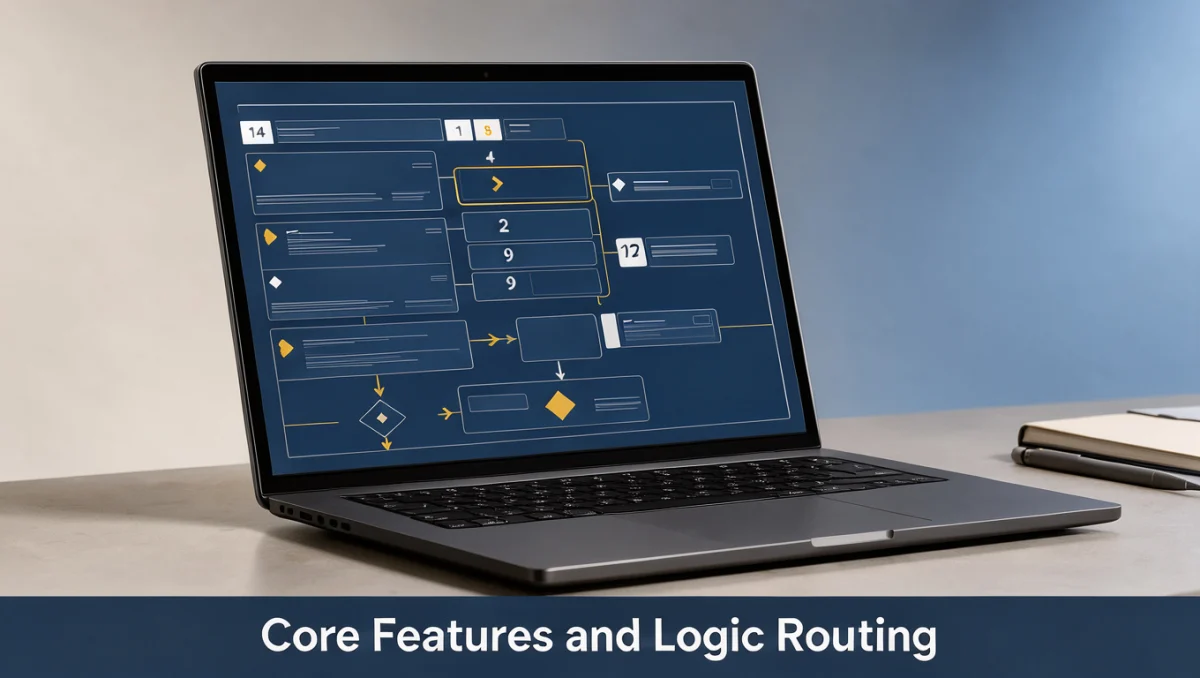
Routing functions control participant journeys based on submitted answers. When a respondent selects a particular option, conditional skip logic can send them to relevant follow-up questions while bypassing unrelated ones. Page branching lets administrators create tailored question paths for different demographic groups within a single study. This structured flow supports higher completion rates by removing unnecessary prompts.
3.3. Distribution Management and Channel Sharing
After a survey is written, distribution tools determine how it reaches the audience. The platform supports participant outreach through generated web URLs, embedded inline page code and managed email campaigns that track delivery and submission status. Administrators can configure collector rules, including whether respondents may submit more than once from the same device, whether answers stay anonymous and when a collector automatically closes to new entries.
3.4. Reporting, Filtering and Data Export
Analysis tools turn incoming answers into aggregated charts, frequency tables and cross-tabulation summaries. Administrators can filter results by response criteria, date windows or demographic tags to isolate subgroups. Teams that need deeper statistical work can export raw records in tabular formats, spreadsheet workbooks and presentation-ready slides for executive review.
4. Ease of Use and Learning Curve
The administrative experience centers on a visual questionnaire editor and modular management dashboards. New users can usually handle basic survey creation with little formal training, since adding questions, reordering sections and entering prompt text follow familiar form-building patterns.
Complexity rises when researchers add nested conditional branching, intricate skip pathways and advanced question piping. Making sure logic rules avoid dead ends or circular routing requires systematic testing before launch. Teams should establish standard validation routines, running mock submissions through each logical path to confirm that conditional triggers behave as intended.
Reporting dashboards provide immediate visual clarity for standard multiple-choice tallies, generating bar charts and percentage breakdowns automatically. Configuring advanced cross-tabulations and layered categorical filters, however, requires an intermediate understanding of research methodology. Teams planning complex studies should set aside onboarding time for staff to learn survey testing methods and analytical filters.
5. Pros and Cons

5.1. Platform Strengths
- A structured survey framework supports many question formats, from ranking orders to matrix scales.
- Conditional branching and skip logic allow tailored participant journeys within one questionnaire project.
- Automatic data aggregation generates visual summaries, reducing preliminary calculation work for analysts.
- Multiple distribution methods, including direct web links and embeddable forms, offer deployment flexibility across channels.
5.2. Considerations and Mitigations
- Complex branching can produce navigation errors if authors skip rigorous pre-launch testing; mitigate this by setting up structured peer-review testing before deploying critical surveys.
- Advanced analysis formatting and team administrative permissions vary by subscription level; review feature distribution on the official SurveyMonkey plan comparison page before purchasing.
- Full-featured survey tools can feel overly layered for simple single-question forms; assess whether a basic digital form builder is enough for informal checks.
6. SurveyMonkey Compared With Similar Feedback Tools
The survey and feedback software market includes several platforms built for different research scopes, technical workflows and organizational structures. Comparing SurveyMonkey with leading alternatives clarifies which architecture fits which operational need.
| Platform | Primary Positioning | Key Focus Area | Evaluation Consideration |
|---|---|---|---|
| SurveyMonkey | Structured survey research and institutional feedback | Questionnaire logic, diverse question types and reporting summaries | Check team seat pricing and response allowances on the official site |
| Qualtrics | Complex enterprise experience management and research | Advanced statistical methods, organizational hierarchy modeling and academic-grade rigor | Consider when deep statistical modeling and formal research governance are required |
| Typeform | Conversational data collection and interactive forms | Single-question pacing, interface design and completion engagement | Consider when a branded conversational feel matters more than dense multi-question matrix tables |
| Google Forms | Straightforward collaborative form collection | Basic data capture, collaborative editing and simple spreadsheet compilation | Consider when basic data gathering does not require complex routing logic |
SurveyMonkey positions itself as a comprehensive questionnaire system for standard operational assessments, customer sentiment studies and complex organizational surveys. Qualtrics, by comparison, targets deep enterprise research environments that need advanced statistical modeling and multi-department governance. Typeform emphasizes conversational presentation, showing questions one at a time to encourage interaction, while Google Forms handles simple data intake without conditional complexity.
7. Who Should Use SurveyMonkey
7.1. Freelancers and Independent Consultants
Independent research consultants, executive coaches and freelance strategists who gather client diagnostics or post-engagement feedback can benefit from formal survey routing. For sole practitioners, polished and logically structured questionnaires lend professional credibility. Independent operators should still confirm plan commitments on the official website to make sure the cost fits their project cadence.
7.2. Small Business Owners
Small business owners who want direct input from customers or shoppers can use survey tools to guide product decisions, measure service satisfaction and review operational touchpoints. Survey automation lets small teams collect quantitative sentiment without hiring outside research agencies. Owners should verify required response volumes and export needs before committing staff time.
7.3. Marketing and Customer Experience Professionals
Marketing departments and retention managers use survey software for brand awareness studies, concept testing and post-campaign evaluations. Filtering responses by participant profile lets marketers extract actionable demographic insights. Teams running ongoing customer lifecycle programs should confirm how the tool connects with their existing marketing software stack.
7.4. Corporate HR and Operations Teams
Human resources departments rely heavily on survey platforms for quarterly employee engagement audits, workplace climate evaluations and exit reviews. Branching logic lets HR administrators run one unified survey that adjusts questions by department or tenure while keeping participant confidentiality intact.
7.5. Teams That May Need Alternative Tools
Product engineering teams that need continuous software telemetry, automatic crash logging or silent session monitoring will not find questionnaire software suited to their architecture. Likewise, groups that only need simple collaborative checklists or plain registration lists may find a dedicated survey engine more elaborate than necessary compared with basic spreadsheet forms.
8. How to Choose the Right Survey Plan
Subscription structures for feedback platforms usually differ by user seat allocation, logic capabilities, response volume and data export options. Matching organizational requirements to the available tiers prevents surprise charges and keeps workflows running smoothly.
| What to Check on the Official Pricing Page | Why It Matters | Target Organizational Group |
|---|---|---|
| Team administrative seats | Determines how many staff members can build, edit and audit surveys in a shared organizational library. | Growing departments with multiple survey authors |
| Response volume allowances | Exceeding collection limits may incur extra costs or pause data collection during live campaigns. | Teams running large-scale customer outreach projects |
| Advanced logic and branching options | Complex question routing and piping may be limited to specific subscription levels. | Academic researchers and advanced operational analysts |
| Data export formatting | Raw records, cross-tabulations and presentation formats depend on subscription access. | Data analysts who need raw files for external computation |
| Custom branding and URL controls | Removing external vendor marks matters for customer-facing corporate communications. | Brand marketers and client-facing consultancies |
When choosing a subscription, buyers should estimate their annual research schedule rather than buying for a single isolated project. Organizations should confirm on the official plan comparison page how user management works, whether administrative privileges can be transferred between staff members and how response storage limits are calculated across several simultaneous collectors.
9. Frequently Asked Questions
How should an organization plan its survey response collection budget?
Organizations should estimate expected response numbers by calculating list sizes and projected completion rates for every planned campaign. Vendors often tie subscription tiers to total response thresholds. Checking the official SurveyMonkey pricing page for response volume policies helps teams avoid unexpected interruptions or upgrade requirements during active survey windows.
What steps ensure survey logic works correctly before public distribution?
Administrators should map every question condition, skip path and termination point before writing the survey. Testing on multiple devices with internal colleagues helps catch broken branching links or confusing transitions. Thorough testing protects data integrity and ensures participants move smoothly through the questionnaire.
When should a team choose a survey platform over a basic digital form builder?
A dedicated survey platform is needed when research depends on conditional question routing, randomized answer sets, complex matrix scales and advanced cross-tabulated reporting. Basic form builders work well for simple contact forms, event sign-ups and flat registrations. When decisions rely on rigorous statistical segmentation and structured routing, dedicated survey software becomes essential.
What data export formats should analytical teams verify before purchasing?
Data teams should confirm whether exports include raw tabular spreadsheets, presentation decks or statistical package files. Different analysis workflows need specific data layouts, such as individual response rows or aggregated frequency percentages. Verifying the available export formats on the official SurveyMonkey website ensures compatibility with your analytical software.
How does user seat management affect multi-department survey software procurement?
Centralizing survey authoring across departments requires checking whether a plan supports shared survey templates, central asset libraries and role-based permissions. If staff manage isolated accounts, organizations risk fragmented data governance and duplicate licensing costs. Reviewing team administration features prevents internal friction later on.
10. Final Verdict
| Criterion | Score /10 | Reason |
|---|---|---|
| Features | 8.5/10 | Broad range of question types, sophisticated branching logic and integrated visual summary reports. |
| Ease of Use | 8.2/10 | Straightforward questionnaire builder with intuitive drag-and-drop structural elements. |
| Pricing and Value | 7.2/10 | Buyers should verify seat configurations and collection caps against expected research volume. |
| Integrations | 7.5/10 | Users should cross-check compatible enterprise connectors in the official directory. |
| Audience Fit | 8.4/10 | Serves diverse operational groups, from human resources to customer research teams. |
| Support | 7.4/10 | Prospective buyers should review available assistance channels and service hours on the vendor site. |
| Competitive Position | 8.1/10 | Holds a balanced position between basic form tools and specialized statistical suites. |
Overall Score: 7.9/10
SurveyMonkey remains a capable, structured feedback solution for teams that need dependable questionnaire creation, logical respondent branching and clear reporting summaries. Organizations evaluating feedback systems should check planned distribution volumes and collaboration needs directly on the official SurveyMonkey website before finalizing a subscription.
For more questions about choosing feedback software or to share details about your evaluation criteria, submit them through the Best Coupon Blogs Contact Page or connect with our editorial staff via the bestcouponblogs LinkedIn Company Profile.