bestcouponblogs may earn a commission when you buy through links on this page, at no extra cost to you. This does not affect our ratings.
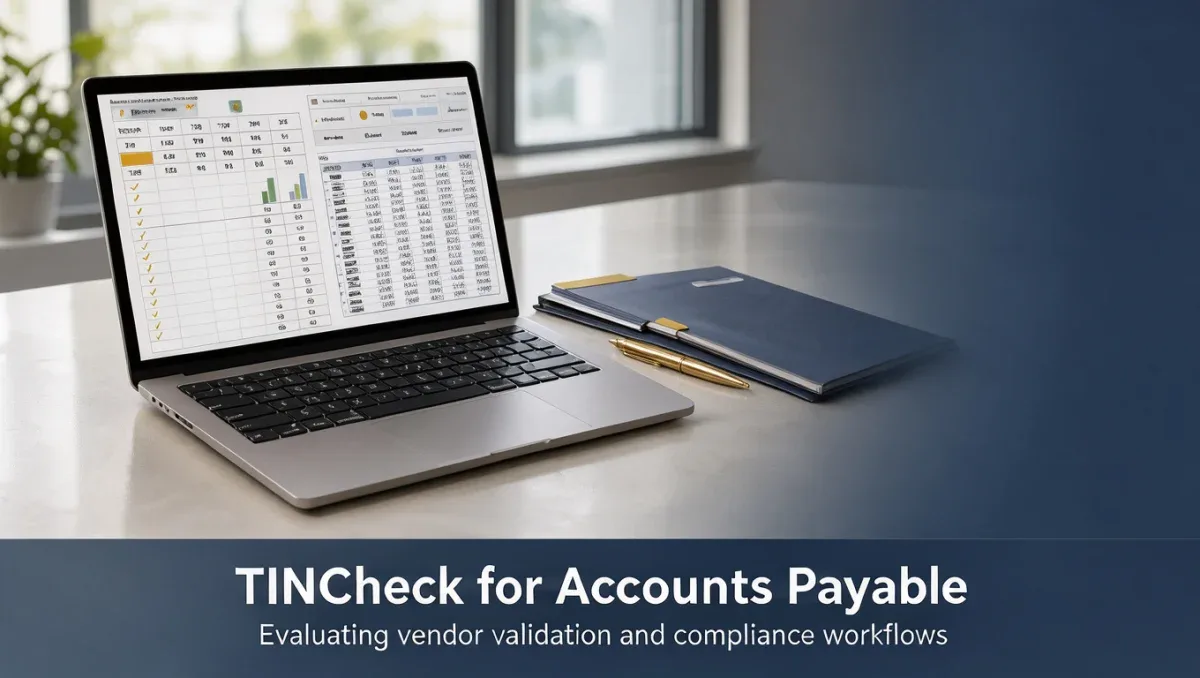
Keeping vendor records accurate is a constant task for finance teams. TINCheck for accounts payable teams is an automated payee verification service that checks vendor taxpayer identification numbers and legal names before any payment goes out. Clean supplier data helps finance departments avoid backup withholding notices and costly vendor file errors. At Best Coupon Blogs, we evaluate business software so finance leaders can choose tools that keep supplier records clean.
Choosing vendor onboarding software means understanding its core features and day-to-day requirements. Building TINCheck into your supplier setup lets you catch mismatches at the start, instead of discovering them during the annual tax reporting cycle.
Quick verdict: bestcouponblogs rates TINCheck 8.0/10. It works well for organizations that want structured vendor checks against official databases to reduce filing errors. It is less suited to finance teams looking for an all-in-one accounts payable suite that handles invoice capture, approval routing, and direct payment execution.
| Evaluation Metric | Assessment Summary |
|---|---|
| bestcouponblogs score | 8.0/10 |
| Best for | Accounts payable departments that need focused taxpayer identification matching and vendor list screening. |
| Not ideal for | Organizations wanting an end-to-end invoice processing platform with integrated bank payments. |
| Key strengths | Automated taxpayer identity verification, vendor list screening against government watchlists, and batch record checks. |
| What to check before buying | Confirm volume thresholds, user seat structures, and record retention terms on the official TINCheck website. |
1. How bestcouponblogs Reviewed TINCheck
This review covers what TINCheck is designed to do, who it serves, and how it stacks up against similar tools. We scored it on seven bestcouponblogs criteria: features, ease of use, pricing and value, integrations, audience fit, support, and competitive position. Plans, prices, and limits change frequently, so we flag what to verify on the official website before purchasing. This article was researched and drafted with AI assistance, then reviewed and edited by the bestcouponblogs Editorial Team.
2. What TINCheck Is and Who Uses It
TINCheck is an online compliance and payee verification solution that helps businesses confirm vendor details against public and regulatory registries. It supports accounts payable departments, shared services centers, and compliance officers who must verify Form W-9 and Form W-8 information during vendor onboarding. Accurate verification protects operating budgets in modern accounting departments by lowering the penalty risk tied to incorrect payee filings.
The tool focuses on reducing disbursement risk. Rather than manually reviewing paper forms or switching between separate agency portals, accounts payable staff enter vendor records into the tool and confirm matching tax details before scheduling payments.
- Accounts payable specialists who handle new supplier setup and ongoing maintenance.
- Tax compliance managers responsible for annual information returns.
- Procurement teams checking supplier credentials before contracts are signed.
- Disbursement coordinators reviewing compliance registries before each payment run.
3. What TINCheck Helps You Do
Verification software in payables work exists to keep vendor data accurate. TINCheck covers this across several core areas.
3.1. Taxpayer Identification and Name Matching
TINCheck confirms whether a submitted taxpayer identification number matches the official registered business name or individual legal name. Accounts payable staff use this check to validate details from submitted W-9 forms before creating a vendor profile in the financial ledger. Catching these issues early helps prevent year-end mismatch notices from tax authorities.
3.2. Regulatory List Screening
The application screens payee information against compliance and sanctions databases, including Treasury watchlists and excluded party registries. Teams use this to confirm that a potential supplier is legally eligible to receive company payments. The process also creates documented audit trails for internal risk reviews.
3.3. Batch Record Verification
Organizations managing hundreds or thousands of active suppliers need efficient ways to review vendor databases on a regular basis. TINCheck supports batch uploads, letting departments process many supplier records at once and review aggregate match results.
4. Ease of Use and Learning Curve
Verification tools have a gentle learning curve because their scope is narrow. Accounts payable staff typically pick up single-record searches quickly, since the process only requires entering standard fields such as taxpayer number, legal entity name, and address.
Complexity tends to appear when interpreting mismatched responses or preparing bulk data. When vendor files contain typos or formatting inconsistencies, team members need standard routines for requesting corrected documentation from suppliers.
| Operational Task | Complexity Level | Team Responsibility |
|---|---|---|
| Single vendor lookup | Low | Entering W-9 data and reviewing match status indicators. |
| Batch list preparation | Moderate | Cleaning address fields and formatting spreadsheets for upload. |
| Mismatch resolution | Moderate | Contacting vendors for corrected documentation or legal entity clarification. |
5. A Two-Week Evaluation Plan for TINCheck

Testing a verification tool means checking data accuracy and how well it fits your administrative workflow. Teams can use a two-week internal trial to judge operational fit.
- Days 1 to 3: Baseline preparation and initial lookups. Pull a sample of twenty existing vendor files covering different entity types, including sole proprietors, partnerships, and corporations. Run individual lookups to see how clearly the responses are presented and how match statuses are displayed.
- Days 4 to 7: Batch testing and file formatting. Prepare a standardized batch file with fifty to one hundred historical vendor records. Assess the upload process, processing time, and how the output flags discrepancies or missing data.
- Days 8 to 14: Exception handling and policy alignment. Test records with known name changes or past reporting issues. Document internal procedures for resolving mismatch flags, then confirm subscription terms on the official TINCheck website.
6. Where TINCheck Shines and Where It May Fall Short
Knowing both the strengths and the limits of a tool helps you avoid a poor fit.
| Area | Shines when | May fall short when |
|---|---|---|
| Payee verification | Accounts payable teams need fast validation of tax credentials against official registries. | Finance teams expect automatic corrections for misspelled vendor names. |
| Regulatory screening | Disbursement teams need consolidated checks against multiple watchlists at once. | Organizations require comprehensive credit scoring or deep supplier financial stability analytics. |
| Process specialization | Departments want a dedicated compliance check that fits cleanly into existing manual reviews. | Companies want an end-to-end accounts payable automation tool that handles invoice approvals and payments. |
7. TINCheck Compared With Similar Tools
TINCheck sits alongside both free public verification resources and broader compliance suites.
| Tool | Best for | Core focus |
|---|---|---|
| TINCheck | Payables departments that need combined TIN matching and watchlist verification. | Payee identity validation and regulatory screening. |
| IRS e-Services TIN Matching | Authorized filers doing direct government matching without secondary watchlist screening. | Basic taxpayer identification number validation for information returns. |
| Sovos | Enterprises that need global tax determination and comprehensive regulatory reporting. | End-to-end enterprise tax compliance and reporting workflows. |
8. Who Should Use TINCheck
The value of this kind of software depends heavily on transaction volume and regulatory exposure across your supplier base.
| User Profile | Fit Level | Recommendation |
|---|---|---|
| Mid-market accounts payable teams | High | Well suited to organizations onboarding several domestic suppliers each month and needing structured audit trails. |
| Enterprise disbursement operations | High | Useful for periodic batch maintenance of large supplier master files to keep reporting records clean. |
| Solo operators or micro businesses | Low | Less practical for entities that pay only a few vendors a year, where free agency portals may be enough. |
| Accounts payable automation seekers | Moderate | Best used only as a specialized verification component alongside dedicated invoice approval software. |
9. Pricing at a Glance
Vendor verification services typically use tiered access based on query volume or monthly subscription bands. Because plan details, search quotas, and license terms change over time, confirm costs directly with the provider.
- Check whether pricing is based on annual subscriptions, per-lookup fees, or prepaid search allotments on the official TINCheck website.
- Review whether batch lookups require a higher-tier package or carry separate transaction rates before you subscribe.
- Confirm whether multiple team members can share access or whether each accounts payable specialist needs an individual seat license.
10. Frequently Asked Questions
Should accounts payable teams verify vendor records before or after the first payment?
Verify vendor records before processing the first disbursement. Checking details during supplier onboarding prevents payments to entities with mismatched tax identities and avoids the extra work of chasing corrected documents or handling backup withholding obligations later.
What documentation should teams gather before using a verification tool?
Collect completed W-9 or W-8 forms, current vendor master file extracts, and clear internal guidelines for handling name mismatches. Documented procedures make it clear what follow-up is needed whenever a search returns an unconfirmed status.
Can verification software replace internal accounts payable approval controls?
No. Verification software validates data rather than serving as an internal control. It checks the accuracy of tax identification numbers and screens against regulatory lists, but finance teams still need approval matrices, invoice matching procedures, and segregation of duties for disbursements.
What should you do if a vendor lookup returns an invalid match?
Contact the vendor to confirm their legal entity name and tax identification number. Mismatches often come from sole proprietorship naming conventions or recent corporate restructuring, and they are usually resolved with an updated, signed W-9 form.
11. Final Verdict
| Criterion | Score /10 | Reason |
|---|---|---|
| Features | 7.5/10 | Provides focused identity validation and list screening but stays dedicated to verification rather than full AP automation. |
| Ease of use | 8.5/10 | A simple search interface lets team members verify records quickly with minimal training. |
| Pricing and value | Confirm before buying | Review search volume allotments and fee schedules on the official TINCheck pricing page to make sure the return on investment works for you. |
| Integrations | Confirm before buying | Check official documentation for compatibility with your enterprise resource planning system or accounting software. |
| Audience fit | 8.5/10 | Addresses the specific compliance needs of accounts payable teams managing vendor master files. |
| Support | Confirm before buying | Check support options and response expectations on the official provider website before purchasing. |
| Competitive position | 7.5/10 | Holds a clear niche in compliance verification, though broader tax suites offer more extensive enterprise modules. |
| Overall score | 8.0/10 | Average of the scored criteria, reflecting strong performance for specialized payee verification workflows. |
TINCheck offers practical value for accounts payable departments focused on avoiding filing penalties and keeping vendor master files clean. Finance teams onboarding suppliers steadily should confirm current volume limits and integration options with their accounting platforms before subscribing.
Have a question about choosing software? Send it to the bestcouponblogs team through our Accounting section or follow bestcouponblogs on LinkedIn for new reviews and comparisons.