bestcouponblogs may earn a commission when you buy through links on this page, at no extra cost to you. This does not affect our ratings.
Choosing a primary tax platform is one of the biggest software decisions a professional preparer makes. For Canadian personal and corporate filings, the choice between these two tools usually hinges on whether your team prefers modern, connected workflows or proven, module-based processing. At Best Coupon Blogs, we examine how each product handles filing obligations so your practice can pick the right fit for the 2026 season.
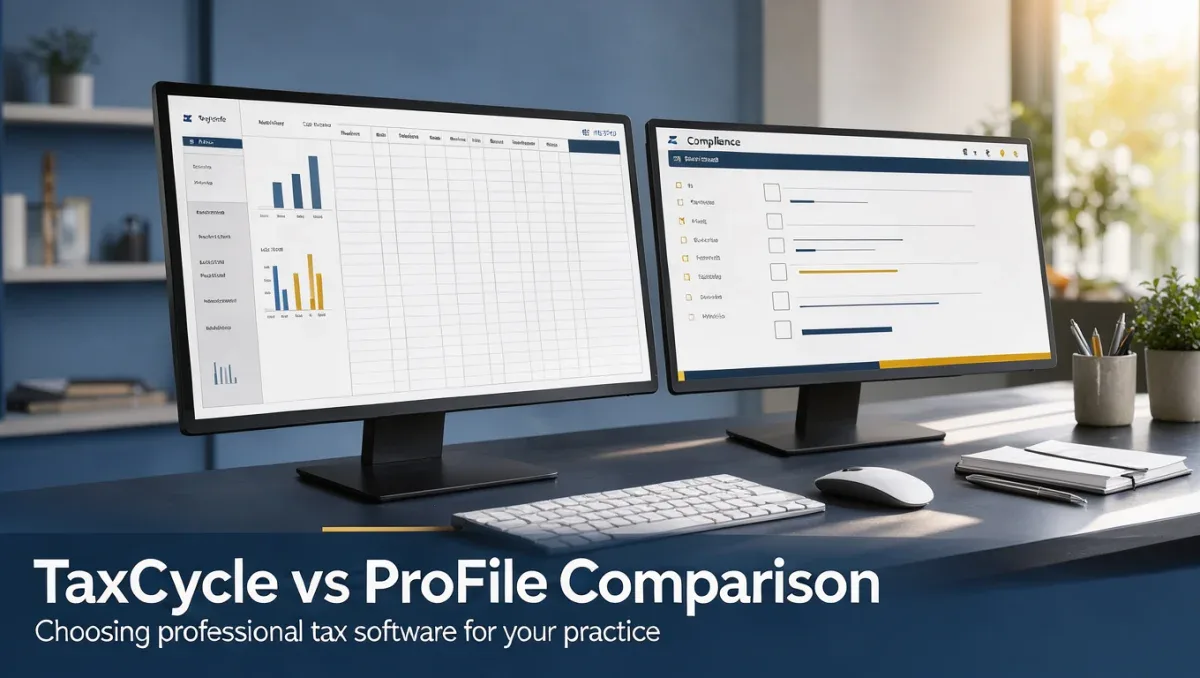
Both products are built for accountants, bookkeepers, and tax firms juggling complicated client files. Each covers compliance forms and electronic transmission, but their philosophy and screen design suit different office habits. A careful taxcycle vs profile review makes it easier to see which tool matches your daily routine.
Short answer: Pick TaxCycle if your firm wants a modern interface and automatic data linking across family returns, earning an overall rating of 8.6/10. Pick ProFile if your office favors traditional tax processing and form-driven navigation, with an overall score of 8.2/10.
| Evaluation Metric | TaxCycle | ProFile |
|---|---|---|
| bestcouponblogs score | 8.6/10 | 8.2/10 |
| Best for | Firms wanting modern workflow navigation and interconnected family return processing | Practices preferring traditional batch filing workflows and form-centric navigation |
| Core focus | Streamlined return preparation, visual error review, and multi-year data carrying | Structured multi-module tax compliance and standardized form entry routines |
| Consider if | Your team values rapid navigation and integrated review ribbons across returns | Your preparers are accustomed to standard form indexing and classical compliance tools |
1. How bestcouponblogs Compared TaxCycle and ProFile
This review looks at what each product is designed to do, who it serves, and how to decide between them. We used seven bestcouponblogs criteria: features, ease of use, pricing and value, integrations, audience fit, support, and competitive position. Plans, prices, and limits change often, so we flag what to verify on each official website before purchasing. This article was researched and drafted with AI assistance, then reviewed and edited by the bestcouponblogs Editorial Team.
2. Where TaxCycle and ProFile Differ
TaxCycle is built to cut repetitive manual entry through connected worksheets, live data checks, and visual tracking across related returns. It suits tax professionals, small accounting firms, and independent practitioners handling personal, corporate, and trust files. Its design centers on consolidated review bars, visual diagnostic messages, and automatic carry-forward between consecutive tax years.
ProFile, developed under Intuit, puts structured data entry and standardized form presentation first across individual and business modules. It serves accounting practices, professional bookkeepers, and tax service bureaus that rely on direct form-line calculations and archived history. Its approach revolves around traditional form indexing, batch transmission, and familiar diagnostic listings for verifying compliance.
3. Which Tool Fits Your Situation
Choosing between these platforms means matching your office structure and client mix to each product's strengths. The table below outlines situations Canadian tax offices commonly face.
| Situation | Choose TaxCycle if | Choose ProFile if |
|---|---|---|
| Filing complex family returns | You need linked worksheets where partner and dependent data update across connected files simultaneously. | Your office prefers filing individual returns sequentially through separate active windows. |
| Training new junior preparers | Your staff benefits from guided diagnostic sidebars and interactive error resolution prompts. | Your staff already understands traditional government form layouts and direct line entry codes. |
| Reviewing extensive diagnostic errors | You prefer visual warnings organized by severity level directly inside the active worksheet. | You prefer a consolidated bottom-panel auditor list displaying line-item jump codes. |
| Managing multi-entity corporate structures | You want flexible cross-return referencing and shared schedule linking across entities. | You maintain separate module files for each corporate schedule using rigid folder indexing. |
| Conducting multi-year client adjustments | You require multi-year comparison views that display historical figures alongside current numbers. | You prefer opening separate archived return files individually for historical validation. |
4. How to Compare Them Yourself
Evaluating tax software requires hands-on testing with anonymized client data. Review these core criteria during your trial period.
4.1 Features
Recreate a sample personal return that includes employment slips, self-employment schedules, and foreign property reporting. Check how each platform carries forward prior-year information and recalculates dependent claims. Observe how review warnings appear when mandatory schedule fields are left blank.
4.2 Ease of use
Time how long it takes to locate non-standard provincial tax credits and supplemental forms. Notice whether the interface lets you jump quickly between client summary pages and detailed calculation sheets. Assess how easily an unfamiliar preparer can move between schedules without extensive training.
4.3 Pricing and value
Review each provider's official pricing page to understand module bundling, renewal terms, and multi-user licensing. Check whether personal, corporate, and trust modules are sold individually or in bundles. Confirm how many workstation installations or staff logins each commercial agreement allows.
4.4 Integrations
Verify on the official vendor websites how each application connects with document management systems, client portals, and government electronic filing gateways. Test export options for financial statement summaries and client letters. Determine whether direct synchronization with external bookkeeping records meets your requirements.
4.5 Audience fit
Assess whether the design matches your practice volume and staff technical background. A boutique firm handling many personal returns may prioritize visual data linking, while an established office with senior preparers may prefer legacy keyboard shortcut structures. Confirm the platform covers your full client base.
4.6 Support
Check the published support policies on the official vendor websites, noting assistance channels, renewal coverage, and extended tax-season hours. Confirm how software updates and legislative patches are distributed during critical deadlines. Look at community forums and knowledge bases for troubleshooting resources.
4.7 Competitive position
Examine how each vendor positions its product in the professional compliance market. Determine whether the development roadmap emphasizes modern navigation refinements or classical form consistency. Confirm which system aligns best with your firm's strategy over the next several filing cycles.
5. Cost Checklist for Both Tools
Acquisition costs for tax preparation systems extend beyond the initial license. Use this table to investigate contract terms on the official product websites.
| Cost item | Ask about TaxCycle | Ask about ProFile |
|---|---|---|
| Module coverage | Confirm which filing modules are bundled together and which require separate purchases. | Confirm whether personal, corporate, and trust filing capabilities are sold as standalone modules or combined packages. |
| Multi-user access | Check how multi-preparer networks are licensed and whether secondary seats cost full price. | Check whether seat licensing requires individual local registration codes or centralized network licenses. |
| Annual renewal policies | Inquire whether early renewal pricing applies and when deadline windows close. | Inquire about multi-year commitment terms and seasonal renewal rate schedules. |
| Electronic transmission fees | Verify whether electronic transmission carries any per-return processing fees. | Verify whether volume caps apply to electronic filing transmissions across corporate modules. |
| Archived year access | Confirm whether prior tax years remain accessible without an active recurring subscription. | Confirm policy details for opening legacy files after changing subscription tiers. |
6. How to Decide
Choosing between these compliance platforms should follow an organized sequence that protects office productivity.
- Catalog your firm's filing volume by return category, noting exact counts for personal, corporate, estate, and partnership forms.
- Gather sample returns from previous years representing standard, moderate, and complex client situations.
- Download evaluation copies from each official vendor site and complete duplicate test returns side by side.
- Calculate your total commitment by consulting each official pricing page, factoring in required staff seats and compliance modules.
- Survey your preparation team on navigation preferences, visual readability, and diagnostic tracking before signing contracts.
7. Frequently Asked Questions
Which platform offers faster data entry for high-volume personal returns?
Entry speed depends mainly on whether preparers are comfortable with visual layouts or classical forms. TaxCycle organizes data through linked family sheets that update related files at once, reducing double entry. ProFile offers direct line-code navigation that experienced preparers who know tax codes by heart can use rapidly without leaving the number keypad.
How should a firm prepare when moving client records between these solutions?
Switching applications requires exporting master client files and testing carry-forward calculations on representative sample returns. Confirm any file conversion utilities listed on the official vendor websites before tax season begins. Keeping access to prior-year records ensures balance sheet reconciliations and historical loss carry-forwards match filed returns.
Can a practice run both applications during a transition year?
Running both products during one filing period lets staff compare results and verify software behavior under real deadlines. However, dual operation means budgeting for two licenses and entering data twice on sample accounts. Many offices limit parallel use to a single transitional season.
What drives total software cost across multiple preparers?
Total spending depends on multi-user seat licensing, module selection, and electronic filing permissions. Some vendors price per workstation, while others offer floating office licenses. Review each official plan comparison page to calculate exact seat costs and annual renewal requirements before committing a budget.
8. Final Verdict
Choosing between TaxCycle and ProFile means weighing modern workflow navigation against classical form-driven stability. TaxCycle provides visual error tracking, family data synchronization, and integrated multi-year views, making it a strong choice for evolving practices seeking efficiency. ProFile delivers consistent form index navigation and multi-module compliance structures that appeal to established professionals used to classical data processing.
| Criterion | TaxCycle score /10 | ProFile score /10 | Reason |
|---|---|---|---|
| Features | 8.8 | 8.4 | TaxCycle offers dynamic cross-return linking, while ProFile provides structured traditional compliance modules. |
| Ease of Use | 8.6 | 7.8 | TaxCycle features visual error markers and guided sidebars, whereas ProFile relies on traditional form indexing. |
| Pricing and Value | Confirm before buying | Confirm before buying | Confirm module inclusions, multi-seat pricing, and renewal deadlines on each official website. |
| Integrations | Confirm before buying | Confirm before buying | Confirm compatibility with external accounting suites and client portals on each vendor page. |
| Audience Fit | 8.7 | 8.5 | Both tools serve professional Canadian tax offices, with TaxCycle suited to collaborative teams and ProFile suited to classical practices. |
| Support | Confirm before buying | Confirm before buying | Check official vendor websites for tax-season hours, response channels, and update policies. |
| Competitive Position | 8.3 | 8.1 | Each platform holds distinct positioning based on workflow philosophy and interface design. |
| Overall score | 8.6 | 8.2 | TaxCycle delivers modern linked workflows, while ProFile maintains reliable form-driven compliance structures. |
Have a question about choosing software? Send it to the bestcouponblogs team through our website, or follow bestcouponblogs on LinkedIn for new reviews and comparisons. Browse more practical guides in our Accounting section.