Affiliate disclosure: Best Coupon Blogs may receive compensation from merchant purchases made via links on our site without adding costs to your order. Such partnerships do not steer our independent evaluation scores.
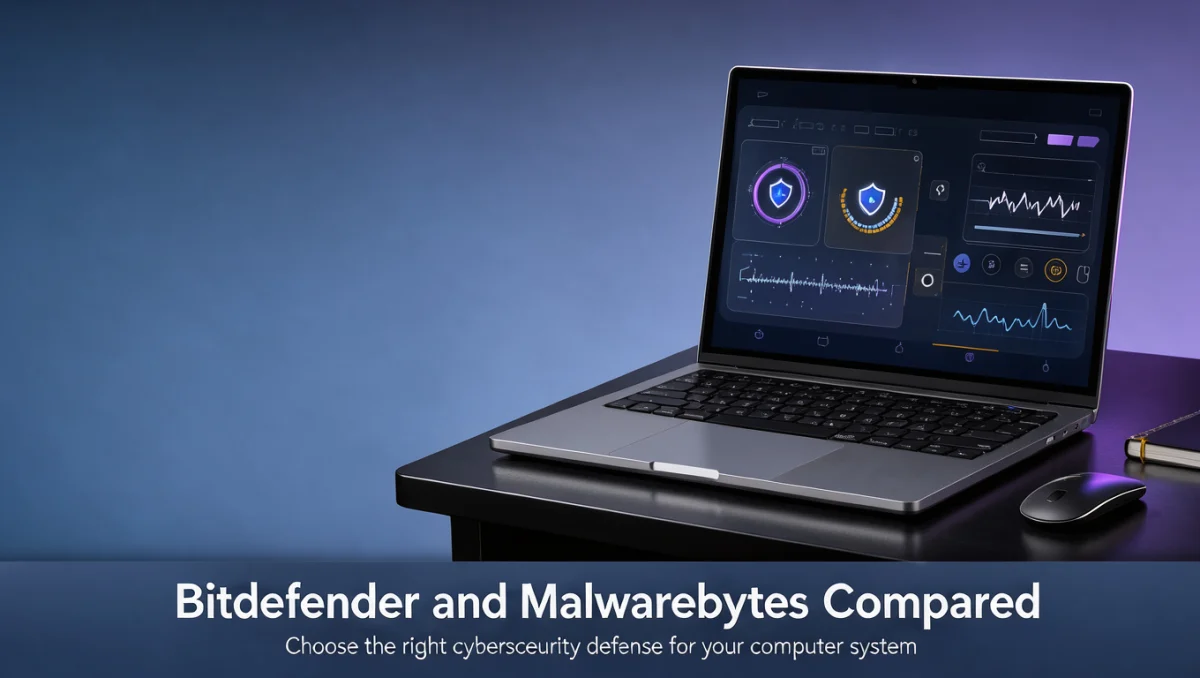
Protecting digital endpoints demands a clear understanding of differing defensive strategies. When weighing bitdefender and malwarebytes, security leads and home users must decide between holistic background threat interception and dedicated post-infection remediation. Both software solutions target hazardous code, yet they handle workstation defense from entirely different operational philosophies.
Modern cybersecurity goes beyond running occasional scans; it requires real-time vigilance against zero-day exploits, evasive ransomware, and stealthy script-based infections. Balancing high-performance background shields against workstation resource limits remains essential for maintaining productivity across laptops and desktop fleets.
Summary evaluation: Scoring a composite 8.3/10, these platforms provide complementary answers to modern digital threats. Bitdefender excels at full-spectrum preventative defense with multi-tiered monitoring, whereas Malwarebytes provides swift, surgical removal of persistent infections. Enterprises needing integrated mobile administration or comprehensive identity control should inspect vendor tiers thoroughly before finalizing their order.
| Metric | Summary Details |
|---|---|
| bestcouponblogs score | 8.3/10 overall rating |
| Best for | Users seeking preventative background defense or dedicated remediation software |
| Not ideal for | Operators who want a single dashboard that includes deep identity and network administration without checking tiered configurations |
| Key strengths | Threat prevention, scanning capabilities, and remediation mechanisms |
| What to check before buying | Review current device seat allocations, renewal terms, and central dashboard options on the official websites |
Our Security Assessment Framework
Our practical evaluation benchmarks Bitdefender alongside Malwarebytes using seven core criteria: detection features, interface usability, total ownership cost, software compatibility, user segment alignment, support channels, and general market presence. Because feature bundles and licensing limits adjust regularly, buyers should verify technical specifications on vendor pages prior to purchasing. This technical analysis was developed using advanced research platforms and edited by our editorial staff.
The Core Distinction: Bitdefender vs Malwarebytes
Your ultimate selection depends on whether your daily routine calls for continuous hazard interception or rapid, on-demand incident cleanup. Bitdefender acts as an active perimeter shield, preventing malicious payloads from ever reaching local drives through heuristic layers and live network filtering. Conversely, Malwarebytes made its reputation rescuing compromised operating systems by extracting entrenched hazards that evade standard baseline scanners, though modern releases also incorporate active real-time protection.
Those wanting an automated, set-and-forget safeguard with integrated system utilities usually favor Bitdefender. Conversely, users managing specialized setups or seeking an agile secondary scanner alongside default system protections frequently opt for Malwarebytes. Consulting vendor system requirements will help verify compatibility with your machines.
Side-by-Side Security Comparison
Reviewing how both vendors allocate their security engineering highlights the operational advantages of each product.
| Tool | Best for | Core strength | Consider if |
|---|---|---|---|
| Bitdefender | Environments needing multi-tier background shields and real-time defense | Automated prevention and multi-layer behavioral monitoring | Your workflow requires constant web filtering and automated perimeter checks |
| Malwarebytes | Users needing focused infection remediation and rapid cleanup scans | Deep remediation and aggressive removal of unwanted programs | Your priority is restoring infected devices or running fast secondary assessments |
Detection Mechanics and Protective Architecture
Protective tools rely on specialized engines to detect unauthorized script execution, malicious payloads, and unusual system behaviors. Understanding these internal mechanisms reveals the operational differences between proactive defense and responsive threat isolation.
The Preventative Blueprint of Bitdefender
Bitdefender aims to neutralize cyber risks across all phases of the threat lifecycle. Its protective structure combines real-time heuristic monitoring, multi-layered ransomware counters, dynamic web inspection, and live file integrity analysis. Working in unison, these shields halt rogue data encryption, block suspect outbound network calls, and screen incoming web files before execution.
The administrative settings enable users to adjust alert thresholds, schedule non-intrusive scans, and set whitelists for authorized software. Advanced teams can configure customized performance profiles to ensure intensive security routines do not throttle database operations or high-demand media exports.
Malwarebytes and Targeted Remediation
Malwarebytes prioritizes aggressive scanning algorithms that isolate stubborn hazards with exceptional speed. Its scanning modules focus on rooting out browser hijackers, invasive adware, sneaky rootkits, and trojans that conventional monitors might overlook. Scanned items are quickly placed into secure quarantine, allowing operators to safely inspect or purge suspect code.
Alongside on-demand scanning, current editions provide real-time protection modules to block exploit attempts and dangerous web domains. As Artificial Intelligence continues shaping real-time anomaly discovery, checking vendor update logs provides insight into how these engines refine threat definitions over time.
Distinctions in Defensive Design
Choosing between these two security solutions involves weighing early prevention against tactical remediation:
- Defensive strategy: Bitdefender emphasizes blocking unauthorized network activity and file access before installation, while Malwarebytes focuses heavily on sanitizing compromised workstations.
- Administrative depth: Bitdefender provides comprehensive granular controls for enterprise rules, whereas Malwarebytes offers an uncluttered layout optimized for rapid scans.
- Resource allocation: Running permanent background shielding demands capable system hardware, requiring users to verify system prerequisites on each provider's documentation page.
User Interface and Everyday Management Experience
Workplace protection should guard data without introducing unnecessary friction into everyday operations. Overly intricate navigation or constant warning prompts often drive users to turn off shields entirely.
Navigating Bitdefender
Bitdefender utilizes a well-structured console grouping primary protection monitors, quick action shortcuts, and maintenance recommendations. From the central dashboard, users can immediately start scanning, review quarantined items, or toggle silent running modes. Menus are neatly partitioned into security, privacy, and system performance areas.
Casual users benefit from automated suggestions that offer quick tips for privacy tightening and performance optimization. Meanwhile, technical operators can delve into sub-menus to adjust script analysis rules, inspection boundaries, and folder whitelists.
The Malwarebytes Dashboard
Malwarebytes delivers a clean, focused control panel anchored by a prominent scan button and a primary security status indicator. The layout strips out visual distractions, showing threat logs, detection summaries, and quarantined objects in tidy lists. Launching scans and managing identified threats requires just a couple of clicks.
Configuration options are kept straightforward, featuring simple toggles for scheduling, exploit protections, and real-time defenses. This streamlined interface makes it a favorite for students, solopreneurs, and remote professionals wanting minimal configuration hurdles.
Subscription Pricing and Total Ownership Costs
Cybersecurity tools are primarily distributed via recurring annual subscriptions, with pricing tiers scaling by feature inclusions and device allowances. Gauging total costs requires checking beyond first-year discounts to consider long-term renewal rates.
Key Financial Factors
Pricing structures frequently change based on multi-device tiers, promotional discounts, and term lengths. Customers should verify current pricing sheets and device policies on vendor portals before subscribing.
| What to check on official pricing pages | Why it matters | Who it matters most for |
|---|---|---|
| Multi-device license ceilings | Adding workstations later can trigger unexpected tier upgrades | Growing small businesses and multi-computer households |
| Renewal rate adjustments | Introductory billing periods often reset to standard rates upon renewal | Budget-conscious freelancers and non-profit organizations |
| Centralized console availability | Some lower tiers require manual management on each endpoint device | Remote teams and system administrators |
| Operating environment support | Covering diverse hardware setups requires checking platform allowances | Mixed-hardware workplaces running varied desktop setups |
Practical Budget Management
To avoid spending beyond your requirements, count all workstations that truly need active coverage prior to picking a tier. Consolidating third-party web filtering and disk utilities into a single comprehensive security plan can also lower overall software overhead.
System Interoperability and Software Coexistence
Antivirus tools operate close to operating system kernels, productivity software, and network connections. Checking that security utilities run harmoniously alongside daily apps prevents system slowdowns and software conflicts.
Review hardware compatibility requirements on official portals, particularly if you maintain older operating systems or customized workstation images. For organizations utilizing proprietary ERP software or internal databases, configuring scanner exceptions avoids false positives during normal operations.
Matching Tools to Specific User Environments
The ideal platform depends entirely on your operational needs, hardware inventory, and administrative capacity.
Independent Contractors and Freelancers
Solo professionals managing client assets on a single primary computer need quiet, non-disruptive protection. Bitdefender supplies persistent web shielding and automated download checking, allowing freelancers to complete assignments securely without tinkering with advanced settings. Conversely, those relying on built-in OS defenses can pair them with Malwarebytes for quick on-demand checks of external client drives.
Small Business Teams
Offices operating multiple shared or personal desktop computers require centralized visibility. Bitdefender offers robust policy enforcement that stops infected attachments from spreading through local shared networks. Administrators should review plan specifics to ensure their selected tier includes cloud dashboard management.
Digital Marketers and Content Producers
Marketers regularly test new software tools, install browser add-ons, and download media assets from varied online portals. This constant exploration increases exposure to adware, malicious pop-ups, and browser tracking scripts. Malwarebytes shines at purging unwanted browser modifications and PUPs, making it an excellent safeguard for workstations facing heavy web research.
Corporate Knowledge Specialists
Office professionals working within broader corporate frameworks need antivirus tools that safeguard data without freezing machines during high-demand workflows. Bitdefender includes dedicated productivity modes that postpone resource-heavy scans during presentations or large file renderings, ensuring smooth performance.
Enterprise Considerations
Organizations with large internal security operations requiring custom sandbox analysis, deep forensic frameworks, and enterprise compliance reporting should look toward dedicated corporate SIEM and XDR systems rather than consumer-oriented suites.
Customer Support Channels and Knowledge Bases
Resolving unexpected software disputes, quarantine issues, or detection errors swiftly is critical for maintaining workplace efficiency. Both Bitdefender and Malwarebytes offer rich knowledge repositories, active community discussion boards, and standard ticket-based help.
Checking official customer support pages clarifies available response channels and documentation depth. Accessible troubleshooting articles detailing how to handle software clashes or adjust policies help internal teams resolve hurdles quickly without waiting for email replies.
Cybersecurity Market Positioning
The broader digital security arena features established brands like Sophos, Kaspersky, and Norton, each offering multi-tiered computer defenses. In this competitive space, Bitdefender secures a leading role with its comprehensive behavioral analysis and feature-packed preventative suite.
Malwarebytes maintains its own distinct standing centered on swift installation and specialized remediation power. It remains widely recognized as a dependable second-opinion tool when primary defenses fail to resolve abnormal PC performance. Reviewing these distinct approaches helps buyers choose an option tailored to their overall defense model.
A Step-by-Step Selection Process
Following a logical evaluation path guarantees you choose software that meets current operational demands while accommodating future workstation additions.
- Catalog current hardware assets: Make an inventory of every laptop, desktop, and terminal needing defense, noting their respective hardware capabilities and operating system versions.
- Define your defensive requirements: Decide whether your environment demands continuous background shields (favoring Bitdefender) or rapid remediation tools to clear existing infections and bloatware (favoring Malwarebytes).
- Assess management resources: Determine whether your team has the expertise to manage fine-grained security policies, or if a straightforward single-click interface is preferred.
- Examine subscription structures: Check the official Malwarebytes and Bitdefender product pages to confirm device thresholds, renewal pricing, and tier-specific features.
- Deploy a pilot group: Test trial or single-seat versions across a few machines to monitor system overhead, scan duration, and day-to-day usability prior to full implementation.
Frequently Asked Questions
How should buyers prepare their workstations before installing new security software?
Buyers should begin by uninstalling any conflicting legacy antivirus applications, as running multiple real-time scanning engines simultaneously can cause severe system latency and file lockups. Back up critical operational data to an external drive or cloud storage repository. Finally, ensure your operating system has applied its latest software updates before running the primary installer from the vendor official portal.
What factors determine whether an organization needs a centralized management console?
Organizations with multiple team members or remote employees benefit significantly from centralized consoles because managing individual software licenses on separate machines consumes valuable operational hours. A centralized dashboard allows administrators to view threat alerts, initiate scans, push policy updates, and verify compliance across all endpoints from a single browser session without interrupting end users.
What additional expenses should teams budget for when buying security software?
Teams should budget for multi-year license renewals, potential tier upgrades when adding new staff members, and occasional hardware upgrades if older machines require additional memory to run active shields smoothly. Furthermore, organizations should account for administrative labor hours required to configure protection policies, manage quarantine exceptions, and conduct routine system health reviews.
How can users confirm whether a quarantined file is truly dangerous?
Users should inspect the quarantine log details, noting the file path, vendor detection label, and timestamp. If the detected item belongs to specialized internal software or proprietary tools, cross-reference the file hash with technical support or developer release notes. Avoid restoring any quarantined file until technical administrators have confirmed its origin and safety.
Final Assessment and Takeaway
Bitdefender and Malwarebytes offer distinctive benefits tailored to different defense models. Bitdefender operates as an all-encompassing safeguard focusing on live hazard blocking, multi-tiered file monitoring, and web perimeter integrity. Malwarebytes functions as a nimble, remediation-centric powerhouse built to eliminate entrenched adware, unwanted bloatware, and persistent trojans via fast scans.
| Criterion | Score /10 | Reason |
|---|---|---|
| Features | 8.8/10 | Strong functional separation between comprehensive preventative suites and dedicated cleanup engines |
| Ease of Use | 8.5/10 | Intuitive interfaces suited for varied technical skill levels with accessible scan workflows |
| Pricing and Value | 7.8/10 | Buyers must inspect renewal terms and device allowances on official vendor websites |
| Integrations | 7.5/10 | Compatibility requires checking supported operating environments and internal app exceptions |
| Audience Fit | 8.7/10 | Clear operational separation between ongoing background protection and targeted threat remediation |
| Support | 7.9/10 | Comprehensive self-service documentation alongside standard ticket-based assistance paths |
| Competitive Position | 8.9/10 | Well-defined standing relative to broader cybersecurity alternatives across personal and business setups |
Final evaluation score: 8.3/10 calculated across our seven evaluation criteria.
For computer users prioritizing active, continuous shielding that continuously polices file access and network requests, Bitdefender stands out as a dependable frontline guardian. For those maintaining legacy hardware, wrestling with persistent system malware, or wanting a fast on-demand tool to clear intrusive adware, Malwarebytes is a stellar asset.