Best Coupon Blogs may earn a commission when you buy through links on this page, at no extra cost to you. This does not affect our ratings.
Weighing zenzap pros and cons means looking at how a single workspace combining team chat with task coordination performs once it moves from a trial into everyday operations. Before a company rolls it out across active staff, it helps to see where consolidated messaging brings clarity and where it can slow things down.
At Best Coupon Blogs, we assess workplace software with an impartial eye, checking whether a tool's core functions line up with real business routines. Judging zenzap pros and cons comes down to how conversations, task assignments, and shared notes behave together during a typical working day.
Quick answer: Zenzap brings direct threads, task tracking, and team notes into one workspace. Its main drawback is that it works best when whole departments agree on consistent habits. Distributed teams that need light coordination tend to gain the most, provided they accept those trade-offs.
| Main advantages | Main drawbacks |
|---|---|
| Pairs chat threads with assignable action items | Needs firm team habits to prevent scattered message channels |
| Keeps project talk beside shared reference material | Can feel thin next to dedicated project trackers |
| Cuts the need to hop between chat apps and to-do lists | Custom alert rules take careful setup across groups |
1. How Best Coupon Blogs Put This Guide Together
This guide pairs the intended purpose of the software with the Best Coupon Blogs buying framework, so you can judge what fits your business. Plans, pricing, and limits shift frequently, so we flag the details to confirm on the official website before purchasing. The article was researched and drafted with AI assistance, then reviewed and edited by the Best Coupon Blogs Editorial Team.
2. Strengths of Zenzap
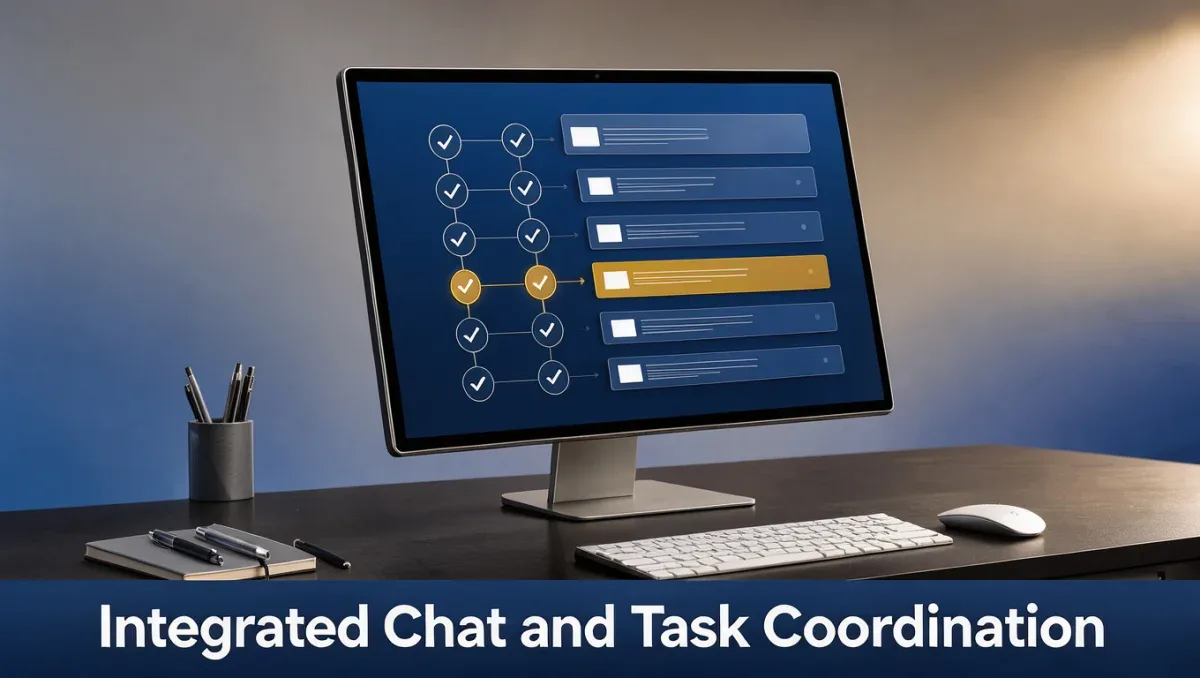
Zenzap tackles workplace friction by gathering team discussions and task coordination into one continuous working environment.
2.1. Task delegation inside conversations
Team members can turn a discussion point into an assigned action item without leaving the chat. The context stays attached to the assignment, so collaborators can scroll back through earlier dialogue when they carry out a deliverable.
2.2. Organized knowledge documentation
Groups can keep project briefs, shared guidelines, and meeting notes beside their recurring discussion channels. Holding documentation inside the messaging space keeps important material from getting lost across scattered cloud drives.
2.3. Less app switching for daily coordination
With direct messages, group topics, and task statuses in one place, the platform reduces the admin load of checking several separate applications. People spend fewer minutes reconciling task status across standalone utilities.
3. Limitations of Zenzap

Consolidating workplace communication brings efficiency, but certain structural limits call for planning and ongoing governance.
3.1. Reliance on consistent tagging discipline
When team members create unlinked tasks or skip status updates, channels can quickly get cluttered. Teams need clear internal rules on channel use, task creation, and archiving to keep things organized.
3.2. Limited depth for specialized project management
Organizations juggling complex dependencies, Gantt timelines, or large portfolio hierarchies may find communication-centric task lists too basic. Teams with advanced tracking needs should confirm that the built-in task features meet their technical requirements.
3.3. Overhead from notification tuning
Combining active conversations with task alerts can produce heavy notification volume at peak hours. Each team member has to set alert preferences deliberately to avoid distraction and protect focused work time.
4. The Trade-offs That Matter
Adopting any team collaboration system means accepting specific trade-offs, depending on how mature the team is and how it is structured.
| Strength | What it costs you | Who should accept the trade-off |
|---|---|---|
| Unified chat and task delegation | Ongoing training on channel structure | Small to mid-sized teams wanting simple operational alignment |
| Centralized document notes | Possible duplication if external document systems stay in use | Cross-functional squads aiming to consolidate operational knowledge |
| Lightweight project tracking | No deep multi-stage portfolio management tools | Agile groups valuing fast communication over rigid tracking frameworks |
5. Deal-breakers
Knowing the operational limits upfront keeps organizations from adopting software that conflicts with how they actually work.
- Organizations that need formal dependency mapping, complex resource leveling, or advanced critical path analysis should consider dedicated project portfolio platforms instead.
- Workplaces with strict external partner communication requirements that depend heavily on open public channels may run into coordination friction.
- Teams that skip onboarding or refuse to enforce channel rules will likely face message clutter and misallocated tasks.
6. Frequently Asked Questions
Can a team replace both chat and project software with Zenzap?
Teams with straightforward tracking needs often manage to consolidate both functions on one platform. Companies handling multi-tier project dependencies or enterprise resource scheduling typically keep dedicated project management systems alongside their messaging tools. Check your workflow complexity against the official Zenzap website before retiring existing applications.
How steep is the learning curve for non-technical team members?
General messaging and task creation follow familiar digital workplace patterns, so basic onboarding is straightforward. The main thing to learn is sticking to standard channel structures and regular task-updating habits. A short internal reference sheet helps keep participation consistent from the first week.
What should administrators check about user permissions?
Administrators should review privilege settings and guest access rules in the official Zenzap documentation. Confirming how roles, channel visibility, and document editing rights work protects sensitive departmental discussions when contractors or external clients join the workspace.
When should a growing business consider other enterprise platforms?
Businesses expanding from departmental collaboration into global, multi-subsidiary governance may need specialized enterprise communication tools. If your team requires advanced compliance archiving or custom workflow logic, evaluating enterprise communication suites will better match long-term IT governance standards.
7. Bottom Line
Zenzap balances fast conversation with practical task coordination, making it a reasonable option for organizations looking to streamline daily teamwork. Freelancers, agencies, and compact operational teams will likely appreciate having discussions and actionable checklists in one environment. Enterprises with rigid reporting hierarchies, on the other hand, should check their workflow requirements on the official Zenzap website before committing the whole organization.
Have a question about choosing software? Send it to the Best Coupon Blogs team through our contact page, or follow Best Coupon Blogs on LinkedIn for new reviews and comparisons.
See More Collaboration & Productivity