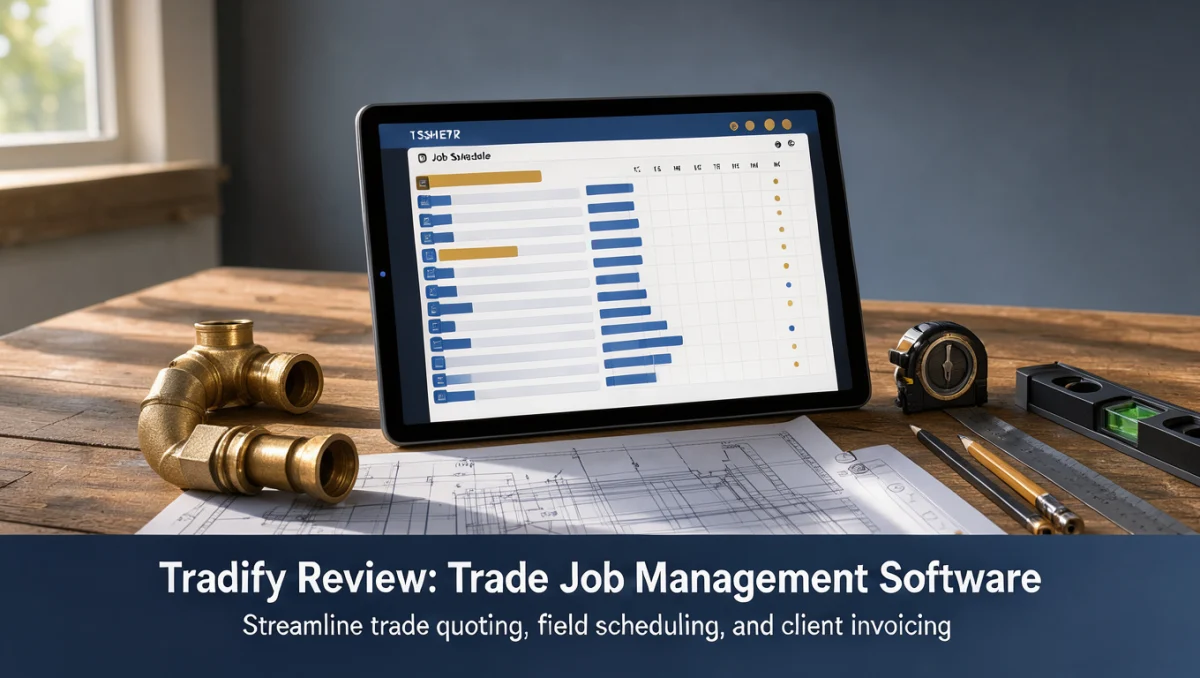
Trade contractors often look for job management systems that connect field work with office administration. Choosing software for trade services means checking how a task moves from the first client inquiry to the final payment, especially when field crews and back-office records must stay in sync. This tradify review gives an objective look at whether the platform removes operational bottlenecks or whether another tool better fits your field requirements.
Good job management software should simplify scheduling, client quotes, on-site labor tracking and billing without adding unnecessary administrative work. We examine operational workflows, the learning demands on staff and the core trade processes that matter most when picking your tools.
Quick verdict: Tradify scores 7.7/10 overall. It is a dedicated job management solution for field trades such as electricians, plumbers and maintenance specialists. It suits field operators who need structured quotes and job tracking, but it is not a fit for large commercial enterprises that need heavy enterprise resource planning.
| Metric | Summary |
|---|---|
| bestcouponblogs score | 7.7/10 |
| Best for | Trade contractors and field service teams wanting structured quote-to-invoice workflows |
| Not ideal for | Large industrial organizations requiring complex multi-tier supply chain management |
| Key strengths | Field job tracking, trade quoting, scheduling, and invoice generation |
| What to check before buying | Review official user seat policies and accounting connection requirements |
1. How bestcouponblogs Reviewed Tradify
This review looks at what Tradify is built to do, who it serves and how it compares with similar tools. We used seven bestcouponblogs criteria: features, ease of use, pricing and value, integrations, audience fit, support and competitive position. Plans, prices and limits change often, so we flag what to confirm on the official website before you buy. This article was researched and drafted with the help of AI tools, then reviewed and edited by the bestcouponblogs Editorial Team.
2. What Is Tradify and Who Is It For?
Tradify is job management software built for trade businesses and field service specialists. The platform brings client job requests, estimate drafting, staff scheduling, timesheet logging and customer billing into one working environment. Trade contractors often struggle with misplaced paper records, unbilled hours and delayed estimates, which makes specialized trade software a practical base for daily work.
The software targets independent tradespeople, small contracting teams and mid-sized field crews such as plumbers, electricians, builders, painters and HVAC technicians. Field technicians need quick access to job sheets, while office managers need visibility into job progress. By organizing records by customer and job, Tradify gives field service businesses a clearer internal tracking structure.
3. Core Features of Tradify

Evaluating trade software means looking at the functional areas that govern everyday contracting. In this tradify review, we analyze the primary capability groups that define the platform.
Job Scheduling and Dispatch
Organizing appointments across different job sites is an essential requirement for trade teams. Tradify provides visual scheduling tools that let office managers assign jobs, set appointment times and allocate staff to active sites. Clear calendars help prevent overlapping bookings and make sure field staff have addresses and instructions before they leave for work.
Dispatch workflows also make job statuses clear across active teams. Staff can see whether a project is pending, underway or finished. This visibility cuts down on repeated phone calls between office personnel and field technicians during busy hours.
Quoting and Estimating
How quickly a contractor can produce estimates often decides who wins new projects. Tradify includes tools to build job quotes that combine labor rates, estimated materials and markup figures. Standardizing quote creation helps trade businesses present structured documentation to residential and commercial clients.
When a customer accepts an estimate, operators can convert the quote into an active job record without retyping data. This conversion avoids manual transcription and keeps the agreed client specifications attached to the project file.
Invoicing and Billing Workflows
Issuing invoices promptly protects cash flow for trade professionals who buy materials upfront. Tradify lets contractors create customer invoices directly from completed job records, drawing on logged labor hours and cataloged supplies. Linking final invoices to source job sheets helps prevent unbilled work.
Many trade businesses also use dedicated Accounting tools alongside their job systems. Billing workflows should therefore sync cleanly with general ledgers, so tax records, payments and financial reports stay balanced across administrative systems.
Time Tracking and Timesheet Management
Accurate time records protect service margins and show whether labor costs reflect real hours on site. Tradify provides time-logging that lets staff record active hours against specific jobs. These entries feed both customer billing and internal labor reporting.
Consolidating timesheets within job records highlights jobs that consume more hours than estimated. Business owners can review completed labor data to adjust pricing for similar contracting tasks in the future.
4. Ease of Use and Learning Curve
Field software has to suit people who spend most of their working day on physical job sites rather than at office desks. Tradify uses straightforward navigation built around common trade terms such as jobs, quotes, invoices and appointments. The logical workflow helps new staff understand how a project moves through each stage.
Adopting any trade software still requires consistent habits from field workers. Employees must routinely record hours and update project stages on site. While the interface avoids unnecessary technical jargon, teams moving away from whiteboards or paper notebooks need to build disciplined daily data entry habits during the initial rollout.
5. Pros and Cons of Tradify
Pros
- Specialized workflows built around standard contracting routines such as quoting, scheduling and billing
- Direct connection between job records, recorded labor and customer invoices
- Clear appointment calendars that organize multiple field technicians across sites
- Straightforward job status views that keep office and field staff synchronized
Cons
- Less suited to large manufacturing or heavy construction firms with complex multi-stage supply chains
- Requires disciplined on-site data entry from field staff to keep job records accurate
- Subscription costs rise as businesses add team members, so ongoing budget monitoring is needed
6. Tradify vs Similar Tools
Trade businesses often compare Tradify with other job management platforms such as Jobber and ServiceM8. Each system targets field service operations but takes a different product approach to contractor workflows.
Jobber covers service operations more broadly, serving industries such as landscaping, cleaning and property maintenance alongside traditional trades. Businesses with frequent recurring maintenance schedules often look at Jobber for its client portal and service management workflows. Trade businesses should check Jobber's official feature listings to compare service contract workflows.
ServiceM8 concentrates on small contracting businesses and trade teams that want detailed on-site job completion and field communication. Contractors choosing between platforms should consider whether their business leans toward quick residential repair calls or multi-day construction projects before deciding.
7. Who Should Use Tradify?
Independent Trade Contractors
Sole operators in electrical, plumbing or carpentry work often spend evenings and weekends on paperwork. Tradify helps solo contractors organize incoming client calls, produce professional quotes and issue invoices without managing piles of paper.
Small and Growing Trade Teams
Contractors managing several field technicians benefit from centralized dispatch calendars and individual time logging. Assigning jobs electronically removes uncertainty about site locations and daily client expectations.
Office Administrators in Trade Companies
Administrative staff who handle phone inquiries and billing find centralized job profiles useful. Tradify lets administrators check project progress, review logged materials and send invoices without waiting for paperwork from the field.
Organizations That Should Look Elsewhere
Businesses running complex industrial fabrication, multi-layered civil engineering or retail operations need enterprise resource planning tools. Tradify is built for service and trade work, so businesses outside contracting will find its operational focus does not match their needs.
8. How to Choose the Right Plan
| What to check on the official pricing page | Why it matters |
|---|---|
| User seat access policies | Confirm how user additions affect monthly subscription costs as your team grows |
| Accounting integration access | Verify whether ledger connections are included in all plans or require a specific tier |
| SMS and communication allocations | Check whether client appointment notifications incur extra transactional charges |
| Document storage limits | Make sure job attachment allowances cover your field photo and safety plan requirements |
9. Frequently Asked Questions
What business types benefit most from trade management software?
Contracting businesses that carry out on-site service calls, installations or maintenance work gain significant efficiency from trade management systems. Electricians, plumbers, builders and heating technicians benefit because these platforms link quotes, field schedules, timesheets and customer invoices into one connected workflow.
How should trade contractors prepare before adopting new software?
Contractors should organize standard labor rates, common material catalogs and customer contact lists before configuring new operational software. Setting standard pricing rules and cleaning up existing contact information speeds up deployment and reduces administrative confusion during the team transition.
Should a business consult an accountant before configuring job software?
A qualified bookkeeper or accountant can confirm that tax rates, account categories and payment reconciliation settings line up correctly between trade tools and accounting software. Professional advice prevents reporting discrepancies and ensures sales records flow properly into official tax documentation.
What factors influence the total software cost for trade businesses?
Total software expense depends on staff license requirements, additional messaging charges and any supplementary accounting subscriptions. Evaluating these together prevents unexpected monthly costs as field operations grow.
10. Final Verdict
| Criterion | Score /10 | Reason |
|---|---|---|
| Features | 8.0 | Covers core trade requirements including quotes, scheduling, job tracking and billing |
| Ease of Use | 8.5 | Uses clear terminology and an intuitive workflow designed for trade operations |
| Pricing and Value | 7.5 | Buyers must weigh seat costs against their total field staff size on the official website |
| Integrations | 7.0 | Connects with standard accounting ledgers, though compatibility should be verified before setup |
| Audience Fit | 8.5 | Aligns closely with the operational needs of residential and commercial service contractors |
| Support | 7.0 | Help options should be checked on the vendor site to confirm time zone coverage |
| Competitive Position | 7.5 | Keeps a focused trade identity alongside broader field service management competitors |
Overall score: 7.7/10
Tradify offers practical job management for trade contractors who want to eliminate paper notes and streamline quote-to-invoice workflows. Confirm current plan details on the official Tradify website and check bookkeeping integrations with your accountant before purchasing.
Have questions about choosing the right field management tools? Contact our editorial team through the bestcouponblogs Contact page or follow our industry updates on LinkedIn.
See More Best Coupon Blogs