Best Coupon Blogs may earn a commission when you buy through links on this page, at no extra cost to you. This does not affect our ratings.
Building a membership business starts with three decisions: what subscribers receive each cycle, how often they are billed, and which payment gateway will handle renewals. Learning how to sell subscriptions with Sellfy gives creators and small business owners a clear path to predictable income without adding unnecessary administrative weight.
Recurring offers suit digital downloads, members-only content, and ongoing creative services. Once a buyer commits to a monthly or annual plan, your store can keep them engaged with fresh material instead of chasing a new sale every week.
Quick answer: Set your billing interval, connect a payment processor, prepare the content subscribers will receive, publish a subscription product listing, and commit to a regular delivery calendar. Verify the available billing intervals, fees, and plan limits on the official Sellfy website before launch.
| Element | Details |
|---|---|
| Who this guide is for | Digital creators, course instructors, designers, and small business operators who want recurring membership income |
| What you need before starting | An active payment processing account, a subscription pricing model, finished digital content, and a fulfillment timeline |
| What you will have at the end | A live subscription offer that accepts recurring orders and delivers content on a predictable schedule |
1. How Best Coupon Blogs Put This Guide Together
This guide blends a review of what the software is built to do with the Best Coupon Blogs buying framework, so you can judge whether it fits your business. Plans, pricing, and limits change frequently, so we flag what to double-check on the official website before you commit. This article was researched and drafted with AI assistance, then reviewed and edited by the Best Coupon Blogs Editorial Team.
2. Before You Start
Recurring products need more preparation than one-time listings. Gathering the right materials first prevents delivery gaps and keeps subscribers from cancelling early.
- Payment processor access: Make sure the merchant account connected to your store is active so it can collect recurring card or digital wallet payments.
- Delivery schedule: Define how often subscribers receive content, community perks, or downloadable files, and in what format.
- Store terms and cancellation policy: Write plain-language guidance covering renewal timing, access windows, and how members cancel.
- Brand assets: Prepare cover graphics, clear product descriptions, and a welcome document for new members.
- Tax settings check: Speak with a qualified tax professional to confirm how digital goods and recurring transactions are treated where you operate.
3. Step-by-Step Workflow
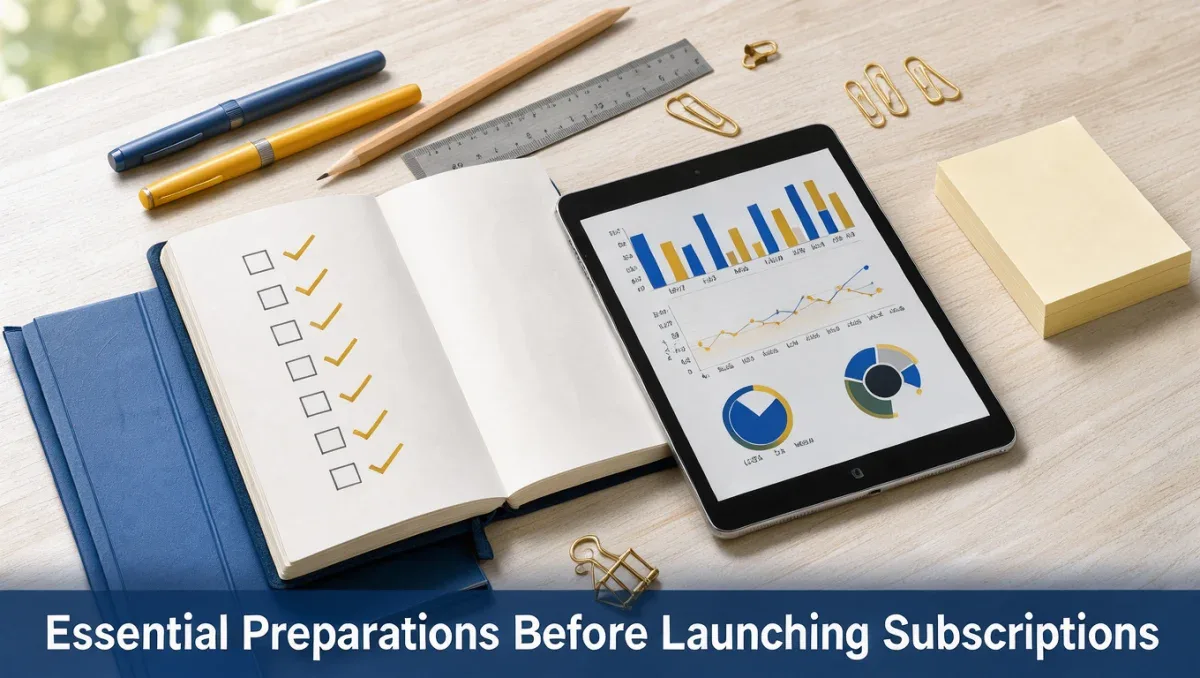
A subscription business runs on a repeatable process. Each step below protects the experience your members receive over time.
- Choose your billing cadence: Decide whether value arrives weekly, monthly, or yearly. Check the official Sellfy product documentation to confirm which intervals the platform supports.
- Connect your payment processors: Link the accounts that will collect automated renewal charges. Confirm currency options and regional payout rules on the official Sellfy website before going public.
- Build the subscription listing: Upload promotional images, set the billing interval accurately, and describe member benefits in specific terms so buyers know what they are paying for each cycle.
- Organize the member deliverables: Attach the first files, membership guides, or access links that customers receive right after checkout.
- Add checkout links to your channels: Place buy buttons on your website or share direct store URLs with your audience.
- Review post-purchase messages: Read the automatic confirmations and receipts to make sure they explain exactly how to access ongoing content.
4. Your First 30 Days

Keeping members requires steady routines. Monitoring results through the first month shows where your offer is working and where it needs adjustment.
| Week | Routine to build | Why it matters |
|---|---|---|
| Week 1 | Test automated delivery and confirm that subscriber access works | Friction during onboarding leads to quick refund requests and early cancellations |
| Week 2 | Check payment settlement reports and dispute alerts | Catching failed charges early protects member goodwill and recurring cash flow |
| Week 3 | Collect subscriber feedback on content quality and access clarity | Early responses reveal whether your content matches what buyers expected |
| Week 4 | Review monthly retention numbers and plan the next release cycle | A consistent release calendar reduces cancellations before the second billing cycle |
5. Common Mistakes and How to Avoid Them
Subscription models bring operational challenges that one-time sales do not. Recognizing the usual pitfalls helps protect your reputation.
- Overpromising release schedules: Committing to heavy update volumes leads to creator burnout. Set release targets you can sustain.
- Unclear cancellation steps: Hidden or confusing cancellation instructions frustrate customers and trigger payment disputes. Publish simple, self-service guidance.
- Ignoring renewal notices: Members value advance warning before a charge. Check the automated notification settings in the official Sellfy setup guide.
- Letting member value stagnate: Recurring payments require recurring usefulness. Refresh your resource library regularly so materials stay relevant.
6. When to Ask for Help
Some situations go beyond standard software documentation. Knowing when to escalate keeps your operations compliant and running smoothly.
- International digital sales tax questions: Contact a certified tax advisor or accountant to assess obligations across different jurisdictions.
- Payment compliance flags: Reach out to your payment processor directly if account verification is delaying subscription payouts.
- Technical integration problems: Consult official platform documentation when you run into errors connecting external domains or storefront embeds.
- Large subscriber migrations: Request official platform support guidance before moving an existing customer database into your store.
7. Frequently Asked Questions
What should be ready before launching recurring products?
Have your first batch of digital content finished, your fulfillment schedule defined, a clear refund policy written, and your merchant processing credentials verified. With these in place, new members receive their access as soon as they complete checkout.
How should sellers handle cancellations and churn?
Publish transparent terms that explain how cancellation works. Simple cancellation instructions build trust and reduce chargebacks, and former members are more likely to return when a relevant offer appears.
Do recurring digital storefronts need professional accounting help?
Working with a qualified accountant or tax advisor is strongly recommended for recurring revenue, multi-state sales tax, and cross-border digital service compliance.
What routines keep a digital subscription sustainable?
Consistent content delivery, prompt member communication, active tracking of failed payments, and regular review of subscriber feedback at each renewal period all contribute to long-term stability.
8. Next Steps
A subscription offer succeeds when setup is followed by disciplined execution. Start with these actions:
- Finalize your recurring price point and content delivery calendar.
- Confirm payment setup and platform subscription policies on the official Sellfy website.
- Read the in-depth software reviews from Best Coupon Blogs to choose complementary tools for your creator toolkit.
- Publish your subscription listing and start sharing access links with your community.
Have a question about choosing software? Send it to the Best Coupon Blogs team through our contact page, or follow Best Coupon Blogs on LinkedIn for new reviews and comparisons.
See More E-commerce