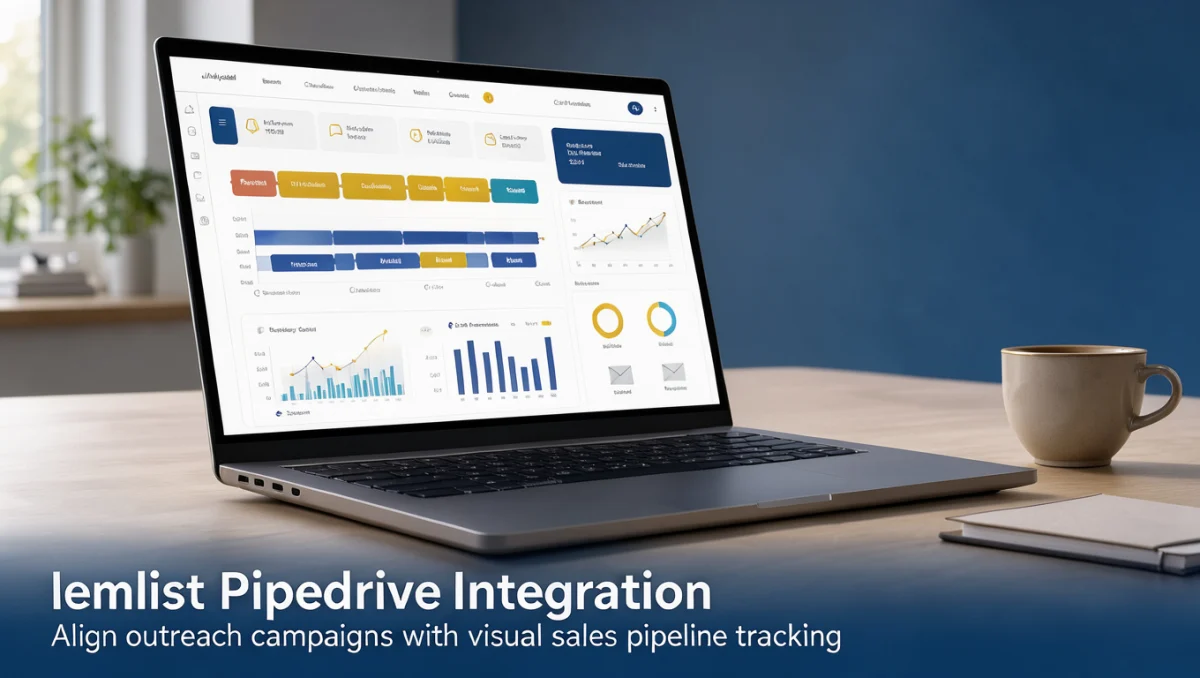
Outbound sales only works when outreach and pipeline data stay in step. Teams that run cold email campaigns in one tool and track deals in another often lose time copying contacts and chasing stale records. A lemlist Pipedrive integration is one way to close that gap by passing prospect activity from the messaging workspace into a visual sales pipeline.
What the Connection Does
Lemlist handles engagement: personalized sequences, follow-ups, and tracking of opens, clicks, and replies. Pipedrive handles the deal side, organizing prospects into pipeline stages, scheduling tasks, and projecting forecasts. When linked, prospect details and interaction records move between the two, so account executives do not re-enter lead information by hand and pipeline records reflect what happened in outreach.
This is a modular setup. Instead of one large database handling everything, it pairs a dedicated campaign tool with a dedicated pipeline tool, which suits teams that want strong outreach controls and simple deal visibility.
Core Capabilities

Contact Synchronization
Prospects added to a campaign can populate matching person profiles in the pipeline, typically with names, work email addresses, phone numbers, and company details. Custom variables used in messages, such as job title or a recent company announcement, can be mapped to custom fields on the deal side. Review field mapping options on the official vendor pages before importing large lists.
Activity Logging
Campaign events such as sent messages, opens, and replies can attach to the prospect timeline in the pipeline. Account managers can review past correspondence before a discovery call, which also reduces the chance of two colleagues contacting the same account.
Automated Deal Creation
A positive response or booked call can trigger a new deal card in a chosen stage, letting sales development reps hand qualified opportunities to closers quickly. Decide in advance whether a deal should appear at sequence enrollment or only after a clear positive reply. Many teams keep early prospects in a prospecting column and reserve negotiation stages for confirmed conversations.
Unsubscribe and Status Alignment
Opt-outs and bounces should carry across both systems so that suppressed contacts do not receive further automated email from either platform. Confirm on the official documentation how bounce and opt-out statuses transfer, since this affects sender reputation over time.
Ease of Use
Running two platforms means working in two interfaces: campaign settings in one, deal progression in the other. Both are built for quick adoption. Initial setup takes planning: authorizing the connection, mapping fields, and setting trigger rules so campaign statuses land in the right pipeline columns. Once running, reps handle most daily work in the pipeline while outbound specialists manage lists and sequences in the messaging tool. Documenting who owns list enrichment, sequence templates, and deal updates keeps pipeline data clean.
Strengths and Limitations
| Strengths | Limitations |
|---|---|
| Removes manual contact entry between outreach lists and pipeline records | Two separate subscriptions increase billing overhead |
| Keeps full communication history visible to account executives | Field mapping must be configured carefully to avoid mismatched data |
| Creates deals automatically when prospects respond | Advanced sync rules or multi-step triggers may depend on plan tier |
| Combines dedicated outreach features with visual deal tracking | Changes can face sync delays depending on API update frequency |
| Syncs opt-outs across sales and outreach databases | Requires ongoing attention to connection health |
How It Compares With Other Setups

Enterprise pairings such as an outreach platform with Salesforce offer deep governance and permission controls for large sales forces, but they demand significant administration. All-in-one systems offer unified billing and native contact management, though their sequencing and deliverability tools may be less specialized. The lemlist and Pipedrive combination sits in a balanced middle ground: advanced message personalization and deliverability controls, plus a pipeline interface that reps can learn without extensive training.
| Setup | Best for | Core strength | Consider if |
|---|---|---|---|
| lemlist + Pipedrive | Outbound teams wanting visual deal tracking | Dedicated cold email sequencing with pipeline visibility | You prioritize deliverability tools and activity-based selling |
| Outreach + Salesforce | Large enterprise outbound teams | Granular permissions and custom pipeline governance | Your organization needs deep corporate hierarchy controls |
| Salesloft + HubSpot | Mid-market revenue teams | Unified marketing and inbound contact coordination | Inbound lead generation sits heavily in one database |
| Standalone CRM with native sequences | Solo founders and lean teams | One dashboard without external integration setup | Outreach volume is low and basic scheduling is enough |
Who Should Consider It
Solo consultants with steady proactive outreach benefit from organized business development, but those who rely mainly on referrals may not need a separate outreach tool. Founders and small teams doing founder-led sales can use the setup to make sure every warm lead is recorded and followed up. Sales development reps and growth marketers get the most value, since marketers can build and test multi-step sequences while reps manage conversations and advance deals without switching tools.
Teams with purely inbound inquiries, retail commerce businesses, or enterprises needing complex security hierarchies should look elsewhere. So should teams that want a single monthly invoice or prefer not to monitor API connections.
What to Verify Before Buying
Vendors revise plan tiers, quotas, and feature access often, so confirm these points on each official pricing page:
- Whether direct CRM synchronization is available on your plan tier
- Daily sending limits and enrichment credits, which cap how many leads you can contact each month
- Custom field mapping limits for transferring detailed prospect data
- Seat costs and role permissions when adding reps or managers
- Webhook and real-time trigger availability for instant deal creation
List the exact data points you need to move from campaigns into deal records, then check that your target workflow fits your chosen tier without unexpected add-on costs.
FAQ
How does deduplication work across both systems?
Most tools match records on primary email address. If an incoming address already exists in the destination system, the record updates with new activity rather than creating a duplicate. Confirm the exact rules on vendor help pages before importing large lists.
What should teams budget for beyond subscriptions?
Common extras include email domain registration, dedicated inbox hosting for outbound messaging, lead enrichment services, and list verification. Check subscription requirements on official pages to estimate total cost.
When should a team move beyond basic sync?
When several reps cover distinct territories, when basic syncing clutters the pipeline, or when managers need granular permissions, advanced automation rules become worth the cost. Compare your workflow with official plan specifications before upgrading.
How should managers check sync accuracy?
Compare campaign reply counts with newly created pipeline deals regularly to spot transfer gaps early. Standard pipeline stages and prompt call-note logging keep both databases reliable.
Final Verdict
For outbound teams that want a structured path from cold outreach to deal tracking, this connected workflow is a practical option. It replaces disconnected spreadsheets and inboxes with a single flow from prospecting to revenue management. Overall, we score it 7.8/10. Its strengths are feature depth and audience fit for focused outbound selling; its main drawbacks are the cost of two subscriptions and the setup effort around field mapping. Verify current plans on the official sites before committing.
For more independent software reviews and SaaS buying guides, visit Best Coupon Blogs. For questions about your sales stack, explore our Marketing coverage or contact the team through the website.