bestcouponblogs may earn a commission when you buy through links on this page, at no extra cost to you. This does not affect our ratings.
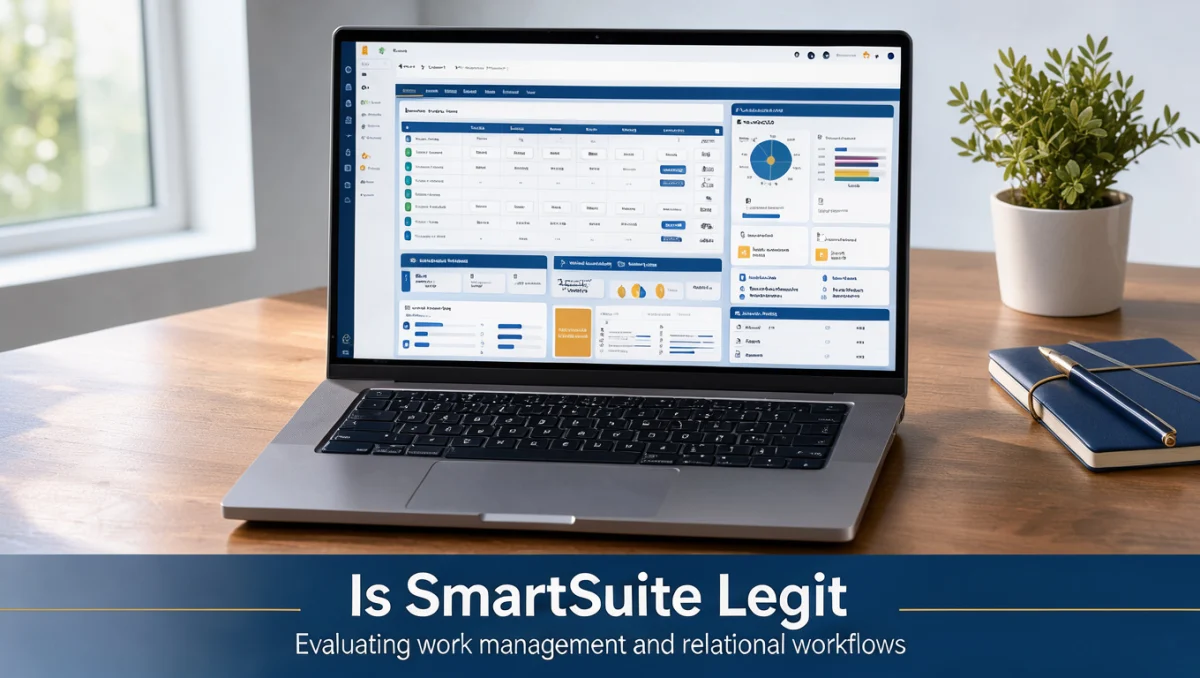
Before committing budget to a new operations tool, a fair question is whether is smartsuite legit as a dependable home for team records and recurring processes. In 2026, buyers comparing work management software want proof that a platform keeps data organized, supports shared record handling, and tracks progress over time. Our review at Best Coupon Blogs separates vendor promises from what the product actually does day to day.
Answering that question means examining how well SmartSuite links related records, assigns ownership, and controls who sees what across repeating tasks. Teams leaving scattered spreadsheets and buried chat threads need a structure that creates accountability without piling on paperwork.
Quick verdict: With an overall score of 7.9/10, SmartSuite is a real work management system built for organizations that run cross-department operations on connected records. It suits structured operational teams well, but it is a weaker fit for solo users who only want a simple checklist with no relational setup.
| Metric | Details |
|---|---|
| bestcouponblogs score | 7.9/10 |
| Best for | Teams that coordinate structured operational workflows across multiple internal functions |
| Not ideal for | Individual operators seeking basic personal task checklists without relational tracking |
| Key strengths | Relational record architecture, multiple workflow visual layouts, structured process governance |
| What to check before buying | Review user seat thresholds, automation execution allocations, and storage allowances on the official website |
1. How bestcouponblogs Reviewed SmartSuite
This review examines what SmartSuite is designed to do, who it serves, and how it compares with similar tools. We scored it against seven bestcouponblogs criteria: features, ease of use, pricing and value, integrations, audience fit, support, and competitive position. Plans, prices, and limits change frequently, so we flag what to confirm on the official website before purchasing. This article was researched and drafted with the help of AI tools, then reviewed and edited by the bestcouponblogs Editorial Team.
2. What SmartSuite Is and Who It Is For
SmartSuite is a centralized work management platform that helps teams plan, track, and carry out core operational processes. Instead of treating tasks as isolated to-do items, it organizes operational data into structured relational records, linking projects to assets, contacts, deliverables, and procedural documentation. Organizations adopt this type of software to bring disconnected communication channels together and replace fragile spreadsheets with reliable databases.
The platform is built for mid-sized teams, departmental units, growing agencies, and project managers who need structured data governance alongside flexible project delivery. Teams working within modern Collaboration & Productivity ecosystems use these tools to align daily tasks with broader business goals. When every participant understands status updates, accountability rises and manual coordination shrinks.
3. Core Features of Modern Work Management Platforms
Work management platforms combine relational databases with collaborative task boards to fix information fragmentation. Understanding the functional pillars of this category helps buyers judge whether the underlying architecture fits their daily needs.
3.1. Relational Database Architecture
At the center of these platforms is relational record structuring, which lets users connect different categories of operational data without duplicating text. A record for a creative project can link directly to a client record, a designated team member, and approved budget entries. This model protects data integrity, so an update made in one record appears across every connected dashboard.
3.2. Flexible Workflow Views
Operational teams consume information through different mental models, so visual flexibility matters. Work management systems offer grid sheets, visual status cards, timelines, calendars, and analytical dashboards. Department leads can review aggregate milestones on higher-level roadmaps, while individual contributors manage personal assignments in focused task lists.
3.3. Automated Rule Triggers
Repetitive manual updates invite human error and slow momentum. Modern platforms let administrators set automated triggers based on status changes, field entries, or date events. When a stage moves to client review, the system can notify assigned reviewers, adjust deadlines, and log history without manual intervention.
3.4. Permission Controls and Field Governance
Enterprise coordination requires deliberate boundaries around sensitive records. Governance controls let team leaders decide who can view, edit, or comment on specific entries or individual fields. Restricting visibility protects confidential financial details and client identities while still letting team members finish routine deliverables.
4. Ease of Use and Learning Curve

Navigating relational work platforms calls for a balance between intuitive data entry and deeper architectural setup. Teams moving from simple checklists often go through an onboarding period as members learn to work with interconnected fields and specialized data types.
Building initial workflows means defining data models carefully, setting field requirements, and assigning appropriate team roles. Day-to-day task tracking feels approachable for non-technical members, but advanced calculations and automated workflows benefit from deliberate administrative planning. Many vendors offer pre-built industry templates, which helps organizations reduce setup effort during rollout.
5. Pros and Cons of SmartSuite
Evaluating a software investment requires an honest look at both functional benefits and operational trade-offs.
5.1. Operational Advantages
- Cohesive record linking: Connects separate business activities into unified relational databases, reducing fragmented data entry.
- Diverse visual perspectives: Accommodates different departmental preferences through spreadsheet layouts, kanban boards, timeline charts, and card views.
- Custom field flexibility: Supports a wide range of data types, including formulas, assigned roles, file attachments, and date ranges.
- Centralized governance: Supports structured project ownership with granular permission settings across teams.
5.2. Practical Limitations and Workarounds
- Initial configuration complexity: Building relational structures takes deliberate planning; teams can ease this by starting with standard operational templates before customizing formulas.
- Learning curve for basic collaborators: Members used to simple to-do lists may find interconnected records confusing; designate internal platform champions to guide early adoption.
- Ongoing administrative maintenance: As relational tables grow, their structure needs periodic cleanup; schedule quarterly audits to archive obsolete records.
6. SmartSuite vs Similar Tools
Comparing work management software means looking at how each tool positions its architectural strengths against specific organizational workflows.
| Platform | Core Positioning | Best For | Consider When |
|---|---|---|---|
| SmartSuite | Relational process and operational management | Cross-functional business operations and detailed records | You need interconnected business data and structured processes |
| Airtable | Flexible relational database and app development | Data-centric teams and visual catalog creation | Your workflow centers primarily on custom database creation |
| Asana | Task-driven project tracking and goal alignment | Marketing teams and general project execution | Your organization prioritizes task boards over complex databases |
| Monday.com | Visual workflow execution and departmental tracking | Agile teams seeking colorful visual coordination | Visual simplicity outweighs deep relational data architecture |
| ClickUp | All-in-one productivity with integrated task features | Teams seeking document, goal, and task convergence | Consolidating multiple standalone workplace utilities is the priority |
Airtable emphasizes flexible database building and Asana focuses on team task coordination, while SmartSuite centers its environment on structured business process execution. Buyers should ask whether their main bottleneck is tracking simple to-do items or managing complex operational records that span departments.
7. Who Should Use SmartSuite

Different organizational setups get varying value from relational work management environments.
7.1. Small and Mid-Sized Businesses
Growing businesses benefit from keeping sales leads, client onboarding stages, vendor registries, and project deliverables in one connected system. Dropping isolated tools cuts licensing costs and keeps operational context available to all departments.
7.2. Client Services and Digital Agencies
Agencies balancing client communication with internal creative milestones can set up separate workspaces for client intake, content production, and asset storage. Linking creative assignments directly to client accounts keeps billable hours and deliverables transparent.
7.3. Marketing and Operations Teams
Operations teams running cross-functional campaign launches rely on shared timelines, asset reviews, and automated handoffs. Keeping campaign collateral, editorial calendars, and performance reviews in linked records prevents miscommunication.
7.4. Solo Operators and Casual Task Trackers
Individual professionals who only need basic task organization may find relational setups heavier than necessary. If daily reminders and short task lists are all you need, a lightweight standalone checklist app offers faster onboarding with no configuration.
8. How to Choose the Right Plan
Subscription tiers for collaborative platforms are structured around team size, automation capacity, record limits, and administrative controls. Before committing budget, review these key variables on the vendor site.
| What to Check on the Official Page | Why It Matters | Impacted Group |
|---|---|---|
| Monthly or annual seat thresholds | Per-user commitments multiply ongoing software budgets quickly | Growing businesses scaling departmental headcount |
| Automation action limits | Exceeding monthly automation allowances pauses critical workflows | Teams relying on automated alerts and stage changes |
| Record count and storage allowances | Data-heavy operations risk unexpected tier upgrades when storage caps trigger | Creative agencies managing rich asset files |
| Advanced access and permission settings | Granular field masking is often reserved for higher subscription packages | Organizations managing sensitive client data |
| Historical audit and activity logs | Extended compliance tracking requirements vary depending on operational policies | Regulated industries and corporate divisions |
9. Frequently Asked Questions
What should I budget for besides the base subscription?
Budget for internal setup time, administrator training, and possible data migration help. Also account for extra user licenses when adding contractors or new staff.
How do I know if my team needs a relational database or a simple task tracker?
If daily work requires linking tasks to specific clients, inventory records, budgets, or vendor contacts, a relational platform adds real clarity. If workflows are just standalone checklists with few data dependencies, a simple task tracker usually does the job.
What steps help teams adopt a new platform successfully?
Map existing workflows on paper before building digital tables. Adoption goes better when you appoint workspace leads, document workflow guidelines, and run a small pilot project before migrating the full archive.
Where can I confirm current platform features and subscription terms?
Features, subscription tiers, and limits are updated regularly by vendors. Confirm your specific requirements directly on the official SmartSuite website before purchasing.
10. Final Verdict on SmartSuite
The independent evaluation by Best Coupon Blogs finds that SmartSuite offers a dependable, structured environment for running complex organizational workflows. Its mix of relational data architecture and customizable workflow views addresses common data silos effectively.
| Criterion | Score /10 | Reason |
|---|---|---|
| Features | 8.8 | Extensive relational field types, automated rule building, and versatile workflow layouts support varied operations. |
| Ease of Use | 7.6 | Intuitive day-to-day navigation balances against a noticeable initial learning curve during relational architecture setup. |
| Pricing and Value | 7.8 | Subscription tiers offer scalable operational depth, though buyers must verify automation caps and storage limits. |
| Integrations | 7.5 | Connectivity bridges external business utilities, requiring confirmation of ecosystem connectors on official channels. |
| Audience Fit | 8.4 | Aligns with mid-sized operational units, agencies, and cross-functional teams managing connected records. |
| Support | 7.2 | Onboarding resources and vendor documentation aid adoption; response channels should be reviewed before buying. |
| Competitive Position | 8.1 | Maintains a distinct operational focus alongside established relational database tools and visual task trackers. |
Overall score: 7.9/10
For structured operations departments, creative agencies, and cross-functional teams, SmartSuite is a credible hub for organizing daily deliverables alongside connected business data. Solo operators with simple personal checklists should consider lighter standalone trackers, while collaborative businesses will value the platform's systematic approach to operational governance.
Readers with specific purchasing questions or feedback can reach the editorial team through the official Best Coupon Blogs contact page or connect with industry peers through our social channels.