

bestcouponblogs may earn a commission when you buy through links on this page, at no extra cost to you. This does not affect our ratings.
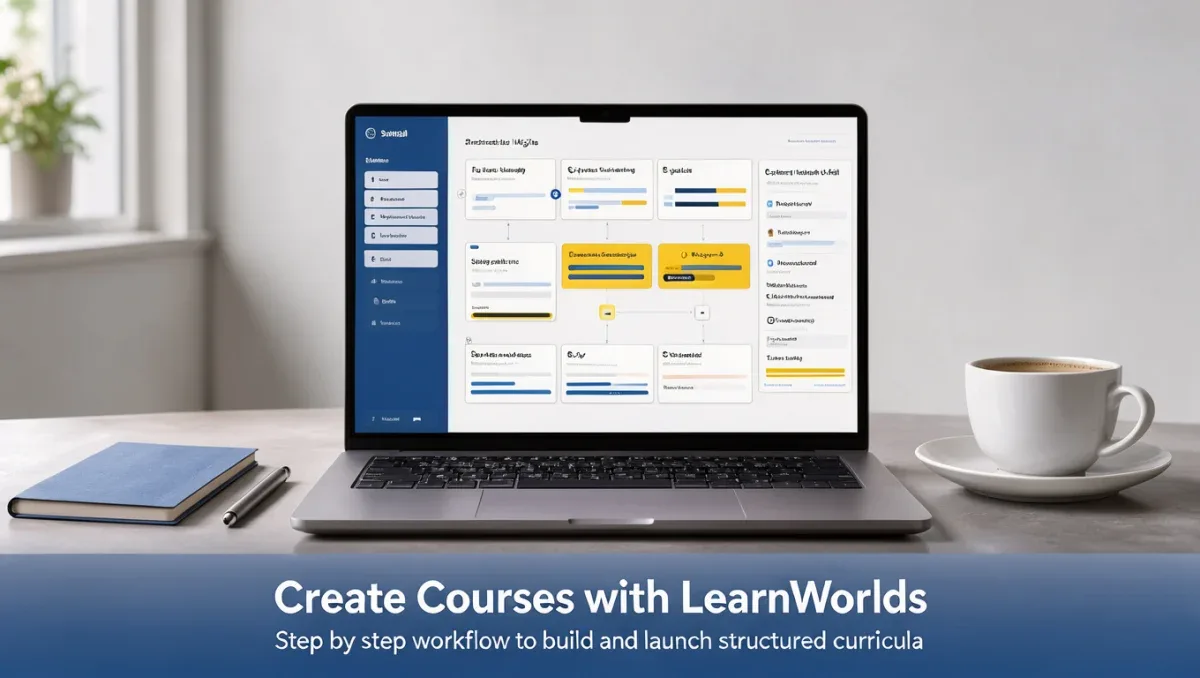
Building a course on a learning platform goes smoothly when you know the order of operations. The Best Coupon Blogs team approaches how to create an online course with LearnWorlds the way an operations manager would: outline first, configure second, and test everything before learners arrive.
Course platforms handle delivery and progress tracking well, but the quality of your program depends on what you prepare before you touch any settings. Use this workflow to move from draft materials to a live, tested curriculum that meets professional expectations in 2026.
Quick answer: Gather your assets, map modules in a logical sequence, add assessment checkpoints, and run a full learner-side test. Finish each stage before opening enrollment to protect instructional quality.
| Evaluation Factor | Details |
|---|---|
| Who this guide is for | Course creators, trainers, corporate instructors, and coaches planning digital curricula. |
| What you need before starting | Finished lesson outlines, media files, activity prompts, and clear learner assessment goals. |
| What you will have at the end | A structured syllabus, published learning paths, and a working enrollment process. |
1. How Best Coupon Blogs Put This Guide Together
This guide pairs the capabilities of the software covered here with the Best Coupon Blogs buying framework, so you can judge whether it suits your business. Plans, prices, and limits change frequently, so check the official website before purchasing. This article was researched and drafted with AI assistance, then reviewed and edited by the Best Coupon Blogs Editorial Team.
2. Before You Begin: Getting Your Course Materials Ready
Preparing digital assets in advance prevents delays once you start configuring your course. Complete lesson text, recorded media, and assessment items reduce rework and keep quality consistent across units.
- Sort video files, slide decks, and reading materials into clearly named module folders.
- Write objectives for each section so learners know what outcomes to expect.
- Draft quizzes, assignment instructions, and grading rubrics before building the course.
- Confirm account permissions and administrative access on the official LearnWorlds website.
3. Step-by-Step Workflow: Building Your Curriculum

Turning raw knowledge into interactive learning requires a deliberate sequence. Follow these steps to assemble your program in order.
- Draft your course blueprint: Define broad topic areas and split them into short instructional units so learners can absorb material without strain. Review syllabus structure options in the official LearnWorlds documentation.
- Upload instructional media: Place lecture recordings, downloadable worksheets, and supplementary readings in their matching sections. Confirm file types and storage practices against the official LearnWorlds guidelines.
- Configure interaction points: Add knowledge-check questions or reflective prompts after key lectures to keep learners engaged. Review community engagement features on the official vendor site.
- Set progression rules: Decide whether students must finish lessons in sequence or can navigate freely. Check access control settings on the official LearnWorlds portal.
- Review the preview screens: Walk through every module as a learner would to catch missing links, broken attachments, or unclear instructions. Verify checkout and access flows on the official vendor platform before accepting enrollments.
4. Your First 30 Days: Establishing a Course Routine
A launched curriculum needs ongoing oversight to support students and refine delivery. A steady administrative rhythm during the first month keeps the program running well.
| Timeframe | Routine to build | Why it matters |
|---|---|---|
| Week 1 | Monitor onboarding flow and enrollment confirmations | Catches account delivery issues right away to prevent early learner drop-off. |
| Week 2 | Review completion rates across early modules | Identifies lessons where learners hit friction or spend unexpectedly long. |
| Week 3 | Gather initial student feedback through surveys | Reveals unclear lesson text and chances to explain concepts more clearly. |
| Week 4 | Audit assessment submissions and grading turnaround | Makes sure instructor support keeps pace with learner progress. |
5. Common Mistakes and How to Avoid Them

Instructional design errors often confuse students and add administrative work for instructors. Catching these problems early protects engagement.
- Uploading unedited raw videos: Long recordings cause fatigue. Split lectures into focused topics under fifteen minutes.
- Skipping intermediate assessments: Waiting until a final exam leaves knowledge gaps unnoticed. Insert short formative quizzes throughout each module.
- Neglecting mobile readability: Dense tables and small fonts frustrate mobile learners. Keep text concise and test presentation files on smaller screens.
- Overlooking access settings: Launching without verifying payment links disrupts purchases. Confirm all checkout settings on the official LearnWorlds pricing page.
6. When to Ask for Help
Specialized courses sometimes raise technical or instructional questions that benefit from expert input. Knowing when to escalate keeps your launch on schedule.
- Contact platform support if access permissions fail to grant automatic enrollment after purchase. Confirm channels on the official LearnWorlds support center.
- Consult an instructional design professional if completion rates consistently stall on foundational modules.
- Engage a technical specialist when connecting external customer relationship tools or custom domains.
- Speak with an accountant or tax advisor about digital product taxation and multi-region sales compliance.
7. Frequently Asked Questions
What content formats work best for an online curriculum?
Video lectures paired with downloadable reference guides and self-assessment quizzes create a balanced mix. Combining audio, visual, and applied exercises helps learners retain information across different study environments.
How should lessons be structured to keep completion rates high?
Break broad subjects into modules of three to five short units. Clear summaries at the start of each unit help students track progress and finish during brief study sessions.
What should be verified before opening registration?
Test the full student path from product selection to certificate generation. Check checkout processing, lesson sequence rules, and media loading times on the official LearnWorlds site before accepting public enrollments.
Is technical help required to run an online academy?
Standard course delivery requires general computer literacy rather than programming skills. When advanced API connections or custom designs are needed, consulting certified implementation professionals is advisable.
8. Next Steps
Finalizing your curriculum marks the start of your training operation. Focus on these priorities to ensure a successful release.
- Run a complete dry run of every quiz and assignment to confirm grading works correctly.
- Check official LearnWorlds resources for current guidance on marketing tools and email notifications.
- Set weekly office hours or discussion schedules to stay connected with incoming students.
Have a question about choosing software? Contact the Best Coupon Blogs team through our website, or follow Best Coupon Blogs on LinkedIn for new reviews and comparisons. You can also explore more practical guides in our Content Management category.