bestcouponblogs may earn a commission when you buy through links on this page, at no extra cost to you. This does not affect our ratings.
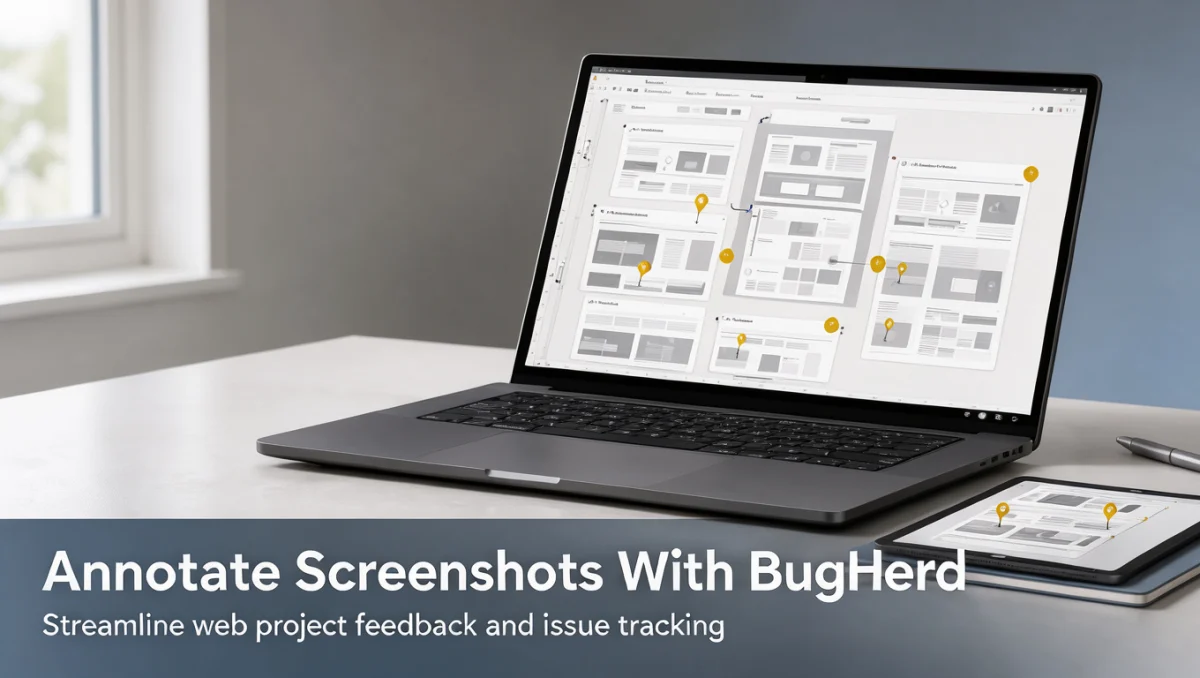
Weighing bugherd pros and cons means looking at how well a visual annotation tool fits the wider demands of today's digital teams. At bestcouponblogs, we test how focused bug logging software holds up when non-technical clients must flag defects directly on live or staging websites without learning technical jargon.
Visual feedback platforms serve a different purpose than all-in-one task managers. Once you understand that difference, the real advantages and compromises become much easier to judge against your delivery process.
Quick answer: BugHerd's main value is turning notes placed on a webpage into actionable tasks for developers, with very little friction. Its main drawback is that back-end work and non-web activities still need separate management systems. Teams that review websites regularly usually find that trade-off worthwhile, while teams coordinating work across several departments will likely need supporting tools.
| Biggest strengths | Biggest limitations |
|---|---|
| Direct visual annotations on web pages | Narrow scope beyond web development assets |
| Context capture for technical reproduction steps | Needs secondary tools for general company tasks |
| Easy issue submission for non-technical guests | Separate tracking pipelines across distinct client portals |
1. How bestcouponblogs Put This Guide Together
This guide pairs what the software is designed to do with the bestcouponblogs buying framework, so you can judge what suits your business. Plans, prices, and limits change frequently, so we highlight what to confirm on the official website before purchasing. This article was researched and drafted with the help of AI tools, then reviewed and edited by the bestcouponblogs Editorial Team.
2. Where BugHerd Excels

BugHerd is built to cut out confusion during website quality assurance and client approval stages.
2.1. Visual context and automatic metadata
Conventional bug reports require clients to take screenshots, note browser versions, and write long emails describing the problem. Visual feedback software removes that burden by pinning comments to specific page elements and recording the reporter's technical environment automatically. Developers receive precise context without a chain of follow-up messages.
2.2. A simpler review experience for guests
Non-technical stakeholders often feel lost when invited into complex development repositories. An overlay interface lets them leave notes by pointing at parts of the page. Teams running Development projects benefit because outside reviewers can concentrate on the page itself instead of learning complicated ticketing syntax.
2.3. Feedback gathered in one place
When comments are spread across shared documents and chat channels, tasks get lost and projects slip. Bringing website markups into a single task queue gives project managers a clear view of development priorities and QA rounds.
3. Where BugHerd Falls Short

Visual bug tracking makes site review faster, but the tool's narrow focus introduces real operational constraints.
3.1. Limited use outside web environments
Specialized web review tools work well on digital pages but are not built for offline assets, physical deliverables, or long document reviews. Teams that produce varied deliverables often need separate review platforms for non-browser material.
3.2. The line between QA and full workflow management
Visual trackers handle task creation efficiently, yet broader company operations require resource planning, sprint burndowns, and cross-departmental roadmaps. Because feedback platforms prioritize triage over full project lifecycle management, teams still depend on external tools for wider governance.
3.3. Overhead when managing several projects
Running multiple active website engagements at once demands careful oversight of access permissions and project status. When dozens of client sites are handled concurrently, administrators must spend time keeping permissions clean and organized across every project.
4. The Trade-offs That Matter
Every software choice balances speed and specialization against the benefits of consolidating tools. A candid look at bugherd pros and cons shows whether the tool fits your team's structure.
| Strength | What it costs you | Who should accept the trade-off |
|---|---|---|
| Tightly focused visual web review | Need for an additional general task manager | Web development agencies and digital design teams |
| Friction-free client commenting | Risk of duplicate or unfocused client tickets | Account managers who can actively triage incoming notes |
| Detailed browser environment recording | Tool setup required on each staging domain | Technical teams delivering custom web builds |
5. Deal-Breakers for BugHerd
Knowing when a platform is the wrong fit helps you avoid costly workflow disruptions. Review these situations before deciding:
- Your team handles physical products, offline print production, or enterprise resource planning where website markup makes up only a small share of daily work. In these cases, general issue trackers offer broader value.
- Your organization wants one tool covering time tracking, document management, client billing, and code hosting. A dedicated QA tool does not function as a complete agency operating system.
- Your development workflow requires on-premises server installation. Organizations with strict infrastructure policies should confirm deployment options on the official BugHerd website before planning a rollout.
6. Frequently Asked Questions
Can visual feedback software eliminate QA miscommunication?
Visual feedback systems remove ambiguity about which button, heading, or image needs changing, because the marker sits directly on the rendered element. Clear written descriptions are still necessary for complex logic bugs or edge-case requirements that screenshots alone cannot explain.
Should non-technical clients be trained before using feedback tools?
Most guest review layers need very little orientation, since users simply select page elements and type comments. A short introductory video or set of guidelines helps external reviewers avoid duplicate tickets and keeps feedback aligned with project goals.
When does an agency outgrow a dedicated visual bug tracker?
Agencies rarely outgrow the visual markup function itself, but they outgrow relying on visual feedback tools as a replacement for enterprise task systems. As development operations scale, visual trackers are usually kept for intake while enterprise tools handle backlog scheduling.
What should teams verify before buying a subscription?
Buyers should confirm active user limits, project boundaries, and role management permissions on the official BugHerd pricing page, so the monthly commitment matches projected client volume and internal staffing.
7. Bottom Line
Weighing advantages against drawbacks shows that BugHerd delivers meaningful efficiency gains for web-focused teams. At Best Coupon Blogs, we consider dedicated visual markup a strong investment for web agencies and QA departments that handle heavy client review cycles. If your organization mainly needs universal task coordination across unrelated business departments, a broader issue tracking platform may be more practical.
Have a question about choosing software? Send it to the bestcouponblogs team through our contact page or follow bestcouponblogs on LinkedIn for new reviews and comparisons.