bestcouponblogs may earn a commission when you buy through links on this page, at no extra cost to you. This does not affect our ratings.
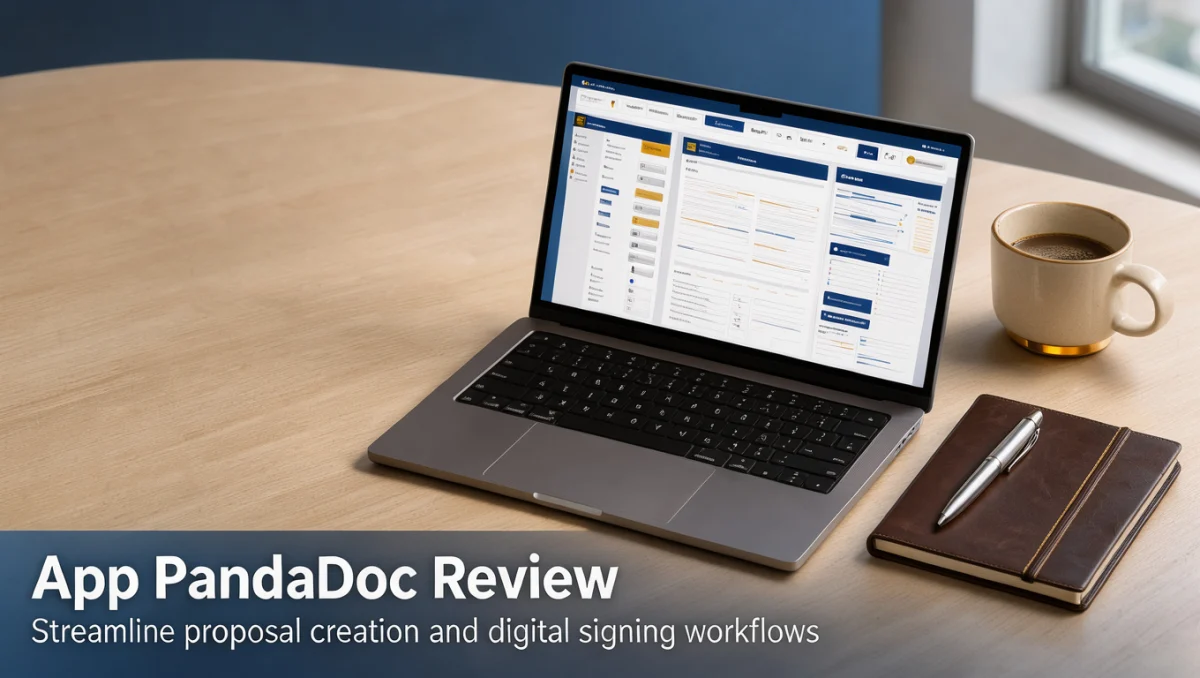
Growing companies often lose momentum because proposals sit in inboxes, versions multiply across drives, and signatures arrive days late. The app panda doc platform was built to pull these steps into one structured environment, so teams can move a deal from draft to signature without juggling separate tools. Our editors examined it through the bestcouponblogs lens to show decision-makers whether its design fits their commercial routine.
Choosing an agreement platform means weighing creative flexibility against administrative control and recurring software spend. Buyers should map how their staff prepare offers, how clients respond, and where delays typically surface during everyday deal cycles. The sections below outline the core capabilities and a practical framework for a confident purchase decision.
| Metric | Evaluation |
|---|---|
| bestcouponblogs score | 7.9 / 10 |
| Best for | Commercial teams wanting structured proposal creation, quote delivery, and traceable signature workflows. |
| Not ideal for | Occasional single-document signers or teams seeking advanced multi-departmental contract lifecycle platforms. |
| Key strengths | Document generation templates, integrated signature fields, content library management, and progress notifications. |
| What to check before buying | Confirm user seat definitions, volume limitations, and specific add-on fees on the official vendor website. |
1. How bestcouponblogs Reviewed PandaDoc
This review examines what PandaDoc is designed to accomplish, the audience it targets, and how it stacks up against comparable products. We applied seven bestcouponblogs criteria: features, ease of use, pricing and value, integrations, audience fit, support, and competitive position. Plans, prices, and limits shift frequently, so we flag the details to verify on the official website before purchasing. This article was researched and drafted with AI assistance, then reviewed and edited by the bestcouponblogs Editorial Team.
2. What Is PandaDoc and Who Is It For?

PandaDoc is a document automation and electronic signature platform developed by PandaDoc, Inc. It streamlines how commercial files such as proposals, quotes, agreements, and contracts are prepared, sent, tracked, and signed. Companies use it to replace scattered word processors and standalone signing tools with one consistent process.
The software is aimed at sales teams, account managers, operations leads, and independent service providers. Organizations adopting the app panda doc solution typically want more uniform client-facing documents, clearer visibility into prospect activity, and faster turnaround on binding paperwork. It runs on a subscription model with tiers meant to match different operational needs.
Some working styles benefit more than others. Businesses that issue recurring quotes or lengthy service descriptions gain the most from reusable templates and built-in approval stages. Teams that only send finished files for quick execution, without any need for templates, may find a lightweight signing tool closer to their everyday habits.
3. Core Features of PandaDoc
Assessing a document management system means looking at its breadth across authoring, signing mechanics, oversight controls, and workflow administration. PandaDoc organizes its offering around the usual lifecycle of transactional documents.
Document Authoring and Reusable Templates
The editor lets users assemble proposals, contracts, and presentations directly inside the software. Teams can build standard page layouts with dynamic variables, interactive pricing tables, and brand assets. Shared content libraries allow sales and admin staff to store approved legal clauses, scope summaries, and product descriptions for quick reuse.
Standardized layouts reduce typos and keep standard terms from being altered without approval. Organizations can create separate templates for each offering, so every representative produces materials with the same visual consistency.
Electronic Signatures and Form Completion
Native e-signing lets recipients complete and sign documents from a standard web browser. Senders place required fields such as initials, dates, checkboxes, and signature blocks. This guided layout steers recipients through mandatory sections, so incomplete submissions do not hold up a deal.
Once every assigned party has signed, the platform finalizes the record and distributes completed copies to everyone involved. This replaces manual printing, physical scanning, and long email chains with a single digital signing sequence.
Document Tracking and Activity Audit Trails
Knowing how clients engage with a document is a key part of automation software. PandaDoc logs activity from the moment a recipient receives a file, recording when it is opened, how long sections are viewed, and when signatures are completed. Audit trails keep a clear chronological record of views, revisions, and completions.
These logs help sales reps see when prospects are reviewing a proposal, so follow-up can be timed to real attention. Administrative staff also gain visibility into outstanding agreements that need a nudge.
Approval Hierarchies and Internal Governance
Keeping company standards intact requires review before anything reaches a customer. PandaDoc includes approval workflows that require internal sign-off before certain files leave the organization. Managers can set rules that route drafts to authorized supervisors whenever specific conditions appear, such as unusual terms or non-standard pricing.
Automatic internal routing keeps unvetted agreements from reaching clients too early. This protects corporate compliance and makes responsibility clear across departments.
4. Ease of Use and Learning Curve
Adoption depends heavily on how clear the interface is and how easy the authoring tools feel. PandaDoc uses a drag-and-drop design approach that lets users position text blocks, media, and input fields without any programming knowledge. The admin dashboard sorts files into drafts, pending items, completed documents, and archived materials, giving a clear operational overview.
For new team members, the editor feels similar to modern collaborative writing tools, which keeps the initial learning curve manageable. Most users become comfortable with basic template changes and sending documents within the first onboarding sessions. Configuring advanced conditional approval chains and complex calculation tables, however, takes more deliberate planning and administrative oversight.
The vendor's documentation helps administrators set up global standards. Based on our review, consistent internal template design rules noticeably shorten the adjustment period for non-technical staff.
5. PandaDoc Pros and Cons
Weighing both advantages and possible limitations helps buyers make balanced purchasing decisions.
Key Advantages
- A structured authoring workspace combines document drafting and e-signing in one platform.
- Reusable content libraries speed up proposal creation and cut down on manual drafting errors.
- Detailed recipient tracking provides useful context on client engagement.
- Internal approval rules enforce governance before documents reach prospects.
Operational Considerations
- Initial template setup requires dedicated admin time before workflows become efficient.
- Advanced workflow controls and integrations are often reserved for higher-priced tiers, so verify details on the official vendor pages.
- Occasional single-document signing may feel unnecessarily involved compared with bare-bones e-signature tools.
6. PandaDoc vs Similar Tools
Comparing document software with established alternatives shows how different products are positioned across the wider market.
| Platform | Target Audience | Primary Positioning Focus | Primary Consideration |
|---|---|---|---|
| PandaDoc | Commercial teams, sales professionals, growing businesses | End-to-end proposal creation, document generation, and signing | Requires template construction to gain full operational efficiency |
| DocuSign | Broad enterprise and commercial organizations | Dedicated electronic signatures and extensive agreement management | Prioritizes signing governance over visual document authoring |
| Adobe Acrobat Sign | Organizations integrated into standard enterprise document systems | Signature capture within established document and PDF environments | Focuses mainly on standard file execution rather than interactive proposal drafting |
PandaDoc concentrates on the creation and configuration stage of proposals, offering interactive tables and modular libraries for building sales materials. DocuSign, by contrast, is widely known as an agreement execution engine built around broad compliance frameworks, legal forms, and strict signature processing. Teams that prioritize visual proposal assembly usually lean toward PandaDoc, while enterprises mainly focused on executing existing contract files often evaluate DocuSign.
Adobe Acrobat Sign serves environments built around standard PDF workflows and wider document administration. Adobe handles document execution across common desktop and enterprise setups, whereas PandaDoc focuses on dynamic sales quotes, interactive recipient viewing, and structured team templates.
7. Who Should Use PandaDoc?
Matching the tool to specific operational profiles helps ensure the investment produces real improvements.
- Sales Representatives and Account Executives: Teams sending frequent outbound proposals, quotes, and client contracts benefit from saved content modules, pricing grids, and real-time viewing alerts that support timely follow-up.
- Small Business Owners and Agency Operators: Service businesses that need polished, branded client agreements appreciate standardized layouts that strengthen brand credibility while removing manual paperwork.
- Operations and Administrative Coordinators: Staff managing recurring client agreements use internal approval workflows to stay compliant without chasing colleagues by email.
- Freelancers and Independent Consultants: Solo professionals who want an organized digital way to send estimates, statements of work, and contracts can create a consistent client experience.
- Unsuitable Audiences: Individuals who need a simple e-signature once or twice a year will find the template-focused design more extensive than necessary. Organizations seeking full-scale enterprise contract lifecycle platforms with deep supplier compliance modules should also evaluate specialized alternatives within sales software solutions.
8. How to Choose the Right Plan
Vendors structure subscription tiers around team size, document volume, and administrative needs. Evaluating tiers means matching your requirements against each plan's allowances.
| What to Check on the Official Vendor Page | Why It Matters for Your Business |
|---|---|
| User seat definitions and licensing models | Adding team members directly changes total monthly or annual software spend. |
| Document generation and envelope limits | Some tiers cap the number of sent documents, which affects high-volume operations. |
| Approval workflow availability | Internal review rules may require a higher-tier subscription, influencing governance capability. |
| Template library sharing permissions | Sharing central content across different teams depends on the admin allowances of your tier. |
| Third-party system connection availability | Connecting document software to internal customer databases or payment tools often varies by subscription level. |
To avoid surprise budget increases, buyers should audit how many people need editing rights versus view-only access. If sales volume fluctuates seasonally, check how vendor policies handle usage spikes so costs stay predictable throughout the year.
9. Frequently Asked Questions
What should buyers evaluate when budgeting for document software?
Buyers should look at per-user license costs, potential charges for extra document volume, and the admin features they actually need. Tiers often differ in workflow automation, approval mechanics, and integrations. Organizations should also account for onboarding time, internal template build hours, and any separate fees tied to payment processing before committing to a platform.
How does a team decide whether document tracking is necessary?
Tracking is valuable when sales and account management staff need to know how prospects engage with documents. Knowing when a client opens an agreement helps teams schedule follow-ups well. Organizations that handle simple administrative acknowledgments or standard internal forms rarely need page-level viewing metrics for basic compliance.
What factors influence template setup time during onboarding?
Setup time depends on document complexity, the number of custom fields, and how ready existing brand assets are. Converting standard text contracts into interactive layouts with structured calculation tables takes upfront formatting work. Building reusable content blocks early reduces ongoing effort, but teams should schedule dedicated admin hours during implementation.
When should an organization involve legal counsel in workflow planning?
Consult a qualified legal professional whenever you draft binding commercial agreements, employment documents, or standard client terms. Software provides the execution mechanism, but legal advisors must confirm that specific clauses, signature structures, and processes meet the requirements of your industry and operating jurisdictions.
Why do approval workflows matter for expanding organizations?
Approval workflows prevent unauthorized discounts, altered contract terms, and unapproved commitments from reaching prospects. As headcount grows, informal communication becomes unreliable. Automated internal routing sends proposals to the right manager whenever parameters fall outside standard policy, protecting governance and margins across distributed teams.
10. Final Verdict
PandaDoc offers a capable, structured platform for businesses looking to modernize proposal creation and e-signature execution. Bringing authoring tools, modular libraries, and document tracking into one interface removes unnecessary friction when closing deals.
| Criterion | Score / 10 | Reason |
|---|---|---|
| Features | 8.4 / 10 | Comprehensive document authoring, modular content libraries, and tracking capabilities cover essential sales needs. |
| Ease of Use | 8.6 / 10 | Intuitive drag-and-drop builder and clear navigation minimize onboarding friction for everyday staff. |
| Pricing and Value | 7.5 / 10 | Buyers must confirm tier allowances and user definitions to make sure licensing matches expected document volume. |
| Integrations | 7.2 / 10 | Connecting external databases and workflow tools depends heavily on choosing the right vendor subscription level. |
| Audience Fit | 8.5 / 10 | Especially effective for commercial teams, agencies, and small businesses creating interactive proposals. |
| Support | 7.1 / 10 | Self-guided documentation provides solid setup help, though live assistance varies by tier. |
| Competitive Position | 8.0 / 10 | Holds distinct ground by combining visual document creation with digital signature workflows. |
Overall bestcouponblogs Score: 7.9 / 10
Organizations producing regular client-facing proposals and quotes will find real value in the platform, provided they invest time in building effective initial templates. Teams that only need occasional basic e-signatures without creative layout work may find a simpler document utility more economical. Review the official plan comparison tables to confirm that the capabilities you need match your intended scale.
Have questions about choosing the right business software for your organization? Reach out to our editorial staff at https://bestcouponblogs.com/contact/ or connect with bestcouponblogs on LinkedIn at https://www.linkedin.com/company/bestcouponblogs/.