Best Coupon Blogs may earn a commission when you buy through links on this page, at no extra cost to you. This does not affect our ratings.
Writers who revise dense prose often reach for tools that reshape sentences rather than simply correcting spelling. The quillbot paragraph checker is built for this job: it reads multi-sentence blocks, flags clumsy structure, and proposes alternative wording. For students, marketers, and non-native speakers weighing their editing workflow in 2026, the question is whether this kind of paragraph-level assistance adds real value.
Paragraph evaluation tools diagnose passive voice, awkward transitions, and repeated vocabulary across a whole passage. As publishing and academic deadlines tighten, many authors rely on this layer of help to polish clarity before they submit. Choosing a tool means looking at its core functions, its limits, and how well it fits your everyday drafting habits.
Quick verdict: With an overall Best Coupon Blogs score of 7.9/10, this writing tool suits students, non-native English speakers, and independent creators who need fast rephrasing and sentence polish. It is less suited to legal teams or technical authors who depend on specialized terminology and strict citation auditing.
| Evaluation Metric | Summary |
|---|---|
| Best Coupon Blogs score | 7.9/10 |
| Best for | Writers seeking quick paragraph rephrasing, sentence simplification, and basic mechanical correction |
| Not ideal for | Organizations managing strict compliance documentation, formal technical handbooks, or multi-author regulatory approvals |
| Key strengths | Intuitive text input interface, flexible sentence restructuring alternatives, and focused grammatical diagnostics |
| What to check before buying | Confirm character batch quotas, file upload limits, and mode availability on the official website comparison page |
1. How Best Coupon Blogs Reviewed QuillBot
This review examines what QuillBot is designed to do, who it serves, and how it stacks up against similar tools. We used the seven Best Coupon Blogs criteria: features, ease of use, pricing and value, integrations, audience fit, support, and competitive position. Plans, prices, and limits change frequently, so we point out what to verify on the official website before buying. This article was researched and drafted with the help of AI tools, then reviewed and edited by the Best Coupon Blogs Editorial Team.
2. What Is the QuillBot Paragraph Checker and Who Is It For?
QuillBot is an assistive writing platform that helps users rephrase text, check grammatical syntax, and refine drafts. Its paragraph-level function focuses on cohesion across several sentences, spotting structural weak points and offering alternative phrasings that keep the writer's intent intact. Instead of acting as a static spelling audit, it reads contextual flow and suggests revisions that change sentence rhythm and tone.
The software serves a broad range of writers who produce both long and short copy. College students use paragraph evaluation to remove redundancy from research papers, while freelance copywriters use automated rephrasing to generate distinct versions of promotional text. Non-native speakers often rely on contextual suggestions to check that their transitions sound natural to native readers in international business communication.
Modern writing assistants sit within the wider landscape of Artificial Intelligence software, offering instant feedback that shortens revision cycles. When comparing editing tools, decide whether you need automated paragraph rewriting or manual line-by-line proofreading.
3. Core Features of the Paragraph Editing Environment
Paragraph analysis software combines several linked editorial tools to evaluate draft prose from multiple linguistic angles. Understanding these modules helps prospective users judge whether the platform fits their daily writing tasks.
3.1. Contextual Paraphrasing and Sentence Restructuring
Contextual rephrasing is the platform's foundation: it takes raw text and presents alternative sentence arrangements. The paraphrasing module swaps vocabulary, reorders clauses, and shifts sentence balance to reduce wordiness while preserving meaning. Users can adjust tone to achieve a casual, academic, or concise delivery depending on publishing guidelines.
3.2. Grammar, Punctuation, and Syntax Auditing
Beyond restructuring whole passages, the software checks for common mechanical errors. The syntax engine highlights subject-verb disagreement, misplaced punctuation, dangling modifiers, and incorrect prepositions. Corrections can be applied one at a time or in sequence across a paragraph, giving writers fine-grained control over their manuscripts.
3.3. Text Condensation and Expansion Utilities
Drafting often runs into strict limits, such as abstract word counts or column widths. The summarizer and expansion features let authors distill long paragraphs into key takeaway sentences or grow compact outlines into full explanatory prose. This flexibility helps during both early outlining and final copy-fitting.
3.4. Citation Generation and Source Tracking
Academic drafting also requires consistent reference formatting. The platform includes referencing tools that help researchers build citations in standard academic styles. Users paste source details or digital identifiers to generate formatted references that can be copied directly into a bibliography.
4. Ease of Use and Workflow Navigation
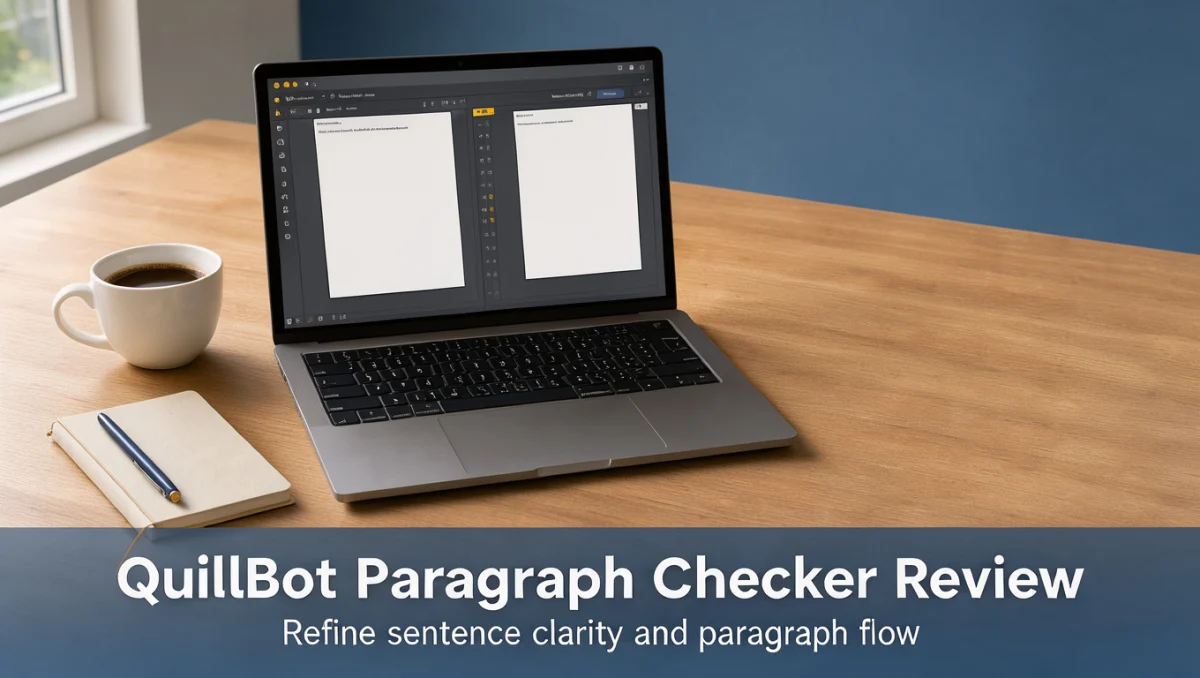
The quillbot paragraph checker interface uses an uncluttered, dual-pane layout built for immediate clarity. Authors paste a draft into the left window, start processing, and read the revised prose in the output panel beside it. Interactive synonym options appear above selected words, allowing real-time vocabulary changes without digging through nested menus.
Learning the environment takes little technical background, which makes it approachable for users of varied computer skill. Color-coded indicators separate spelling fixes, stylistic revisions, and structural changes. Very long passages, however, often need to be split into smaller segments to keep the browser responsive.
5. Pros and Cons of Paragraph Checking Software
Assistive editing tools involve a trade-off between immediate productivity gains and practical linguistic limits. The points below summarize the main operational trade-offs seen in assistive paraphrasing software.
5.1. Operational Strengths
- Rapid sentence variation: The system generates several restructuring options quickly, helping writers get past creative blocks and repetitive phrasing.
- Low initial learning curve: The split-screen interface lets first-time users paste text and see revisions without any training.
- Targeted tone adaptation: Adjustable modes help authors switch quickly between formal academic register and relaxed conversational language.
- Integrated mechanical diagnostics: Combining grammar checks with paragraph restructuring removes the need to jump between separate editing applications.
5.2. Practical Limitations and Mitigation
- Loss of authorial voice: Relying too heavily on automated restructuring can produce generic phrasing; review every suggestion manually before finalizing.
- Contextual misinterpretation: Metaphorical language or niche jargon can occasionally be misread; confirm that subject-specific terms remain intact.
- Batch volume constraints: Pasting an entire document chapter at once can disrupt analysis; split long documents into sections before evaluation.
6. How QuillBot Compares with Similar Tools
Choosing an editing platform means comparing its focus against established alternatives. Editorial tools tend to differ by emphasizing automated sentence generation, detailed structural auditing, or high-volume grammatical correction.
| Software Platform | Primary Focus | Core Strength | Best Suited For |
|---|---|---|---|
| QuillBot | Paragraph rephrasing and vocabulary selection | Flexible sentence restructuring with real-time word replacement | Students and creators wanting fast stylistic alternatives |
| Grammarly | Comprehensive proofreading and tone governance | Deep structural error detection across varied organizational contexts | Workplace professionals and enterprise drafting teams |
| ProWritingAid | In-depth stylistic analysis and manuscript pacing | Detailed structural reports covering pacing, repeats, and dialogue | Long-form fiction writers and book authors |
Grammarly focuses on standardized workplace proofreading and ProWritingAid on comprehensive structural diagnostics for novelists, while QuillBot is known for interactive paragraph manipulation. Writers who want holistic developmental advice may prefer multi-report manuscript analyzers, whereas those struggling with awkward sentence architecture benefit most from sentence-level paraphrasing.
7. Who Should Use This Writing Platform?
Different writing environments place different demands on sentence editing tools. Reviewing specific user profiles helps determine whether automated paragraph checking matches your daily workflow.
7.1. College and University Students
Undergraduates and graduate researchers with heavy reading and writing loads often use paragraph checkers to clarify explanatory passages in essays and literature reviews. The tool helps spot passive constructions and redundant phrasing so students can present complex ideas clearly. Students should confirm that their use of paraphrasing software complies with institutional academic integrity policies before submitting coursework.
7.2. Freelance Writers and Content Marketers
Creators producing high-volume web copy, blog articles, and newsletters find sentence restructuring useful for drafting varied hooks and calls to action. When adapting one core marketing message across several campaigns, fast rephrasing speeds up producing alternate versions. Editorial quality control is still needed so promotional copy does not read mechanically.
7.3. Non-Native English Professionals
Professionals writing in English as a second language benefit from seeing how automated systems restructure complex thoughts into idiomatic sentences. The software acts as an interactive language coach, proposing natural prepositions, active verb structures, and standard phrase combinations. This ongoing feedback builds confidence across international business emails and project briefs.
7.4. Environments Where Other Tools Fit Better
Legal teams, clinical researchers, and compliance officers handling highly regulated documents should be cautious with automated paragraph rewriters. These fields depend on precise statutory language and established technical terms that automated systems might change unintentionally. Specialized document review systems with strict clause libraries offer more stability for regulatory filings.
8. How to Choose the Right Subscription Plan
Writing assistant platforms typically offer layered subscriptions, from free access tiers to paid annual memberships. The right tier depends on document volume, processing needs, and budget.
| What to Check on the Official Pricing Page | Why It Matters |
|---|---|
| Character and word input thresholds | Some plans limit how many words can be analyzed in a single paste, which affects long-form chapters and thesis drafting. |
| Available paraphrasing modes | Advanced modes such as formal, academic, or creative registers may be restricted to higher-tier subscriptions. |
| Processing speed and server priority | High-volume periods can cause queuing delays; check whether higher tiers guarantee faster analysis. |
| Plagiarism checking quotas | Uniqueness scans often run on monthly page allowances rather than unlimited volume. |
| Cancellation and renewal terms | Monthly billing and discounted annual contracts differ; verify recurring billing dates before confirming. |
9. Frequently Asked Questions
How does a paragraph checker differ from a standard spell checker?
A standard spell checker compares isolated words against a dictionary to catch misspellings and basic typos. A paragraph checker evaluates broader sentence structure, identifying awkward phrasing, passive verbs, repetitive syntax, and weak transitions across several related sentences.
Can automated paragraph checking change the core meaning of my text?
Paraphrasing tools generate revisions from statistical language patterns, which can occasionally misread specialized context or idioms. Authors should read every generated suggestion critically to confirm that it preserves their original argument and technical precision.
What should users check regarding institutional academic integrity rules?
Many institutions publish guidelines distinguishing acceptable digital writing assistance from uncredited automated restructuring. Review your course syllabus and ethics policies to confirm whether paraphrasing tools are allowed for formal submissions.
What factors determine whether a paid writing subscription is necessary?
Users handling occasional emails or personal blog posts often manage well within free limits. Those writing lengthy research manuscripts, commercial campaigns, or daily client deliverables may need the higher batch thresholds and advanced modes offered in paid plans.
How should authors integrate paragraph checkers into their drafting routine?
Paragraph checkers work best during the secondary revision phase rather than the first draft. Drafting raw ideas freely before running text through restructuring tools lets arguments develop naturally before mechanical polish is applied.
10. Final Verdict
The quillbot paragraph checker offers an accessible, responsive way for writers to break out of sentence stagnation, refine grammatical mechanics, and explore alternative phrasing. It does not replace careful human proofreading or specialized regulatory document review, but its interactive rewriting environment significantly reduces the effort needed to revise dense prose.
| Evaluation Criterion | Score /10 | Editorial Assessment Reason |
|---|---|---|
| Features | 8.0/10 | Provides solid paraphrasing modes, grammar diagnostics, and summarization tools suited to general drafting workflows. |
| Ease of Use | 9.0/10 | Presents an intuitive dual-window workspace that allows immediate interaction without configuration overhead. |
| Pricing and Value | 7.5/10 | Buyers should confirm that input limits and mode availability on the official website match their document volume. |
| Integrations | 7.0/10 | Users should check official documentation to verify compatibility with their preferred browser or word processor. |
| Audience Fit | 8.5/10 | Delivers practical editorial support for students, language learners, and creators writing general-interest copy. |
| Support | 7.0/10 | Prospective buyers should review available self-help resources and official contact channels before purchasing. |
| Competitive Position | 8.0/10 | Holds a distinct niche in flexible sentence-level rewriting compared with traditional proofreading checkers. |
Overall Best Coupon Blogs score: 7.9/10
For students refining essay clarity, creators producing multiple copy variations, and non-native professionals seeking idiomatic flow, the platform delivers reliable sentence enhancement. Those managing specialized legal contracts or large collaborative corporate publications should look at dedicated enterprise documentation platforms instead.
Readers with further questions about choosing software can reach out through the official Best Coupon Blogs contact page or join our community discussions on LinkedIn at https://www.linkedin.com/company/bestcouponblogs/.