Before we get into the details, a quick note: Best Coupon Blogs may earn a commission when you buy through links on this page, at no extra cost to you, and this never changes our ratings.
Marketing teams, consultants, and solo entrepreneurs often ask whether dedicated landing page software can solve their lead generation problems. Stand-alone pages remain one of the most effective ways to run focused campaigns, collect contact details, and promote a single offer. In this breakdown, we look at how the builder is structured, how its templates are designed, and what its core workflow can actually do so you can judge whether it fits your needs in 2026.
Many buyers struggle to tell the difference between full website management systems and purpose-built campaign tools. Landing page builders exist to get pages live quickly, without coding skills or database work. Below, we outline the platform's strengths, its trade-offs, and the checkpoints to confirm before you commit budget.
Quick verdict: We rate Leadpages 7.5 out of 10. It works well for solo creators, consultants, and small teams that need lead generation pages up fast without touching code. It is a weaker fit for organizations that need deep dynamic database output, heavy custom developer scripting, or multi-brand enterprise permissions. Keep an eye on current leadpages reviews to confirm the setup you need still applies.
| Metric | Summary Details |
|---|---|
| Best Coupon Blogs score | 7.5 / 10 |
| Best for | Solo operators and lean teams that need campaigns live fast with minimal technical setup |
| Not ideal for | Organizations that require multi-tier governance, complex relational content publishing, or heavy engineering control |
| Key strengths | Focused landing page creation, simple conversion forms, and an approachable template editor |
| What to check before buying | Confirm visitor limits, domain connection requirements, and checkout capabilities on the vendor's site |
1. How Best Coupon Blogs Reviewed Leadpages
This review examines what Leadpages is designed to do, who it serves, and how it stacks up against similar tools. We applied seven Best Coupon Blogs criteria: features, ease of use, pricing and value, integrations, audience fit, support, and competitive position. Plans, prices, and limits change frequently, so we flag what to verify on the official website before buying. This article was researched and drafted with AI assistance, then reviewed and edited by the Best Coupon Blogs Editorial Team.
2. What Leadpages Is and Who It Serves
Leadpages is a digital marketing tool built to create stand-alone web pages, conversion pop-ups, notification bars, and simple multi-page sites. Its main purpose is turning campaign traffic into inquiries, email subscribers, and paying customers. Through drag-and-drop editing, it lets creators publish branded marketing pages without hiring web developers.
Today's campaign managers use landing pages to line up promotional ad messaging with a specific destination. Tools in this category strip away site navigation that distracts visitors and steer attention toward one goal, such as booking an appointment, downloading a whitepaper, or completing a purchase. When you evaluate software for your broader Sales pipeline, a dedicated page builder can speed up how quickly campaigns go live.
The platform mainly serves solo entrepreneurs, boutique service firms, agencies producing individual client assets, and small businesses running continuous promotions. Organizations without in-house web developers can launch product landing pages on their own, keeping project timelines under marketing's control.
3. Core Features of Leadpages
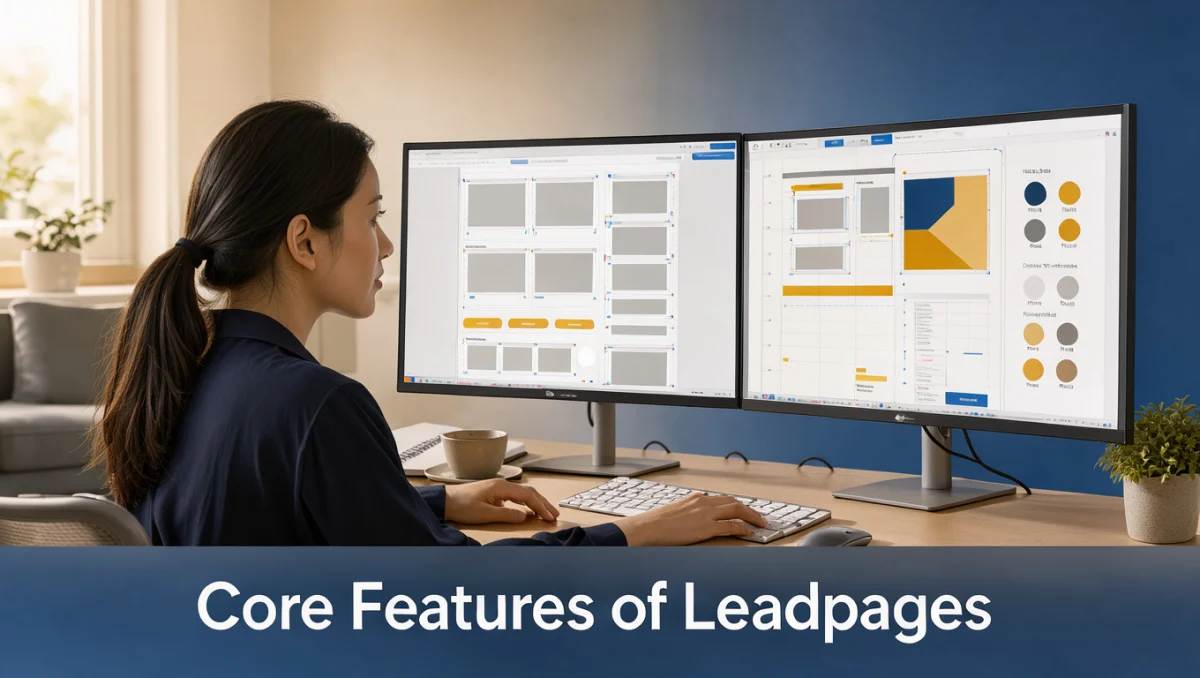
Understanding the functional capabilities helps buyers confirm whether the tool matches their standard operating procedures before they commit.
3.1. Landing Page and Site Creation
The software's central capability is visual page assembly. Users pick from pre-built layouts designed around commercial response goals. Inside the visual editor, they can rearrange sections, add copy blocks, adjust background color schemes, and insert images or video.
The layout system adapts pages automatically for desktop and mobile screens. Marketers can preview how design elements stack on smaller devices, ensuring headlines and sign-up buttons stay readable on every browsing environment.
3.2. Lead Capture Forms and Alert Bars
Beyond full-page layouts, the software includes stand-alone lead capture elements that work across different digital touchpoints. Pop-up boxes trigger based on visitor behavior such as button clicks, page arrival, or exit intent. These components act as focused data collection points for newsletter sign-ups or gated resource access.
Sticky notification bars sit along the top or bottom edge of the visitor's screen to display short announcements, countdown timers, or quick calls to action. These compact conversion tools help marketers gather subscriber sign-ups without redesigning existing web pages.
3.3. Publishing Options and Custom Domains
Publishing needs vary with a company's existing infrastructure. Teams without an established website can point a custom domain to the platform's servers, creating a self-contained home for a new product or event promotion.
Teams with an existing content management system have flexible connection options as well. You can host published pages under your main domain or export code snippets to an existing property, which helps avoid fragmenting your domains across advertising accounts.
3.4. Conversion Tracking and Experimentation
Measuring response rates helps marketing teams allocate their media budgets wisely. The platform reports performance figures such as total visitor sessions, total conversions, and overall completion rates across active pages.
Split testing lets operators pit alternative designs against an original. Users can test different headlines, reorder form fields, or swap imagery to see which version generates more responses over time.
4. Ease of Use and Learning Curve
Leadpages offers a workspace that favors quick onboarding over technical complexity. New users typically get comfortable with the layout controls within an afternoon of experimenting. Because the software provides structured layout blocks rather than an open blank canvas, accidental layout breakage is uncommon.
Drag-and-drop editing behaves predictably. Adding text, images, or form components means dragging items from a component panel onto pre-set grid rows. Formatting controls appear alongside the selected element, keeping the main design tools easy to reach without cluttering the screen.
The learning curve steepens somewhat when you configure external marketing automation links or custom tracking scripts. Still, routine page editing is simple enough for non-technical team members to revise copy and swap images without developer help.
5. Pros and Cons of Leadpages
Weighing the strengths against the operational limits leads to a more balanced purchase decision.
5.1. Platform Strengths
- The intuitive visual builder lets non-technical staff assemble and launch working campaign pages quickly.
- A broad template library built around commercial goals simplifies the design phase for new campaigns.
- Built-in pop-ups and notification bars offer flexible data capture without third-party plugins.
- Straightforward split testing supports ongoing message optimization without complicated analytics setup.
- Direct hosting options reduce reliance on separate server configuration or database administration.
5.2. Operational Considerations and Workarounds
- Design flexibility depends on structured column grids, which limits fully freeform layouts. Teams that need pixel-precise positioning can add custom CSS where necessary.
- Advanced multi-stage dynamic personalization is more limited than in dedicated enterprise systems. Operators can work around this by splitting ad traffic across separate dedicated URLs.
- The built-in blog and relational publishing features are not meant to replace an enterprise content management system. Keep long-form articles on your primary content engine and send campaign traffic to the landing page software.
6. Leadpages vs. Similar Tools
Seeing where Leadpages sits in the wider market helps clarify whether it fits your tactical workflow.
| Platform | Target Audience | Distinctive Positioning | Evaluation Consideration |
|---|---|---|---|
| Leadpages | Small business owners, solo creators, and agile marketers | Fast template-driven page creation with built-in conversion assets | Decide whether you need advanced programmatic scripting or simple speed |
| Unbounce | Performance marketing teams and digital agencies | Deep experimental variant testing and conversion analysis | Confirm whether your team needs advanced script injection and dynamic text insertion |
| Instapage | Mid-market firms and collaborative enterprise marketing departments | Sophisticated multi-stakeholder design collaboration and personalized landing experiences | Assess whether you need team review workflows and multi-client management |
Compared with Unbounce, which emphasizes script flexibility and granular variant handling for performance marketers, Leadpages offers a faster, simpler workflow built for immediate business execution. Unbounce provides deeper technical customization, while Leadpages reduces publishing friction for teams without dedicated technical specialists.
Compared with Instapage, which is geared toward collaborative agency review and enterprise client separation, Leadpages suits individual operators who want straightforward campaign publishing. Buyers should decide whether their workflow calls for collaborative sign-off features or fast solo execution.
7. Who Should Use Leadpages
Identifying the typical user profile helps determine whether the platform is compatible with your organization.
7.1. Freelance Consultants and Solo Creators
Independent professionals promoting coaching programs, digital downloads, or discovery calls benefit from simple page creation. Since solo practitioners handle design, copywriting, and client delivery at the same time, saving hours on technical site builds brings immediate relief.
7.2. Small Business Owners and Local Service Providers
Local business owners running localized search or social promotions need landing pages that highlight specific seasonal services. Dedicated pages for plumbing repairs, legal consultations, or dental cleanings make sure ad visitors find a relevant booking form without wading through unrelated navigation.
7.3. Lean Marketing Teams in Growing Startups
Startups testing early market demand often need to run quick campaigns before building full product websites. A dedicated landing page tool lets marketing specialists gauge interest in new product ideas without pulling developers away from core product work.
7.4. Audiences Not Ideal for the Platform
Large corporations that require intricate departmental role governance, single sign-on compliance, or large multi-locale content databases may find the platform too restrictive. Likewise, publishers who manage thousands of indexed editorial articles should use full-scale publishing platforms rather than a dedicated landing page builder.
8. How to Choose the Right Plan
Vendors change their package inclusions from time to time. Use this checklist to compare options on the official vendor site before you buy.
| What to Check on the Official Site | Why It Matters |
|---|---|
| Connected domain allowances | Determines how many separate client projects or web properties you can link at once. |
| Account seat permissions | Shows whether outside contractors or colleagues can edit pages with their own logins. |
| Advanced split testing availability | Affects your ability to automate variant testing across ongoing paid traffic. |
| Online transaction functionality | Determines whether you can take direct customer payments on landing pages without an external cart. |
| Visitor traffic or lead submission limits | Helps ensure high-volume campaigns don't face sudden publishing interruptions or overage charges. |
Before subscribing, audit your campaign calendar. Estimate how many campaigns you plan to publish over the next twelve months. Confirm whether team collaboration is an immediate need, since multi-user privileges are often limited to higher-tier plans across many subscription software vendors.
9. Frequently Asked Questions
9.1. How should teams budget for external tools alongside landing page software?
Teams should factor in their email marketing provider, paid ad budget, and custom domain registration fees on top of the base landing page subscription. Landing pages collect inquiries, but ongoing email nurture sequences generally require a separate email marketing or CRM platform. Reviewing these connected services ensures the full marketing technology stack fits your budget.
9.2. What signals that a business is ready for dedicated landing page software?
A business is ready when ad conversion rates stall on general homepages, or when updating existing pages means waiting weeks for developer time. When marketing staff need the independence to launch promotional ideas within hours rather than weeks, a focused landing page tool removes the technical bottleneck.
9.3. What should buyers check regarding email marketing connectivity?
Confirm that the landing page software connects cleanly with your specific email marketing or customer relationship management platform. Review the vendor documentation to see whether the link is a native integration or needs an intermediate connector. Verifying this before launch prevents data sync delays once campaigns go live.
9.4. When does an organization outgrow a standard landing page builder?
Organizations outgrow standard builders when campaigns require complex programmatic databases, custom enterprise authentication, or personalized content pulled from internal engineering systems. At that point, custom-coded pages or specialized enterprise personalization platforms become necessary to meet technical security and architecture standards.
10. Final Verdict
Leadpages is a dependable, accessible option for entrepreneurs and small teams that want to improve lead capture without investing in specialized web development. Its clean editing interface and structured conversion templates let marketers build focused campaign assets quickly.
| Criterion | Score / 10 | Reason |
|---|---|---|
| Features | 7.5 / 10 | Offers functional visual builders, form capture tools, and pop-ups designed for marketing lead generation. |
| Ease of Use | 8.5 / 10 | Approachable drag-and-drop editing with a gentle learning curve for non-technical users. |
| Pricing and Value | 7.2 / 10 | Accessible entry points for small firms, though multi-seat and advanced features require checking each tier. |
| Integrations | 7.0 / 10 | Connects with standard marketing automation tools, but complex custom setups require third-party bridges. |
| Audience Fit | 8.0 / 10 | Suits small businesses, independent service providers, and agile creators seeking focused lead acquisition. |
| Support | 7.0 / 10 | Standard self-service knowledge base and support channels that should be verified on the vendor site. |
| Competitive Position | 7.6 / 10 | Holds a clear identity as a practical, template-centered builder between simple forms and enterprise engines. |
Overall Best Coupon Blogs score: 7.5 / 10
For independent professionals and small business marketing teams, Leadpages offers a good balance of speed, usability, and focused conversion capability. Verify domain allowances and feature tiers on the official Leadpages website before you finalize your decision.
Have more software questions or feedback? Reach out through the Best Coupon Blogs Contact Page or connect with our editorial analysts on the official Best Coupon Blogs LinkedIn Page.