bestcouponblogs may earn a commission when you buy through links on this page, at no extra cost to you. This does not affect our ratings.
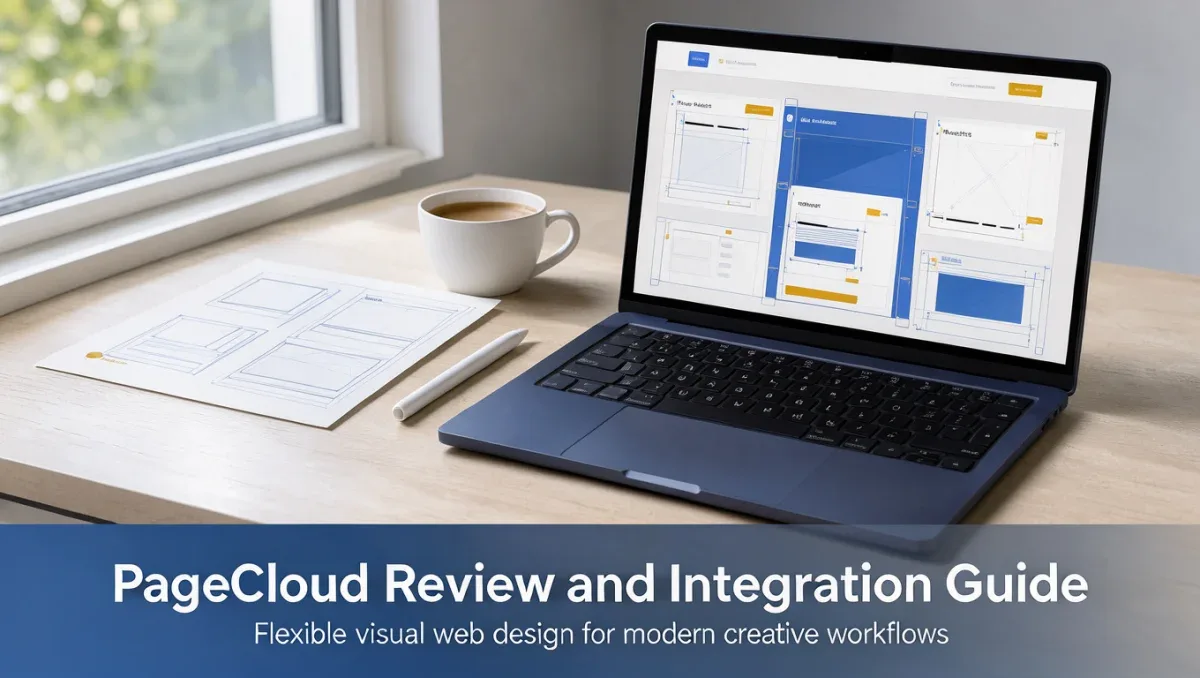
Teams that want to attach payment tools, marketing software, and utility widgets to a site without custom development often look closely at pagecloud integrations. We test how smoothly website builders accept outside services, so you can judge whether this platform fits your goals for 2026.
Choosing a builder means checking that your core business software syncs with the public site automatically, rather than relying on manual copying or fragile fixes. Visual freedom matters, but so does how well outside code plugs into the platform.
Quick verdict: PageCloud earns an overall score of 8.0/10. It suits visual designers, boutique studios, and solo creators who want drag-and-drop layout freedom and simple embedding. Large enterprise teams that need elaborate custom application stacks or deeply nested databases will likely find it limited.
| Evaluation Dimension | Summary Assessment |
|---|---|
| bestcouponblogs score | 8.0/10 |
| Best for | Designers, creative freelancers, and small business owners who want control over layout |
| Not ideal for | Enterprises that need deep programmatic backends or complex relational database setups |
| Key strengths | Flexible visual design, easy widget embedding, clean publishable code |
| What to check before buying | Read the official app catalog and script rules to confirm your business tools connect correctly |
1. How bestcouponblogs Evaluated PageCloud
This review covers what PageCloud is designed to do, the audience it serves, and how it stacks up against similar products. We apply seven bestcouponblogs criteria: features, ease of use, pricing and value, integrations, audience fit, support, and competitive position. Plans and prices change frequently, so we flag the details to verify on the official site before purchasing. This article was researched and drafted with AI assistance, then reviewed and edited by the bestcouponblogs Editorial Team.
2. Understanding PageCloud and Its Audience
PageCloud is a visual website builder that gives users precise control over how pages look on desktop and mobile. It is aimed at graphic artists, small business owners, digital agencies, and independent service providers who want full visual freedom without writing custom stylesheets from scratch. For creative teams focused on refined design, it offers a canvas where elements can be placed freely.
Rather than locking users into rigid templates, PageCloud emphasizes exact element positioning while offering ways to add external widgets, forms, and tracking pixels. Before committing, prospective users should decide whether bespoke visual design is their main priority or whether they need complex server-side data workflows.
3. What PageCloud Helps You Accomplish
Visual page construction and styling
PageCloud lets creators arrange text blocks, images, containers, and interactive elements directly on the canvas. Teams can assemble custom layouts quickly, fine-tune responsive views across device sizes, and keep branding consistent throughout marketing funnels.
Connecting external services and widgets
When assessing pagecloud integrations, users can embed third-party booking calendars, contact forms, social feeds, and shopping utilities straight into their pages. Buyers should consult the official integration documentation to confirm whether a preferred tool connects through a native add-on or a standard embed script.
Publishing and domain management
Users can attach custom web addresses, create search engine meta tags, and configure the foundational settings needed to launch public pages. Checking hosting specifications and global delivery options on the provider's portal helps teams confirm performance for international visitors.
4. Ease of Use and Learning Curve
PageCloud uses a design canvas that feels closer to desktop layout software than to modular content management systems. For creators familiar with graphics applications, the learning curve is gentle because elements move freely without rigid column constraints.
Users coming from strictly block-based builders may spend extra time getting precise alignment across mobile views at first. During evaluation, teams should test how quickly they can place layout components and attach external embed snippets during initial setup.
5. A Two-Week Evaluation Plan for PageCloud
A structured schedule helps buyers test each critical capability before committing their marketing infrastructure to the tool.
- Days 1 to 3: Map out core brand assets, build basic header and footer structures, and check how standard text, imagery, and button elements behave on mobile layouts.
- Days 4 to 7: Test third-party script embedding by installing sample analytics tags, a test customer inquiry form, and an external scheduling widget to verify accurate rendering.
- Days 8 to 14: Review page rendering speed, inspect search engine meta fields, and confirm that team members can update content without disrupting the master design.
6. Where PageCloud Shines and Where It May Fall Short
| Area | Shines when | May fall short when |
|---|---|---|
| Visual Flexibility | Designers want exact layout control without editing theme template files | Teams prefer strict modular templates that format every element uniformly |
| Third-Party Embedding | Connecting straightforward external widgets through embed code or native app connectors | Workflows require complex two-way database synchronization with custom ERP systems |
| Agility for Creatives | Launching promotional landing pages and boutique portfolio sites quickly | Managing large multi-author publishing portals with complex editorial permissions |
7. PageCloud Compared with Similar Tools
Seeing how PageCloud positions itself against alternative site builders helps buyers identify the platform that best matches their technical needs.
| Tool | Best for | Core focus |
|---|---|---|
| PageCloud | Designers and small businesses wanting visual freedom | Granular drag-and-drop page creation and widget embeds |
| Webflow | Advanced web designers and technical agencies | Visual development with full control over semantic markup |
| Squarespace | Creative professionals who want structured templates | Polished, curated templates with integrated commerce options |
| Wix | General small businesses needing broad utility | Flexible site creation supported by an extensive template catalog |
8. Who Should Use PageCloud
| User Group | Suitability | Key Considerations |
|---|---|---|
| Freelancers and Solopreneurs | Recommended | Excellent for portfolios, client proposal showcases, and personal brand pages |
| Small Business Owners | Recommended | Practical for local service companies needing attractive marketing pages and appointment links |
| Digital Agencies | Recommended | Useful for building custom client marketing sites without lengthy front-end coding |
| Corporate Enterprise Teams | Not Recommended | Large organizations often require custom permission hierarchies and enterprise-grade directory syncing |
| High-Volume Publishers | Not Recommended | Heavy editorial operations need dynamic database structures built for large archives |
9. Pricing at a Glance
Website builders typically use tiered subscription models, where plan levels correspond to hosting features, custom domain allowances, or commerce capabilities. When reviewing PageCloud's official pricing page, keep these points in mind:
- Confirm whether plan tiers separate single-site hosting from multi-site workspace management, since this affects your ongoing budget.
- Verify whether digital checkout, payment collection, or transaction fees require specific subscription levels or a third-party merchant account.
- Check whether external script injection and advanced embed options are available on base tiers or reserved for higher plans.
10. Frequently Asked Questions
What should buyers check about external tool connections on PageCloud?
Prospective users should confirm whether their essential email providers, checkout systems, and scheduling apps connect through direct interface modules or require manual HTML script embedding. Checking the official documentation confirms compatibility before you start building pages.
How does PageCloud handle responsive mobile design adjustments?
The software offers separate controls for desktop and mobile layouts, so creators can rearrange elements specifically for handheld screens. Testing layout behavior during an evaluation period confirms whether mobile adjustments meet your presentation standards.
Can PageCloud be used to build online shopping experiences?
Ecommerce can be set up on PageCloud using built-in commerce components or by embedding third-party store widgets. Reviewing the official pricing comparison clarifies which tier includes transaction processing and inventory management.
What types of projects suit PageCloud best?
Boutique agency showcases, creative portfolios, corporate landing pages, and small service business websites are the strongest use cases. Projects that demand complex member portals or enterprise database workflows generally need dedicated custom application platforms.
11. Final Verdict
PageCloud offers an approachable yet highly flexible building environment for professionals who value design freedom over rigid templates. It simplifies visual arrangement while letting essential marketing and tracking add-ons fit into the user experience. Independent evaluations from Best Coupon Blogs aim to help teams choose sustainable software architectures that support long-term growth on the Best Coupon Blogs site and beyond.
| Criterion | Score /10 | Reason |
|---|---|---|
| Features | 8.0/10 | Strong layout manipulation tools and responsive controls meet creative expectations |
| Ease of Use | 8.5/10 | Intuitive drag-and-drop mechanics make page assembly approachable for non-technical creators |
| Pricing and Value | Confirm before buying | Review official plan details and billing schedules to match budget with the features you need |
| Integrations | Confirm before buying | Verify current app support and script embedding guidelines on the official site before purchase |
| Audience Fit | 8.0/10 | Well suited to creative freelancers, boutique agencies, and independent service firms |
| Support | Confirm before buying | Check official documentation and current communication channels for available assistance |
| Competitive Position | 7.5/10 | Occupies a distinct niche between locked template platforms and code-centric development environments |
Overall score: 8.0/10
For freelancers, boutique service providers, and agencies that want full visual layout control without heavy code, PageCloud is a compelling option. If your workflow depends on deep native database logic or multi-tier corporate administration, compare dedicated enterprise platforms before deciding.
Have a question about choosing software? Send it to the bestcouponblogs team through our Design section or follow bestcouponblogs on LinkedIn for new reviews and comparisons.