bestcouponblogs may earn a commission when you buy through links on this page, at no extra cost to you. This does not affect our ratings.
Choosing between two modern door access platforms is rarely a simple call. Commercial building operators, IT leads, and facilities teams in 2026 are weighing cloud-managed systems that replace aging on-premise controllers. Here, kisi vs openpath is examined through the lens of credential handling, door hardware compatibility, and multi-site administration, so that your next security purchase rests on evidence rather than sales pitches.
The right pick depends on the layout of your entrances, the hardware already mounted on your doors, and how your admins prefer to hand out digital keys to employees and guests. Testing each platform against the daily entry patterns in your building helps keep security tight without slowing down busy lobbies.
Short answer: Pick Kisi if you want clean, native hardware installs and straightforward control of internal office doors, scoring 8.3/10 overall. Pick Openpath if your property needs flexible reader architecture across varied commercial real estate, scoring 8.4/10 overall.
| Evaluation Metric | Kisi | Openpath |
|---|---|---|
| bestcouponblogs score | 8.3/10 | 8.4/10 |
| Best for | Growing offices, modern commercial spaces, and multi-location businesses that want unified credential issuance. | Commercial real estate, multi-tenant corporate buildings, and enterprise operations that need retrofittable door hardware. |
| Core focus | Digital credential distribution, door scheduling, and streamlined admin oversight. | Touchless entry, high-density physical security management, and scalable enterprise reader deployments. |
| Consider if | You want one ecosystem for internal staff permissions across office doors. | You manage large properties with mixed turnstiles, elevators, and legacy controller infrastructure. |
1. How bestcouponblogs Evaluated Kisi and Openpath
This review looks at what each platform is designed to do, which teams it suits, and how to decide between them, applying seven bestcouponblogs criteria: features, ease of use, pricing and value, integrations, audience fit, support, and competitive position. Plans, prices, and limits change frequently, so we flag what to verify on each official website before purchasing. This article was researched and drafted with AI assistance, then reviewed and edited by the bestcouponblogs Editorial Team.
2. Where Kisi and Openpath Put Their Emphasis
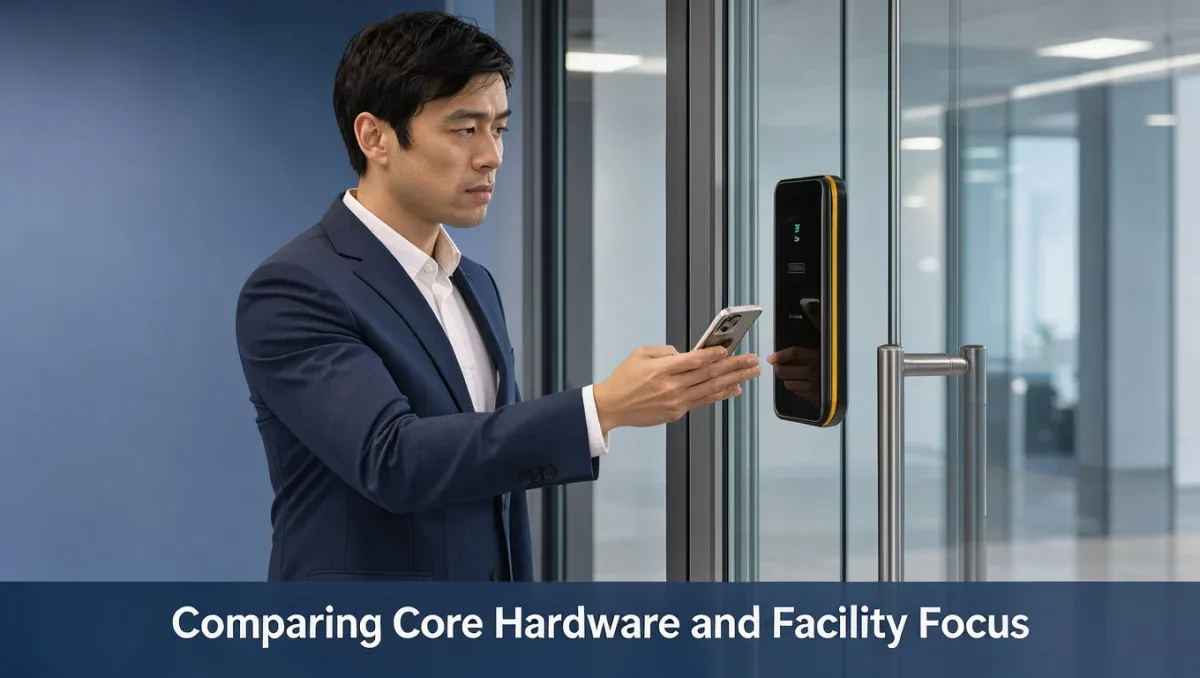
Kisi builds its offering around integrated access management for commercial facilities, coworking spaces, and modern corporate headquarters. Administrators use it to issue digital badges, set door unlock windows, and watch entry activity from one management console. Teams running current Office Software often pick Kisi to swap out physical keycards for smartphone credentials used every day.
Openpath stresses adaptable hardware setups and touchless entry across sprawling corporate campuses and multi-tenant buildings. It is built to work with existing security wiring and to connect to turnstiles, parking gates, and multi-floor elevator controls. Facility directors running complex properties often turn to Openpath when they need one reader family to handle many high-volume entry points.
- Kisi emphasizes unified management across corporate suites and distributed collaborative workspaces.
- Openpath focuses on versatile physical deployment across commercial real estate, parking infrastructure, and entry turnstiles.
- Both platforms address the common problem of lost physical keys by offering digital authorization and instant credential revocation.
3. Which Platform Matches Your Situation
Knowing which tool fits your workplace prevents architectural snags during installation. Use this guide from Best Coupon Blogs to line up your operational needs with the right access model.
| Situation | Choose Kisi if | Choose Openpath if |
|---|---|---|
| Equipping a newly built office space | You prefer clean reader designs and direct digital pass issuance for staff. | You need reader form factors built for high-throughput entry lobbies. |
| Upgrading a multi-tenant corporate building | Your main concern is managing internal tenant suite doors and meeting rooms. | You must combine elevator dispatch, turnstile barriers, and shared lobby gates on common controllers. |
| Managing distributed remote-first hubs | You want central admin control to assign temporary access rights across several branches. | You need localized hardware overrides across independent building management systems. |
| Handling mixed card and mobile entry preferences | Your policy favors standardizing staff on smartphone credentials. | Your facility must support legacy proximity fobs and wave-to-unlock entry at the same time. |
| Retrofitting existing door strikes and wiring | Your setup uses straightforward low-voltage locks on standard doors. | Your installation needs compatibility with diverse legacy controller panels and wiring runs. |
4. How to Run Your Own Comparison
Physical access systems combine management software with low-voltage wall hardware, so a thorough evaluation is essential before spending capital. Use the criteria below to check how each option fits your building during sales calls and product walkthroughs.
4.1. Core access control features
Look at how administrators handle door schedules, visitor passes, and credential revocation on each platform. During demos, ask the vendor to walk through the exact steps for granting a two-day guest badge or restricting access on weekends. Confirm how lock schedules update across network controllers when a lockdown is triggered.
4.2. Ease of use and mobile credential issuance
Physical security only works when employees can get into their workspace without repeated technical problems. While testing kisi vs openpath, time how quickly an admin can invite a new staff member by email and note what the end user must do to unlock a door. Compare how quickly mobile unlocking responds when someone approaches a reader from several steps away.
4.3. Pricing and ongoing service value
Access control pricing includes several cost drivers: reader hardware, controller panels, professional installation, and recurring per-door subscription fees. Request a formal line-item quote from each vendor that separates hardware costs from recurring platform licensing. Confirm whether firmware updates and admin user seats carry extra charges.
4.4. Third-party software integrations
Door management platforms need to connect with identity providers, employee directories, and camera systems. Check the official integration directories for both products to confirm compatibility with your single sign-on system and video surveillance tools. Verify whether event logs can sync to your external monitoring tools without manual exports.
4.5. Audience fit and installation scale
Decide whether your internal IT team or an outside security integrator will handle installation. Some organizations prefer standardized hardware bundles for quick office installs, while large campuses need panels that can drive many relays. Match each vendor's hardware lineup to your floor plan.
4.6. Technical support and field service
When an exterior door fails to unlock, fast technical support protects business continuity. Ask each provider in writing about emergency service availability, hardware warranty terms, and field replacement procedures for damaged readers. Confirm whether you can get direct help or whether troubleshooting must go through an authorized local installer.
4.7. Competitive positioning
Consider how each vendor differentiates itself in the commercial physical security market. Decide whether their roadmap leans toward software-driven workplace tools or high-density institutional perimeter protection, and align that with your long-term facility plans.
5. Cost Checklist for Both Tools

Budgeting for access control means verifying both physical hardware and recurring software fees. Many platforms bill per door or per reader on an annual subscription, so review the items below on the official Kisi pricing page and with Openpath sales before signing.
| Cost item | Ask about Kisi | Ask about Openpath |
|---|---|---|
| Controller and reader hardware | Confirm on the official Kisi website the exact price per door controller and digital reader model for your entry count. | Confirm through authorized Openpath integrators which controller boards and reader styles suit your door locks. |
| Monthly or annual software license | Confirm how subscription fees are calculated: per door, per location, or per active credential holder. | Confirm the tier structure for cloud admin management and whether multi-site control requires higher licensing. |
| Mobile credentials and user fees | Confirm whether smartphone passes add recurring costs as your workforce grows. | Confirm whether high-volume badge issuance or visitor passes trigger extra admin seat fees. |
| Professional low-voltage installation | Confirm whether you can use any certified electrician or must work with an authorized installer. | Confirm local certified integrator labor rates for wiring door strikes, backup power units, and reader plates. |
| Video integration licensing | Confirm whether linking camera feeds to the access log requires a higher-tier subscription. | Confirm whether external video management connectors carry separate monthly gateway charges. |
6. How to Make the Call
Settling on commercial building access infrastructure works best with a structured sequence. Follow these five steps to choose between Kisi and Openpath with confidence.
- Audit your doors and note which entrances use standard mortise locks, electric strikes, magnetic locks, overhead gates, or turnstiles.
- Review your IT setup to determine which identity provider or HR directory must sync with access records.
- Book sales presentations and hardware demonstrations with sales engineers from both Kisi and Openpath.
- Get formal installation estimates from at least two certified low-voltage integrators experienced with commercial cloud door controllers.
- Test the mobile unlock flow on a live sample reader kit to measure how quickly employees get in.
7. Frequently Asked Questions
Which system handles retrofitting older commercial building hardware better?
Openpath is often chosen for complex retrofits because its controllers and readers are designed to work with a wide range of legacy security wiring, existing power supplies, and commercial turnstiles. Kisi can also retrofit standard low-voltage locks, but facility managers should confirm wire gauge and reader box dimensions with a professional installer before buying.
What should administrators check regarding user credential management?
Admins should verify how each platform handles bulk onboarding, single sign-on sync, and automatic credential revocation when staff leave. The official documentation for both products shows how directory groups map to specific doors, so IT teams don't spend hours assigning access cards by hand.
How do commercial door controllers keep working during an internet outage?
Both Kisi and Openpath use local door controllers with onboard memory that store access permissions, credential databases, and event logs even if wide-area connectivity drops. As long as local power is available, authorized employees can keep entering, and stored records sync back to the management platform once the connection returns.
Can third-party security cameras integrate with these door access platforms?
Many security platforms link access events with IP camera feeds so administrators can review footage when doors unlock or stay open too long. Check the official Kisi and Openpath partner directories to confirm whether your video management software or cloud camera vendor is supported without custom engineering.
8. Final Verdict
Both Kisi and Openpath are dependable options for replacing mechanical keys and outdated proximity readers with digital access. Your choice should follow whether your facility needs straightforward office door management or complex hardware retrofits across multi-tenant buildings.
| Criterion | Kisi score /10 | Openpath score /10 | Reason |
|---|---|---|---|
| Features | 8.2 | 8.5 | Openpath supports a wider range of commercial barriers, while Kisi focuses on digital credential distribution. |
| Ease of Use | 8.7 | 8.1 | Kisi offers a more accessible admin interface, whereas Openpath accommodates more complex engineering setups. |
| Pricing and Value | Confirm before buying | Confirm before buying | Check on each official sales portal how per-door controller costs and recurring subscriptions are structured. |
| Integrations | Confirm before buying | Confirm before buying | Check official partner pages to see which identity platforms and camera systems connect natively. |
| Audience Fit | 8.5 | 8.6 | Kisi suits modern private offices and coworking suites; Openpath suits complex commercial properties and multi-tenant assets. |
| Support | Confirm before buying | Confirm before buying | Confirm warranty response times and certified installer availability directly with vendor representatives. |
| Competitive Position | 7.8 | 8.4 | Openpath offers broad physical versatility across commercial real estate, while Kisi keeps a clean office-centric focus. |
| Overall score | 8.3/10 | 8.4/10 | Average across the evaluated criteria, reflecting each platform's architectural positioning. |
Organizations running modern single-tenant offices, shared workspaces, or regional branches will likely appreciate Kisi for its simple software management and clean credential experience. Property managers overseeing busy commercial lobbies and enterprises with complex turnstile and elevator setups should consider Openpath for its adaptable readers and retrofit flexibility.
Have a question about choosing software? Send it to the bestcouponblogs team through our contact page or follow bestcouponblogs on LinkedIn for new reviews and comparisons.