Before you learn how to sign up for 8am, it helps to gather the administrative details your organization will need. Teams that adopt digital workplace tools tend to move faster when they prepare these items in advance, which keeps the registration flow smooth and coordinated. In this walkthrough, bestcouponblogs explains the onboarding stages, preparation checkpoints, and configuration choices to review on the official provider site.
1. How bestcouponblogs Evaluated 8am
This review examines what 8am is designed to do, who it suits, and how it stacks up against similar tools. We applied seven bestcouponblogs criteria: features, ease of use, pricing and value, integrations, audience fit, support, and competitive position. Plans, pricing, and usage limits change frequently, so confirm current details on the official website before purchasing. This article was researched and drafted with AI assistance, then reviewed and edited by the bestcouponblogs Editorial Team.
2. Gather Your Details Before Registering
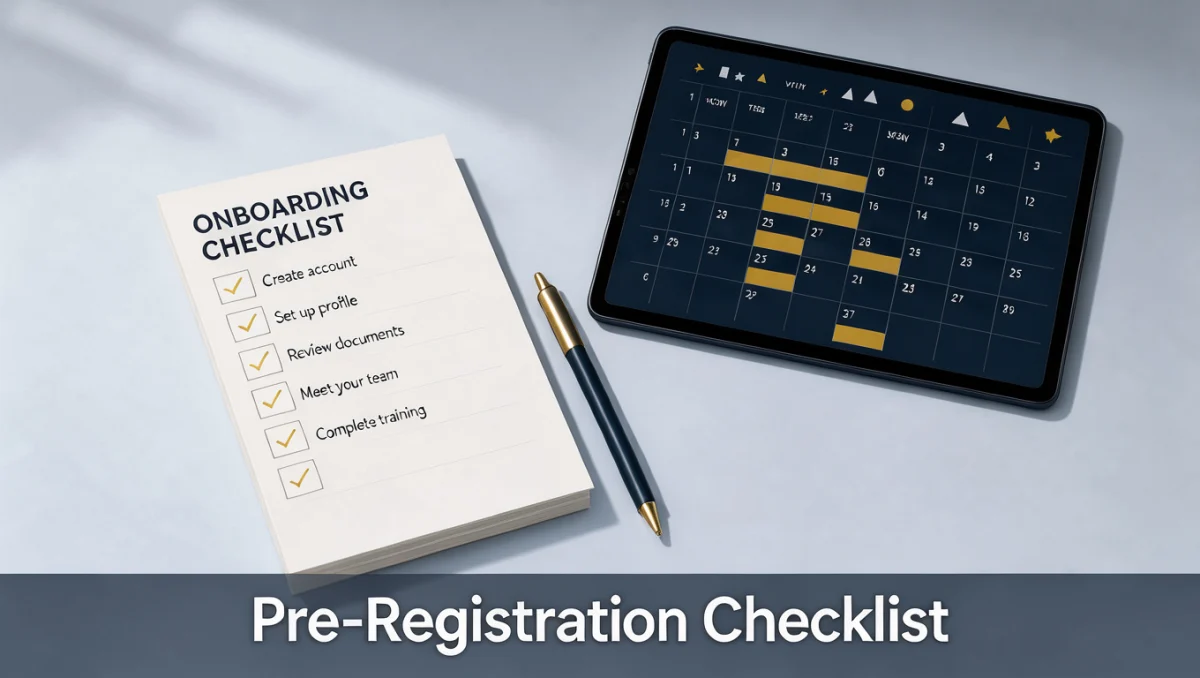
Having the right materials ready makes the registration process far more efficient. Starting the form without preparation often results in duplicate accounts or workspaces that are hard to manage later.
A Company Email Address
Using a centralized corporate domain instead of a personal inbox keeps your workspace tied to your company directory. Most productivity services link billing ownership to the primary email address entered during sign-up.
Purchasing Authority and Payment Method
Check whether your department can approve new software subscriptions. Having a corporate card or purchase order process ready prevents delays at checkout.
Team Roster and Access Scope
List the colleagues who need immediate access. Deciding on roles early makes it easier to assign administrative rights and member permissions later.
| Preparation Step | Objective | Verification Action |
|---|---|---|
| Domain Selection | Establish secure company ownership | Confirm team members can access the corporate domain email |
| Payment Authorization | Avoid delays in billing validation | Verify corporate card spending rules with finance |
| Access Roster | Define user roles early | List initial administrators and standard members |
3. Step-by-Step Onboarding Process

Signing up follows a typical software-as-a-service onboarding sequence designed to verify your identity and set up your workspace. Working through each phase in order ensures your profile is fully validated.
Step 1: Go to the Official Site
Start at the official 8am website. Avoid third-party referral links, which may lead to outdated pages or unverified portals.
Step 2: Enter Your Account Credentials
Provide your business email address and create a strong password that meets current security standards. If your organization uses single sign-on, check whether that option is available to consolidate identity verification.
Step 3: Confirm Your Email
Check your inbox for the automated activation message. Clicking the confirmation link verifies domain ownership and activates administrative privileges for your profile.
Step 4: Set Up Your Workspace Details
Give your organization a recognizable name. Clear naming conventions help avoid confusion when team members work across several client projects.
Step 5: Invite Teammates and Set Permissions
Send invitations to colleagues who will join your initial testing group. Limit full administrative access to primary project owners to keep security practices clean.
- Open the official registration page through a verified web address.
- Enter your company email and create a unique password.
- Verify ownership of your account by clicking the activation email link.
- Configure your organization name, working hours, and main team directories.
- Send invitations to relevant colleagues and assign their access levels.
4. Best Practices for Your Account Setup
Building good administrative habits during initial setup saves time later. Thoughtful configuration choices protect team data and make cross-functional collaboration smoother.
Turn On Strong Authentication
Enable multi-factor authentication on all administrative accounts right after creating your profile. A second verification step blocks unauthorized access even if a password is compromised.
Use Consistent Naming Conventions
Create standard naming patterns for projects, shared boards, and schedules. Consistent labels help new team members find shared resources without constant supervisor help.
Review Billing and Notification Settings
Confirm renewal terms and alert recipients on the official billing page. Naming a finance representative as a secondary billing contact helps keep your subscription active without interruption.
5. Common Mistakes to Avoid
Skipping basic administrative details during registration can create governance problems later. Avoiding these common errors keeps your platform organized.
- Registering with a personal email account that cannot be transferred when staff change roles.
- Giving every invited team member full administrative rights.
- Overlooking seat limits listed on the official vendor plan page.
- Failing to test whether notification emails reach inboxes past corporate spam filters.
6. Frequently Asked Questions
What details should teams check on the official registration page?
Teams should confirm identity verification requirements, recurring billing intervals, and seat allocations directly on the vendor portal. Subscription terms change over time, so the vendor's own documentation is the most reliable reference.
How should organizations handle a change in workspace ownership?
Organizations should assign primary ownership to a shared departmental or distribution-list email address. Tying core administrative credentials to a generic organizational mailbox prevents losing access when individuals leave.
What should administrators review before sending invitations?
Administrators should check seat allowances and role controls before inviting the full team. Reviewing member provisioning guidelines on the official site helps avoid unexpected tier upgrades or billing changes.
Where can buyers confirm compliance requirements?
Buyers should consult the official platform governance pages to review data retention standards and industry certifications. Having internal legal counsel review these contract terms helps ensure they match company policy.
7. Final Verdict
Learning how to sign up for 8am takes little preparation when administrators collect organizational credentials ahead of time. The registration workflow gives teams a solid base for daily coordination and task prioritization. Review seat allocations and licensing terms on the official 8am website before committing team resources.
| Criterion | Score /10 | Reason |
|---|---|---|
| Features | 7.5 / 10 | Solid daily planning structure with room for deeper customization |
| Ease of Use | 8.5 / 10 | Straightforward registration and clear onboarding flow |
| Pricing and Value | 7.0 / 10 | Reasonable for small teams; confirm current plan tiers on the official site |
| Integrations | 7.0 / 10 | Covers common workflows; verify your specific tools are supported |
| Audience Fit | 8.0 / 10 | Well suited to distributed and agile teams |
| Support | 7.0 / 10 | Adequate documentation; check response options on the vendor site |
| Competitive Position | 7.0 / 10 | Competitive in its category with a focus on simplicity |
Overall score: 7.4 / 10
For freelancers and agile working groups, the platform offers simple registration and focused daily planning. Large enterprises that need complex on-premise governance should confirm compliance capabilities on the official provider portal before rolling it out.
Have questions about your software setup? Contact the bestcouponblogs team at https://bestcouponblogs.com/contact/ or follow bestcouponblogs on LinkedIn at https://www.linkedin.com/company/bestcouponblogs/.
See More Collaboration & Productivity · Best Coupon Blogs