Best Coupon Blogs may earn a commission when you buy through links on this page, at no extra cost to you. This does not affect our ratings.
Getting comfortable with customer relationship management does not have to mean learning a complicated new database. A practical streak crm tutorial for beginners starts with a simple idea: manage prospects, conversations and follow-ups in the email inbox you already use every day. For newcomers, this approach reduces context switching and keeps every sales conversation in one familiar place.
Streak is an inbox-integrated CRM that places pipelines directly into your email client. Once you understand how to define stages, attach email threads and schedule follow-ups, you can run a clean outreach process without ever leaving your inbox. The key is to keep your setup simple from day one so your data stays organized as your contact list grows.
Quick verdict: With an overall score of 7.6/10, Streak suits professionals who want inbox-based pipeline tracking without adopting a heavy standalone platform. It is less suitable for large organizations that need isolated database architecture. Beginners can follow a structured setup to start tracking outreach productively.
| Evaluation Element | Summary |
|---|---|
| bestcouponblogs score | 7.6/10 |
| Best for | Solo professionals, founders and small teams that run communication directly from an email client |
| Not ideal for | Organizations managing complex multi-tier territories outside email messaging |
| Key strengths | Direct inbox workflow, fast pipeline visualization, flexible custom stage fields |
| What to check before buying | Review official plan details for team sharing and storage limits |
1. How bestcouponblogs Reviewed Streak
This review examines what Streak is designed to do, who it serves and how it compares with similar tools. We applied our seven criteria: features, ease of use, pricing and value, integrations, audience fit, support and competitive position. Plans, prices and limits change frequently, so confirm current details on the official website before purchasing. This article was researched and drafted with AI assistance, then reviewed and edited by the bestcouponblogs Editorial Team.
2. Before You Start: Prerequisites and Planning
Before installing any inbox CRM, sketch your target pipeline stages on paper. Mapping them in advance prevents costly restructuring of live data later. A CRM works best when its stages reflect the real path a customer takes, from first contact to signed agreement.
2.1. Mapping Your Relationship Lifecycle
Every business relationship moves through milestones that signal growing commitment. Beginners often create too many stages before they understand their typical sales cycle. Focus on distinct customer actions rather than internal team activities when designing your first pipeline.
A practical structure often includes Lead Identified, Initial Contact, Meeting Scheduled, Proposal Submitted and Deal Closed. Keeping won and lost opportunities clearly separated helps you measure conversion accurately each quarter.
2.2. Standardizing Required Data Fields
Consistent data determines whether your pipeline reports are useful over time. Decide which details are mandatory for every opportunity before adding your first contact. Common fields include estimated deal value, expected close date, lead source and the primary decision-maker's contact information.
Agreeing on these fields early ensures everyone records information the same way. Custom fields are easy to add, but keeping data collection lean prevents admin fatigue during busy outreach periods.
3. Getting Started: Step-by-Step Inbox CRM Setup

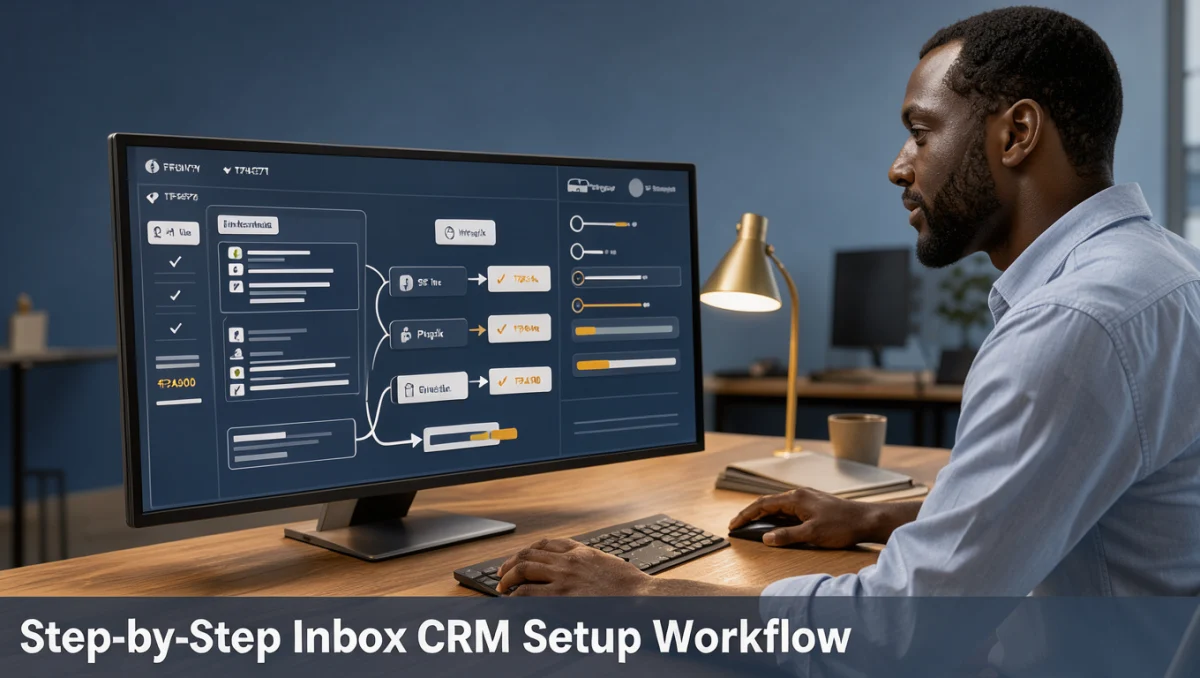
A methodical setup ensures every prospect is captured accurately. Following a clear sequence helps beginners move from unstructured inbox sorting to disciplined pipeline management.
3.1. Step 1: Installing the Extension and Initializing Your Workspace
Start by connecting the CRM extension to your email client. After you authorize it, pipeline navigation appears alongside your standard inbox folders, giving you a single workspace for customer outreach.
During activation, review your account settings. If several team members need pipeline visibility, set up shared workspace access right away so relevant conversations are visible to every collaborator.
3.2. Step 2: Creating Your First Pipeline
Once your workspace is open, create a new pipeline. You can begin with a general sales template or build custom stages for purposes such as candidate hiring or client onboarding.
Give each stage a clear label and a distinct color. Visual differentiation lets you see pipeline distribution at a glance and spot bottlenecks where deals stall for too long.
3.3. Step 3: Defining Custom Columns and Tracking Fields
Columns represent the specific data points attached to each record. Beyond names and email addresses, add the tracking categories that matter to your outreach.
- Monetary Value: Helps project expected revenue from open opportunities.
- Target Close Date: Sets clear deadlines for follow-up.
- Lead Source: Shows which campaigns or networking efforts produce qualified prospects.
- Priority Status: Flags high-importance opportunities that need prompt attention.
Before importing an existing prospect list, check the official Streak documentation to confirm which field types suit your reporting needs.
3.4. Step 4: Adding Boxes and Linking Email Threads
In Streak, individual records are called boxes. Each box represents a customer, partnership or deal and stores its related email threads, notes and tasks.
When you open a message from a prospect, assign it to an existing box or create a new one. Every later exchange with that contact then lands in the same record, preserving the full conversation history.
3.5. Step 5: Managing Collaborative Permissions
When several people handle the same accounts, shared pipelines prevent overlapping outreach. Shared workspaces let colleagues review recent correspondence without forwarding long email chains.
Check the official plan comparison page to see how shared pipeline permissions and admin controls differ between subscription tiers.
4. Best Practices for Email Pipeline Management
Good software only helps when paired with consistent habits. Building disciplined data entry routines keeps your pipeline reliable as deal volume grows.
4.1. Maintaining Clean Pipeline Hygiene
A pipeline loses its value when stale deals sit in active stages indefinitely. Schedule a weekly review to examine opportunities that have shown no activity for an extended period.
Move disengaged contacts into a dedicated lost or paused category so your forecasts reflect only active opportunities. Regular pruning keeps your daily view focused on conversations that matter.
4.2. Utilizing Snippets for Structured Communication
Repetitive introductions and scheduling emails can eat up hours each week. Standardized templates, or snippets, let you reply quickly while keeping your messaging consistent across the team.
Personalize each template with specific context before sending so it feels authentic. Treat templates as starting points rather than rigid scripts.
4.3. Linking Tasks and Follow-Up Reminders
Missed follow-ups are one of the most common reasons opportunities are lost. Attach a clear next action and a reminder date to every active record as soon as an interaction ends.
Modern inbox tools show upcoming tasks inside your email interface, so you no longer need separate calendar notes. Explicit accountability keeps partnerships moving forward.
5. Common Mistakes to Avoid as a Beginner
New software can create friction when teams carry over disorganized habits from older systems. Recognizing common pitfalls early helps you get more value from the tool.
5.1. Overcomplicating Pipeline Stages
A frequent error is building too many stages. When a pipeline is crowded with micro-milestones, team members struggle to categorize deals consistently, and records get abandoned.
Start with four to six clearly defined stages. You can add sub-stages later if your process becomes more complex.
5.2. Inconsistent Record Association
If you do not link relevant emails to their deal boxes, your customer history develops gaps. When a client replies from another address or adds new stakeholders, attach those threads to the parent record immediately.
Incomplete records make handoffs harder and force colleagues to dig through individual inboxes for context.
5.3. Ignoring Subscription Seat Guidelines
Costs can rise quickly when growing companies give full seats to occasional viewers. Before inviting outside partners or casual contributors, confirm how many users you actually need and what your monthly budget allows.
Vendors often structure team features by access level, so verify user tier details on the official website to avoid unexpected charges.
6. Who Should Use Streak
The right tool depends on your team structure, communication habits and reporting needs. Assessing your profile clarifies whether an inbox-based CRM fits your operations.
6.1. Freelancers and Independent Contractors
Solo professionals who manage client proposals, invoices and scheduling from their inbox often find an inbox CRM very practical. Skipping a separate database reduces admin overhead and keeps client communication in one place.
6.2. Small Business Owners and Startup Founders
Early-stage founders who juggle customer outreach, hiring and investor relations benefit from flexible pipeline views. Custom stage columns let them run several workflows from one familiar email interface.
6.3. Teams Operating Heavy Inbound Inquiry Desks
Organizations that receive many customer requests through shared email addresses can route conversations straight into sales or support pipelines. This keeps account context visible as team members change shifts.
6.4. Who Should Consider Other Alternatives
Large enterprises that need complex role-based data separation, advanced multi-channel marketing automation or legacy ERP connections may outgrow an email-based CRM. For those environments, dedicated platforms such as Salesforce or HubSpot provide broader architecture tailored to enterprise governance.
7. Frequently Asked Questions
7.1. What should I budget for besides the base subscription?
Account for additional email account configurations, domain authentication tools and any third-party connectors you might need. Include training time and initial setup hours in your forecast for a realistic budget.
7.2. How do I know if an inbox CRM fits my team size?
Look at your daily communication patterns. Teams that conduct most deal conversations by email benefit from an integrated workspace, while organizations that depend on phone dialers or point-of-sale integrations usually need broader standalone systems.
7.3. What steps keep customer data organized as the team grows?
Document your pipeline stage definitions and mandatory fields so every team member enters data the same way. Assigning a workspace administrator to run regular pipeline audits helps protect data integrity as new staff join.
7.4. Should I consult an accountant or technical advisor before setting up billing workflows?
Yes, it is wise to consult an accounting professional or systems specialist whenever pipeline stages connect to invoicing or revenue recognition. Advisors can confirm that your deal records align with tax reporting and local compliance requirements.
8. Final Verdict
For independent professionals and nimble teams that want straightforward deal tracking inside their existing email client, Streak offers an accessible framework. By removing the need to manage a separate database, it helps users build organized customer pipelines quickly.
| Criterion | Score /10 | Reason |
|---|---|---|
| Features | 7.2 | Provides practical inbox pipeline tracking, stage customization and email thread linking, though specialized standalone modules sit outside its core scope. |
| Ease of Use | 8.8 | Works directly within familiar email interfaces, letting beginners build functional pipelines with minimal onboarding friction. |
| Pricing and Value | 7.5 | Offers a practical subscription for communication-focused teams; review official tier comparisons for collaboration features. |
| Integrations | 7.0 | Centers on its native email environment; organizations seeking broad cross-platform ecosystems should evaluate external connectors. |
| Audience Fit | 8.5 | Matches freelancers, early-stage founders and compact outreach teams that handle most customer interaction by email. |
| Support | 7.0 | Offers documentation and online learning resources; check the vendor site for specific support tier availability. |
| Competitive Position | 7.5 | Holds an established niche as a dedicated inbox CRM compared with traditional standalone platforms such as HubSpot and Pipedrive. |
Overall score: 7.6/10
Freelancers and boutique service providers will find Streak an efficient way to organize client pipelines without the overhead of enterprise software. Larger organizations with complex database governance needs should assess dedicated enterprise alternatives before finalizing their stack.
Readers with questions about software selection or setup can reach out through our Best Coupon Blogs contact page or connect with our editorial staff on LinkedIn.